
Ulangkaji.net Just Got Better: New Features to Make Studying More Interactive, Visual, and Effective
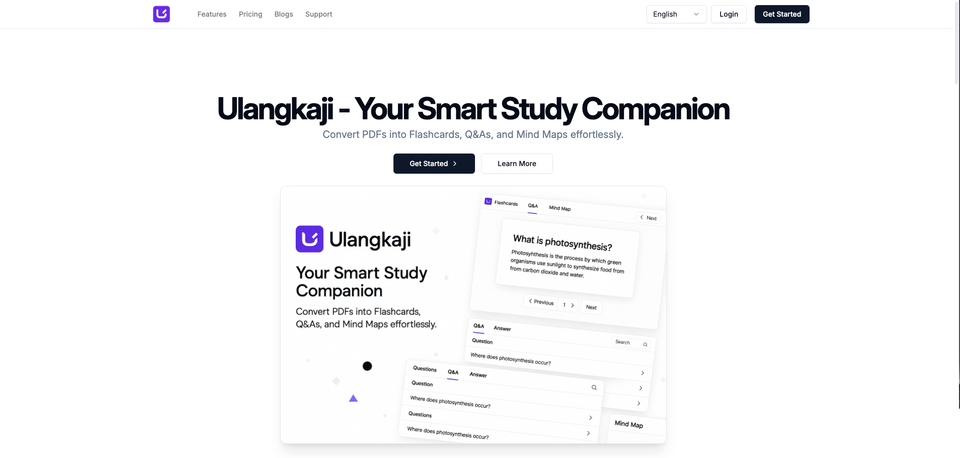
As a part time degree student, I know how hard it is to study consistently when you are also balancing work, deadlines, and daily responsibilities. Sometimes the hardest part is not the lack of effort, but the lack of a study tool that actually helps you learn in a way that feels practical, fast, and manageable.
That is one of the main reasons I built Ulangkaji.net. I wanted something that could help me study better from my own materials, understand topics faster, and remember important points more effectively without wasting time jumping between different tools. Whether it is reading notes, asking questions from a document, using mind maps, watching short study videos, or learning through quizzes, the goal of this update is to make the whole study process smoother and more useful in real life.
Here is what is new.
A New Dashboard That Tells You What to Do Next
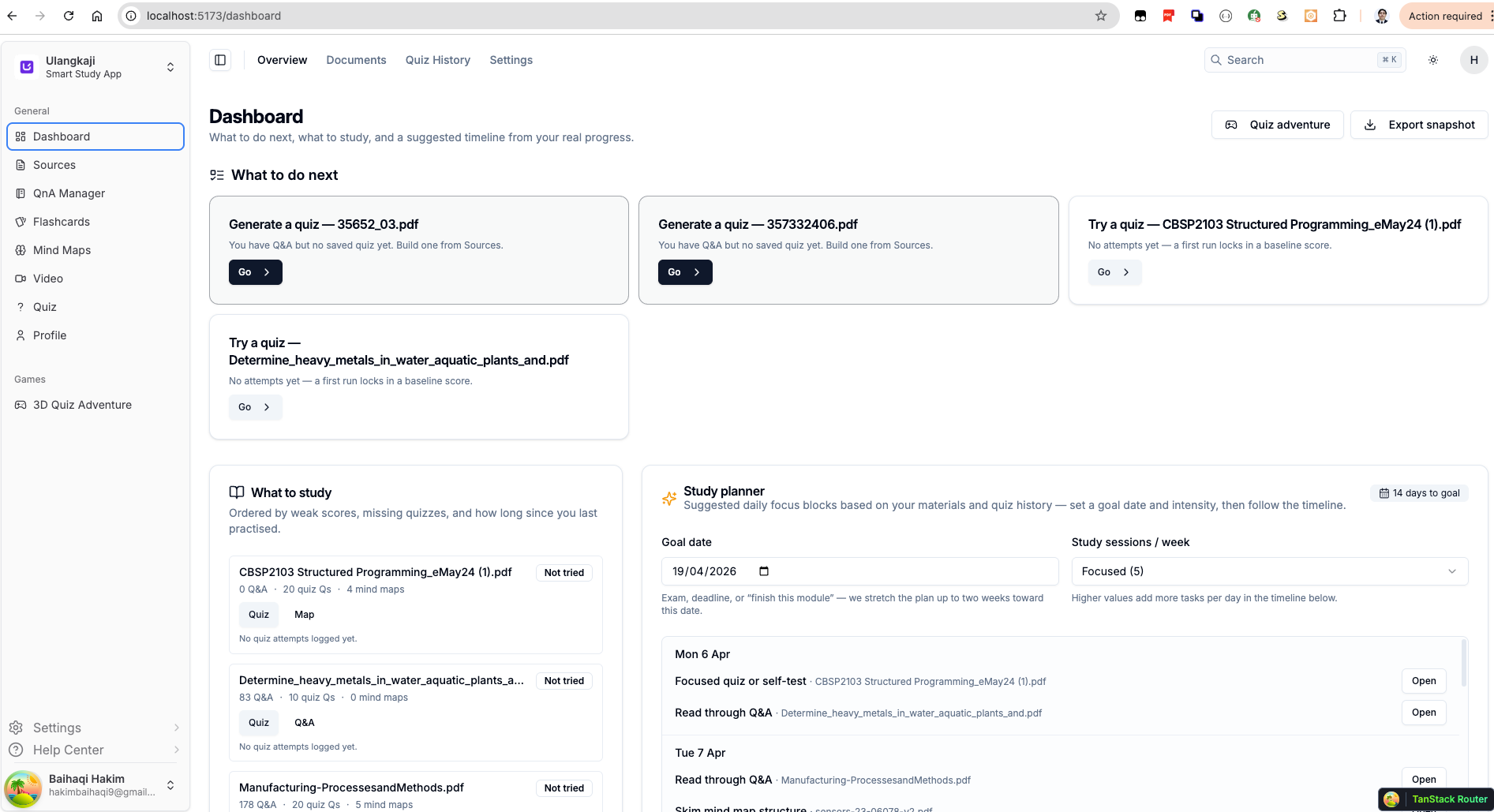
Studying becomes harder when you do not know where to start. The new dashboard helps solve that.
Instead of showing only static information, the dashboard now guides you with a clearer study flow. You can now see:
- what to do next
- what to study
- your weak areas
- missing quizzes
- your study timeline
- a suggested planner based on your materials and progress
This means Ulangkaji is no longer just a place to store study content. It now acts more like a study assistant that helps you decide your next step.
If you have uploaded multiple documents, the dashboard helps surface which one needs attention first. This is especially useful when you are preparing for exams, assignments, or trying to revise several subjects at once.
Smarter Source Management for Your Study Materials
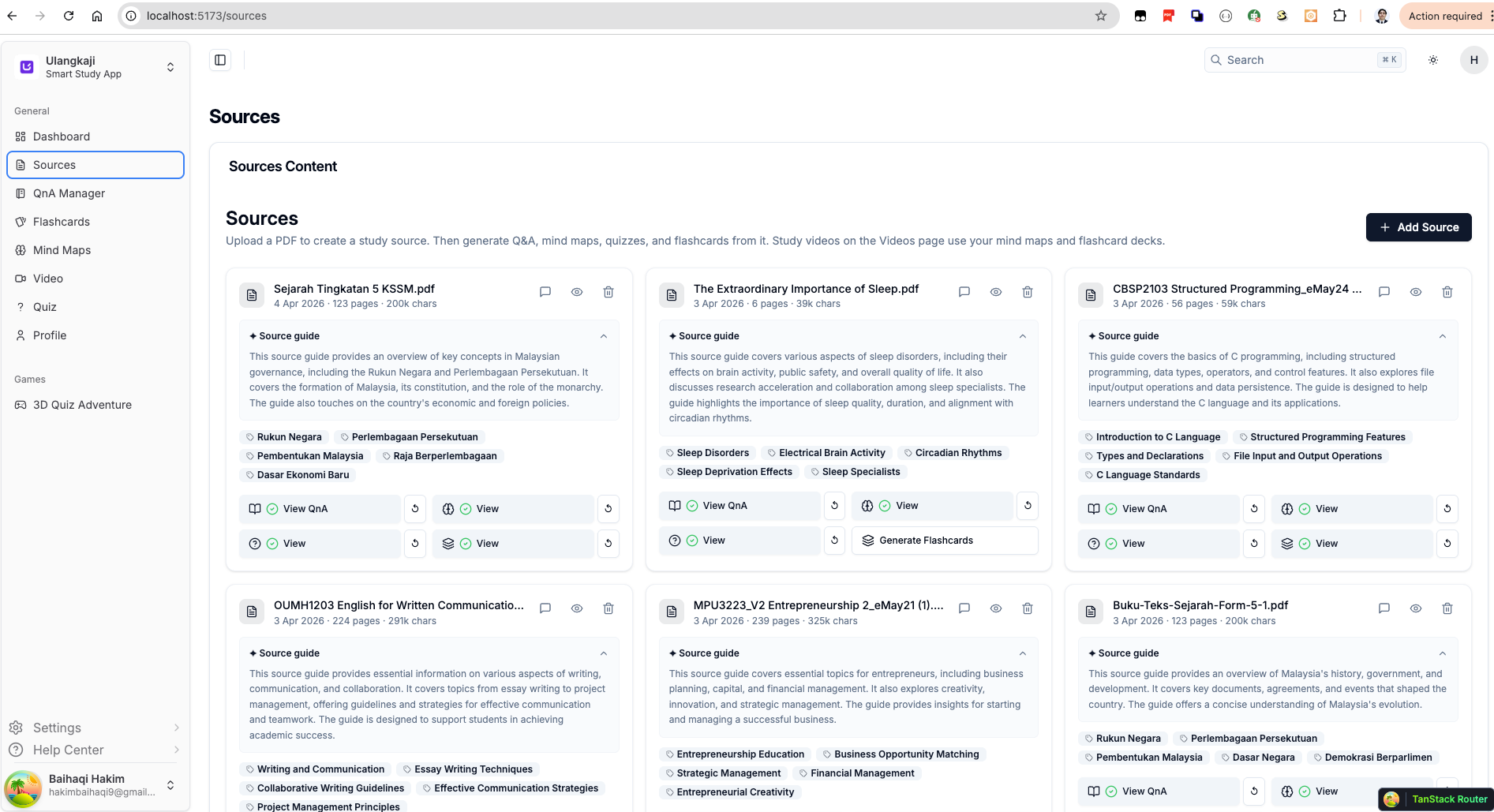
The Sources page has also been improved.
When you upload a PDF, Ulangkaji now organizes it as a proper study source. Each source comes with a cleaner overview, quick-access actions, and topic labels that make it easier to understand what the document contains before you even open it.
From one place, you can now move into related study actions such as:
- viewing Q&A
- opening generated content
- creating flashcards
- exploring mind maps
- asking questions directly from the source
This makes the platform feel much more connected. Instead of jumping between separate tools, your uploaded document becomes the center of the whole study experience.
Ask Questions Directly From Your Document
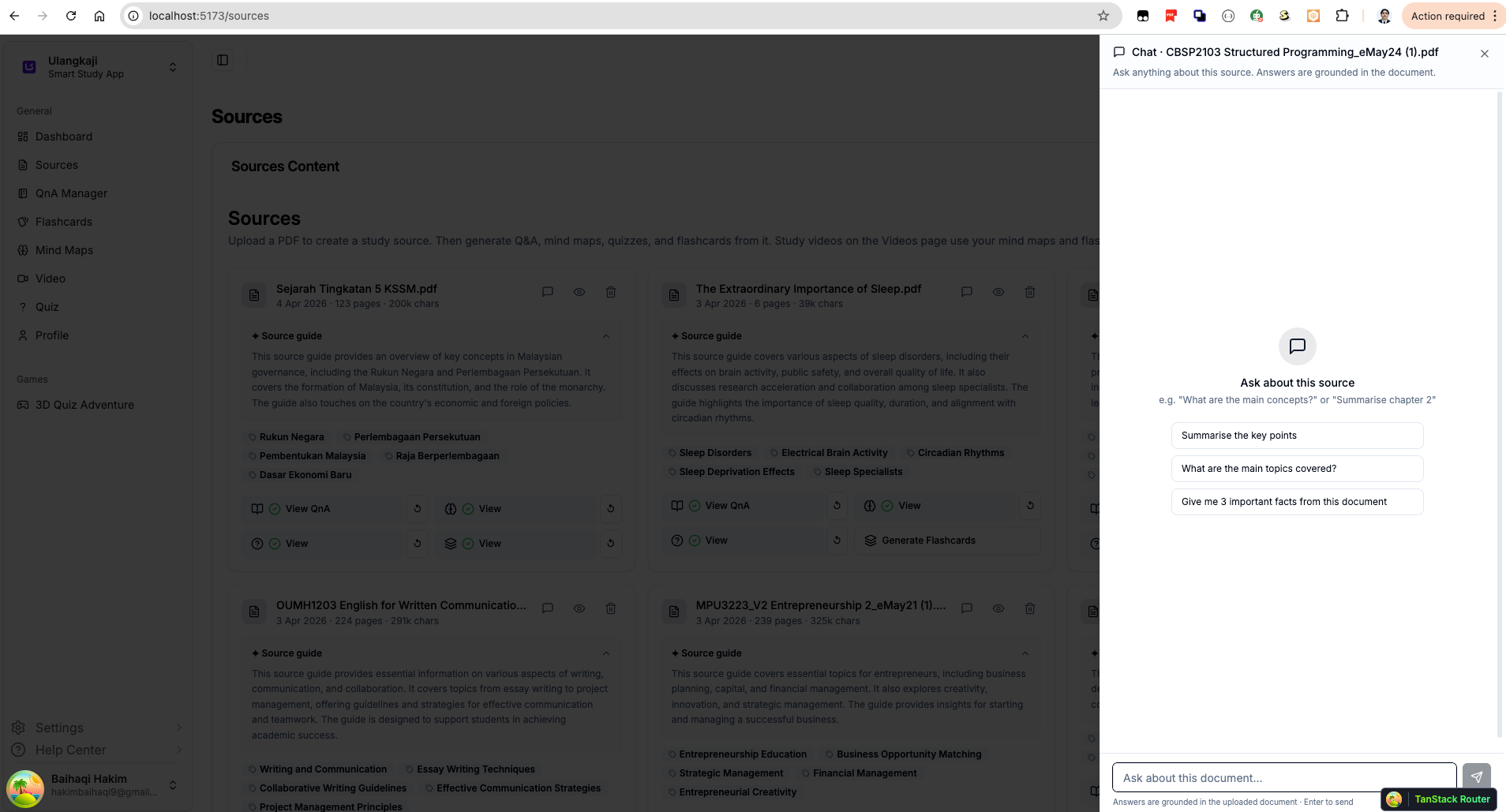
One of the most useful additions is the new source chat experience.
You can now ask questions like:
- Explain while loop
- Summarise the key points
- What are the main topics covered?
- Give me 3 important facts from this document
The answer is grounded in the uploaded source, so it stays focused on your material instead of giving generic explanations. Even better, the interface shows the related pages so you can trace where the answer came from.
This is a big step for students who want fast help without losing trust in the source. You are not just getting an answer. You are getting an answer connected back to the actual document.
Better In-Document Search With Page Matches
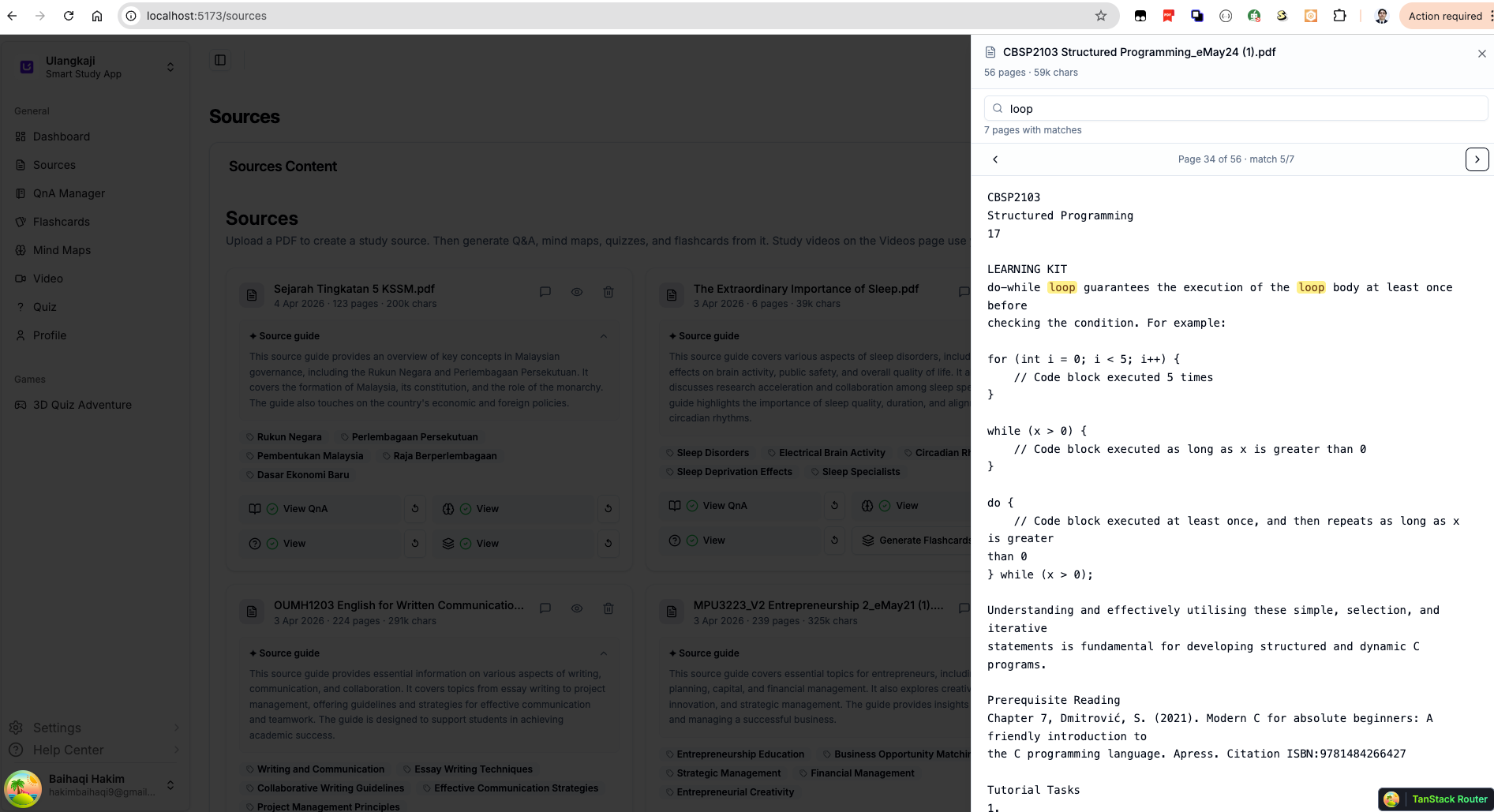
Sometimes you do not want a full explanation. You just want to find where something appears in the file.
The new source search view helps with that too. You can search terms inside a document and quickly move through page matches. This is useful when revising technical subjects, programming topics, theory-based notes, or exam-heavy materials where you need to locate a concept fast.
It saves time and reduces the friction of manually scrolling through long PDFs.
Mind Maps Are Now More Powerful and Easier to Use
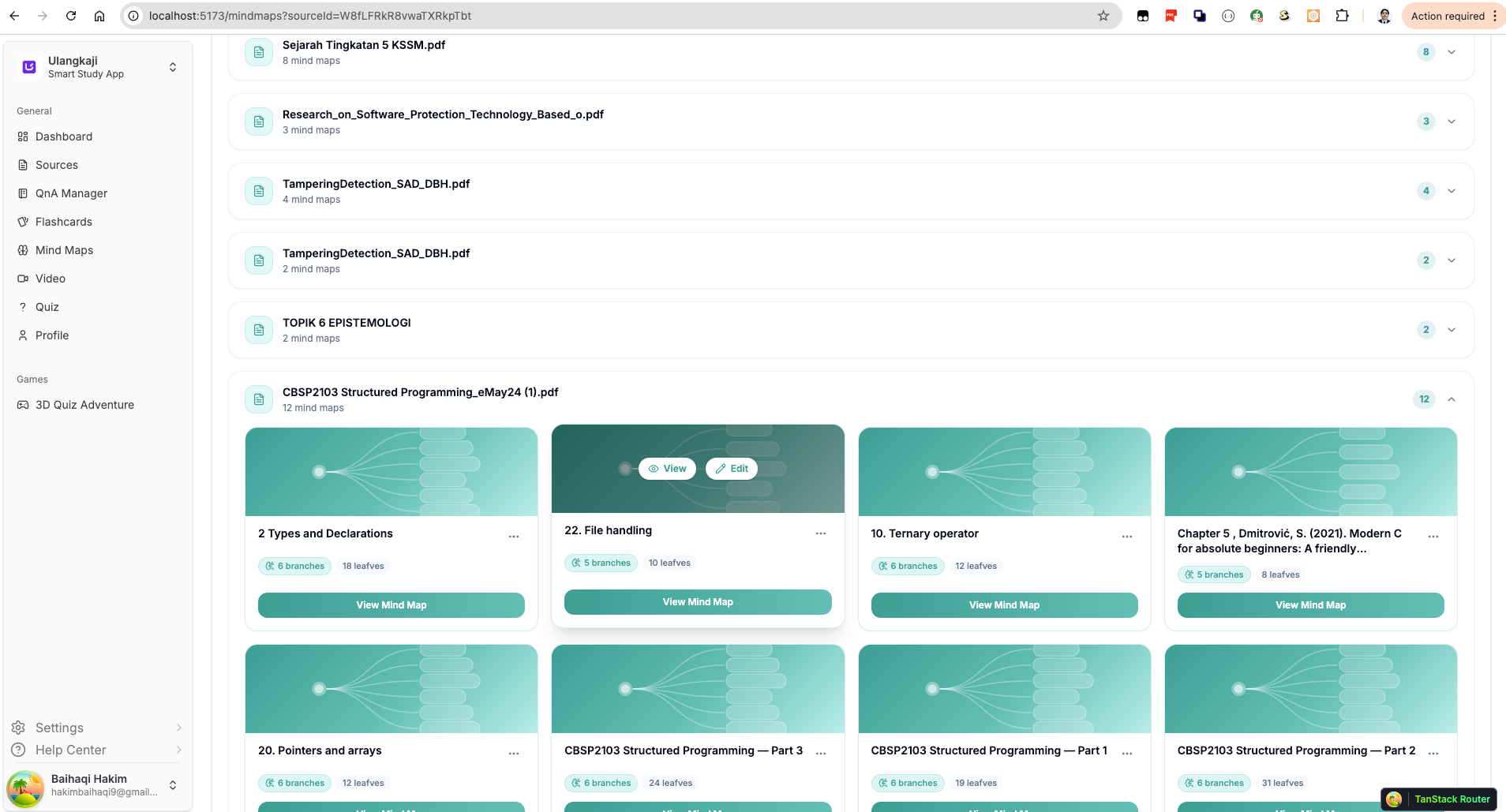
Mind maps have become one of the most exciting parts of Ulangkaji, and this update improves them in several ways.
You can now browse generated mind maps more clearly from the main mind map page. Each source can contain multiple mind maps, and each one is shown as a visual card with branch and leaf counts so you can quickly understand its structure.
Once opened, the mind map viewer becomes much more interactive. You can:
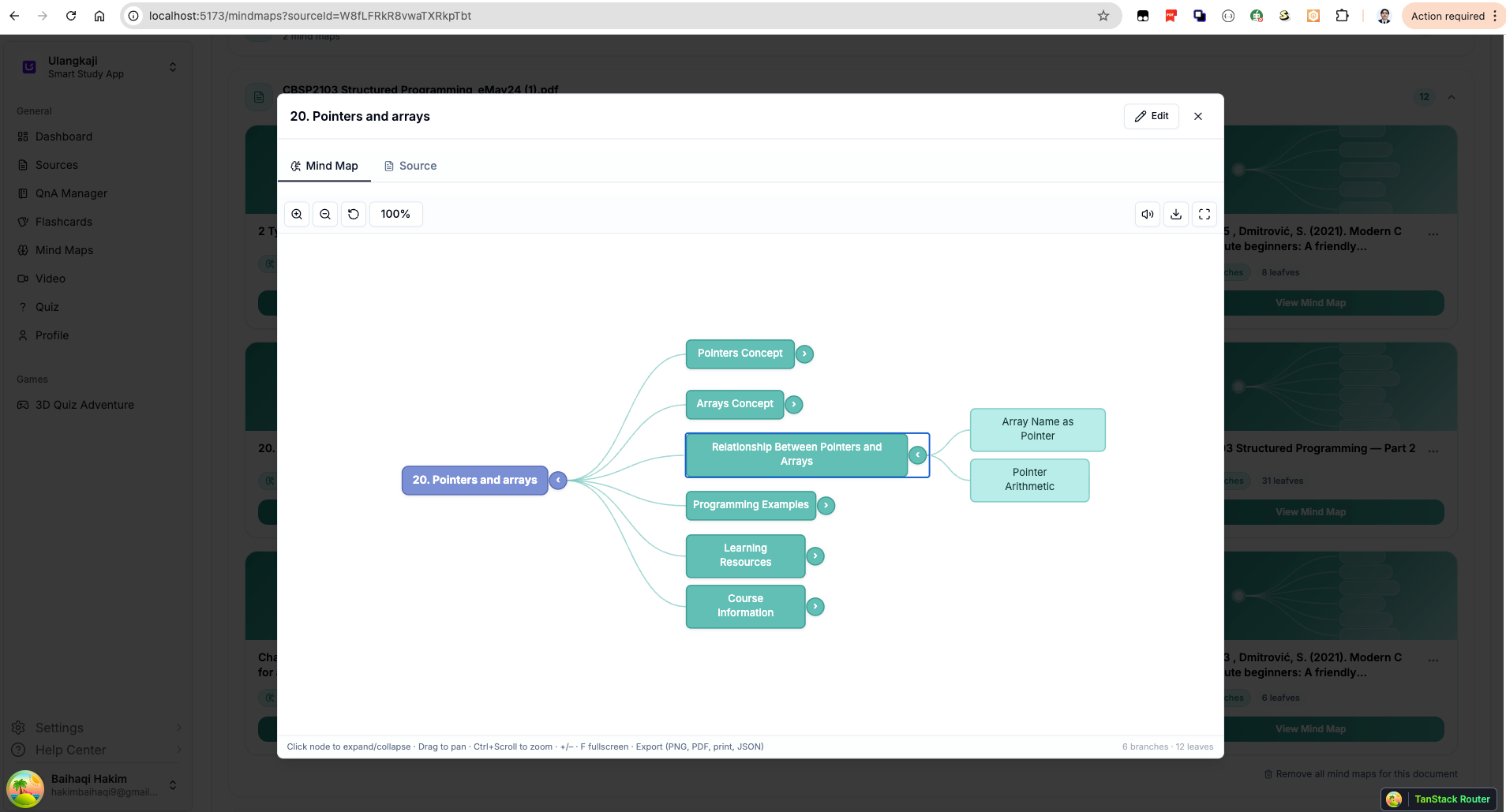
- zoom in and out
- expand and collapse nodes
- pan around the map
- switch between map and source view
- open a larger fullscreen-style view
- export the map
This makes mind maps more than just static diagrams. They now work as an active study interface.
You Can Edit Mind Maps Too
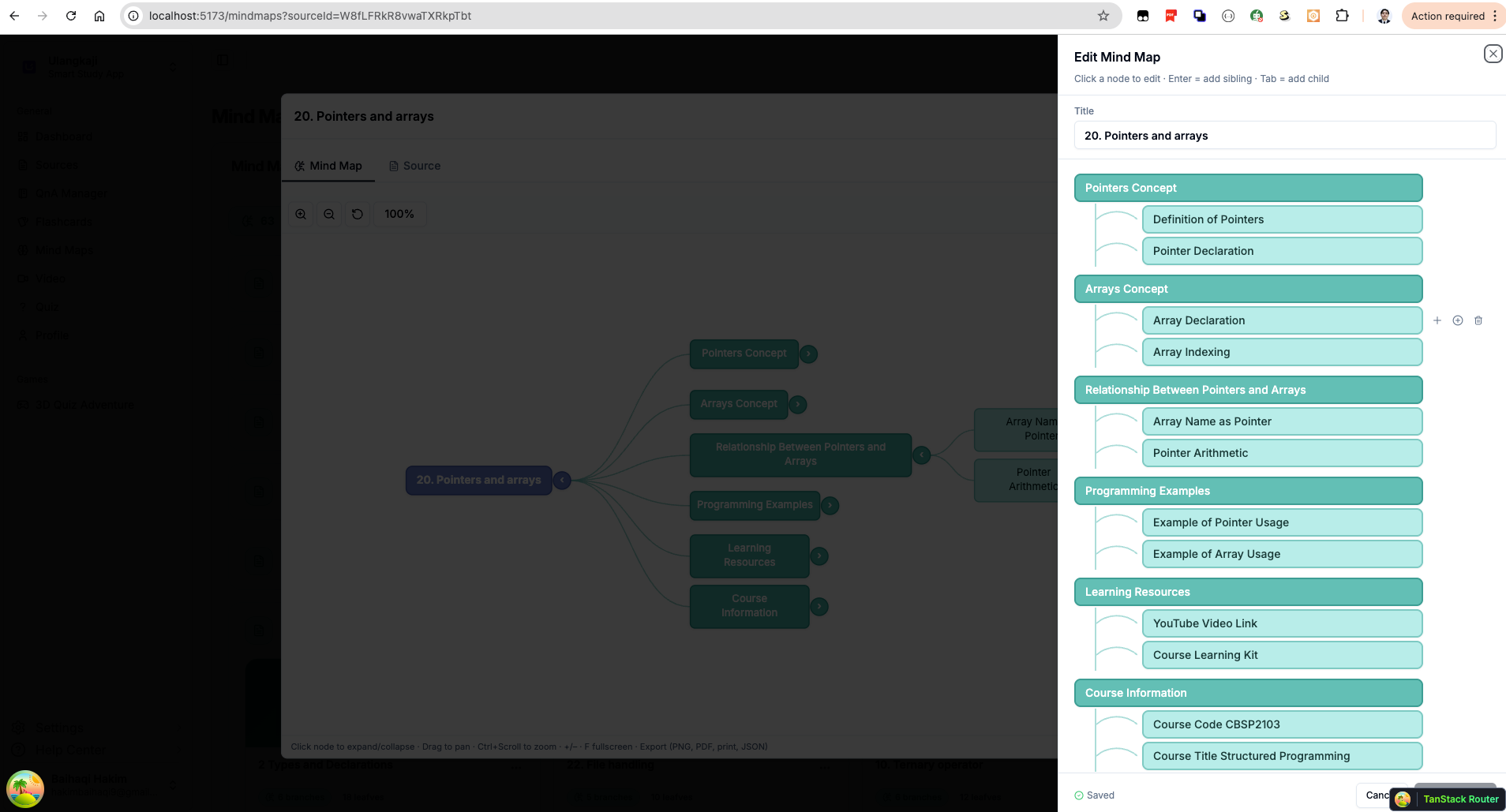
Another major improvement is mind map editing.
Users can now directly edit the mind map structure through a cleaner side panel interface. You can adjust titles, branches, and child nodes more easily without needing to recreate the map from scratch.
This matters because studying is personal. Sometimes the AI-generated structure is a good starting point, but students may want to simplify it, reorganize it, or rename sections in a way that matches how they think. Now they can.
That gives students more control over their own learning process.
Generate Study Videos From Mind Maps
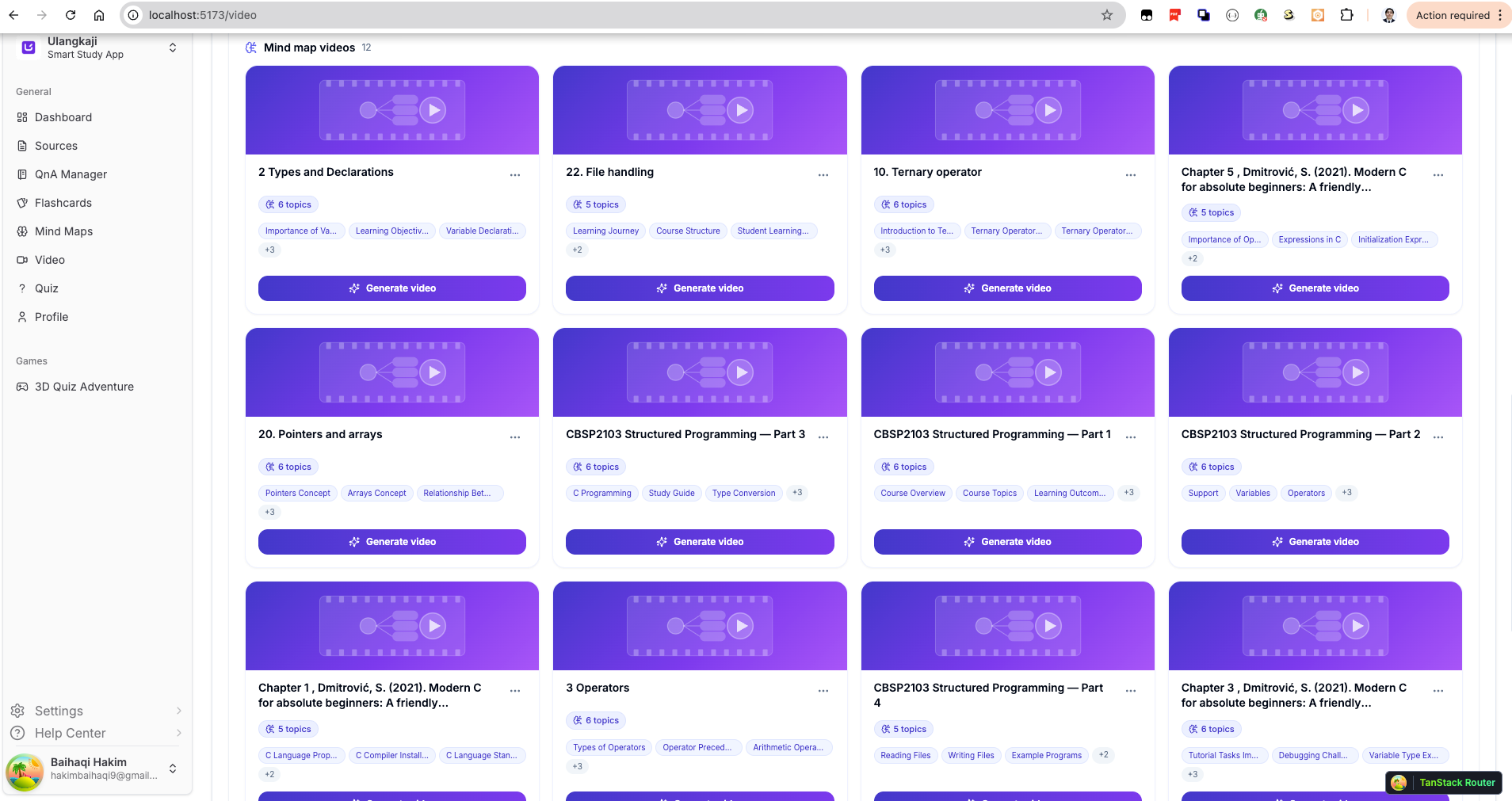
This is one of the most exciting new features in the update.
Mind maps can now become animated study videos.
Instead of only reading a map, students can generate a visual video version of it. The platform displays available topic cards and lets users generate a video from the selected structure. This opens a new study format for learners who remember better through motion, pacing, and visual repetition.
These videos are especially useful for:
- quick revision before exams
- passive review sessions
- students who prefer visual learning
- turning structured notes into short, digestible content
Video Themes for a Better Learning Experience
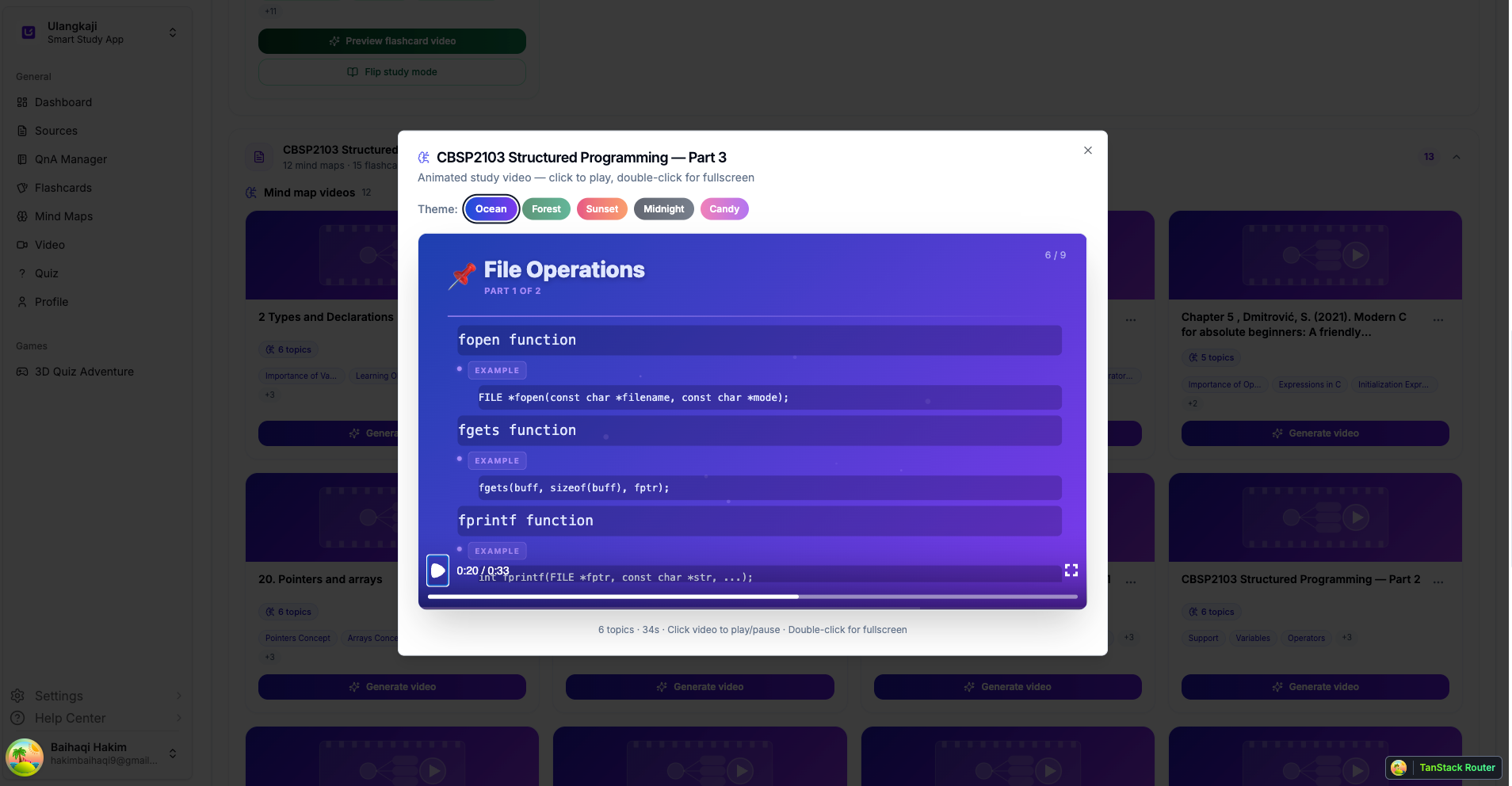
The generated videos also come with selectable visual themes such as:
- Ocean
- Forest
- Sunset
- Midnight
- Candy
This may look like a small detail, but it helps make the study experience feel more engaging and less boring. Students spend a lot of time revising, so giving them a more enjoyable presentation style can make a difference in consistency and focus.
Flashcard Videos With Countdown Recall
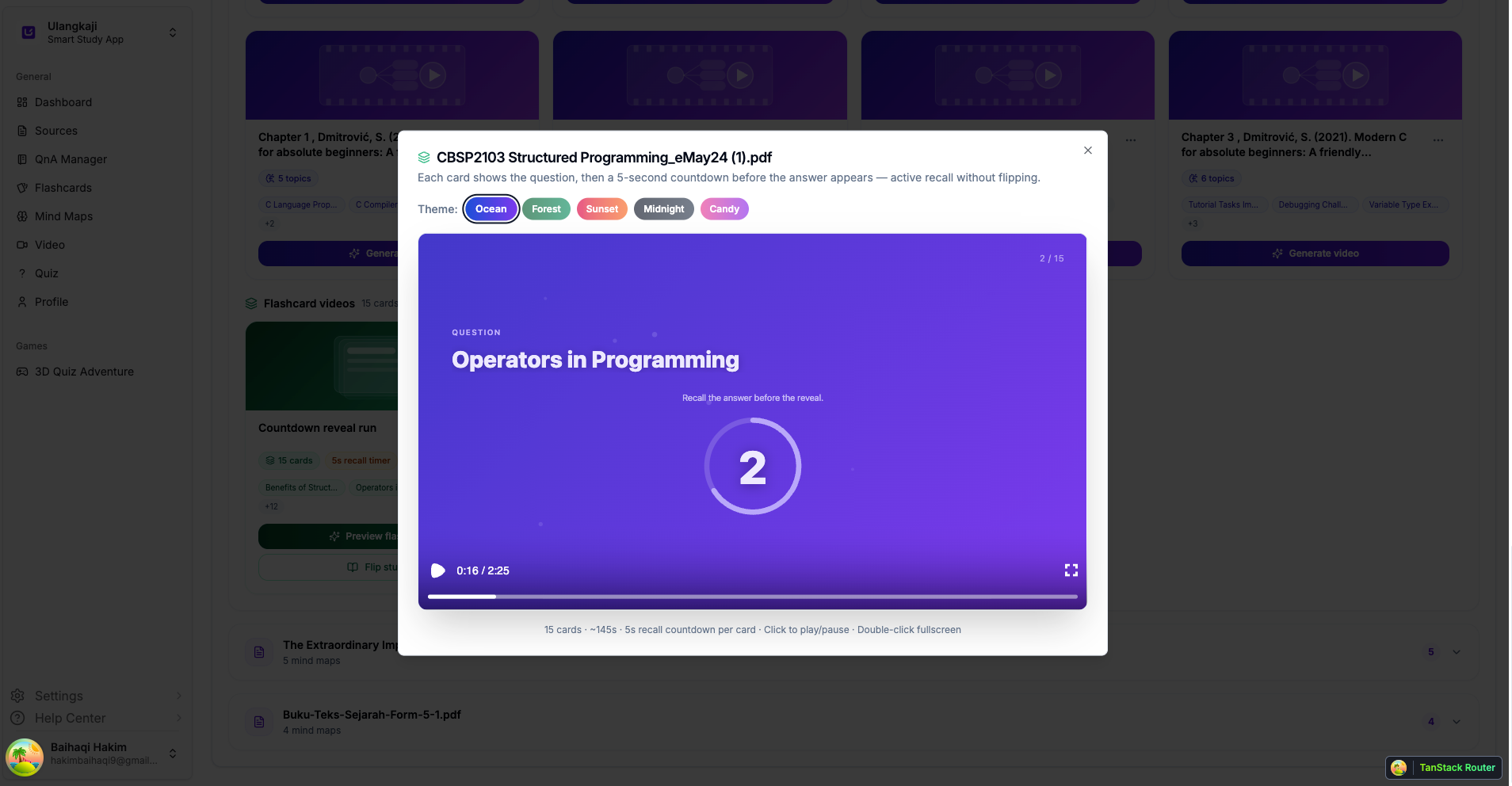
Ulangkaji is also pushing flashcards beyond the usual flip-card format.
A new flashcard video mode now shows the question first, gives the student a short countdown to think, and only then reveals the answer. This is a much more active style of recall compared to simply flipping a card instantly.
That small delay matters. It encourages students to pause, retrieve the answer from memory, and test themselves properly.
This feature is useful because strong recall practice is one of the most effective ways to improve retention. Instead of passively reading the answer, students are pushed to think first.
3D Quiz Adventure for Gamified Learning
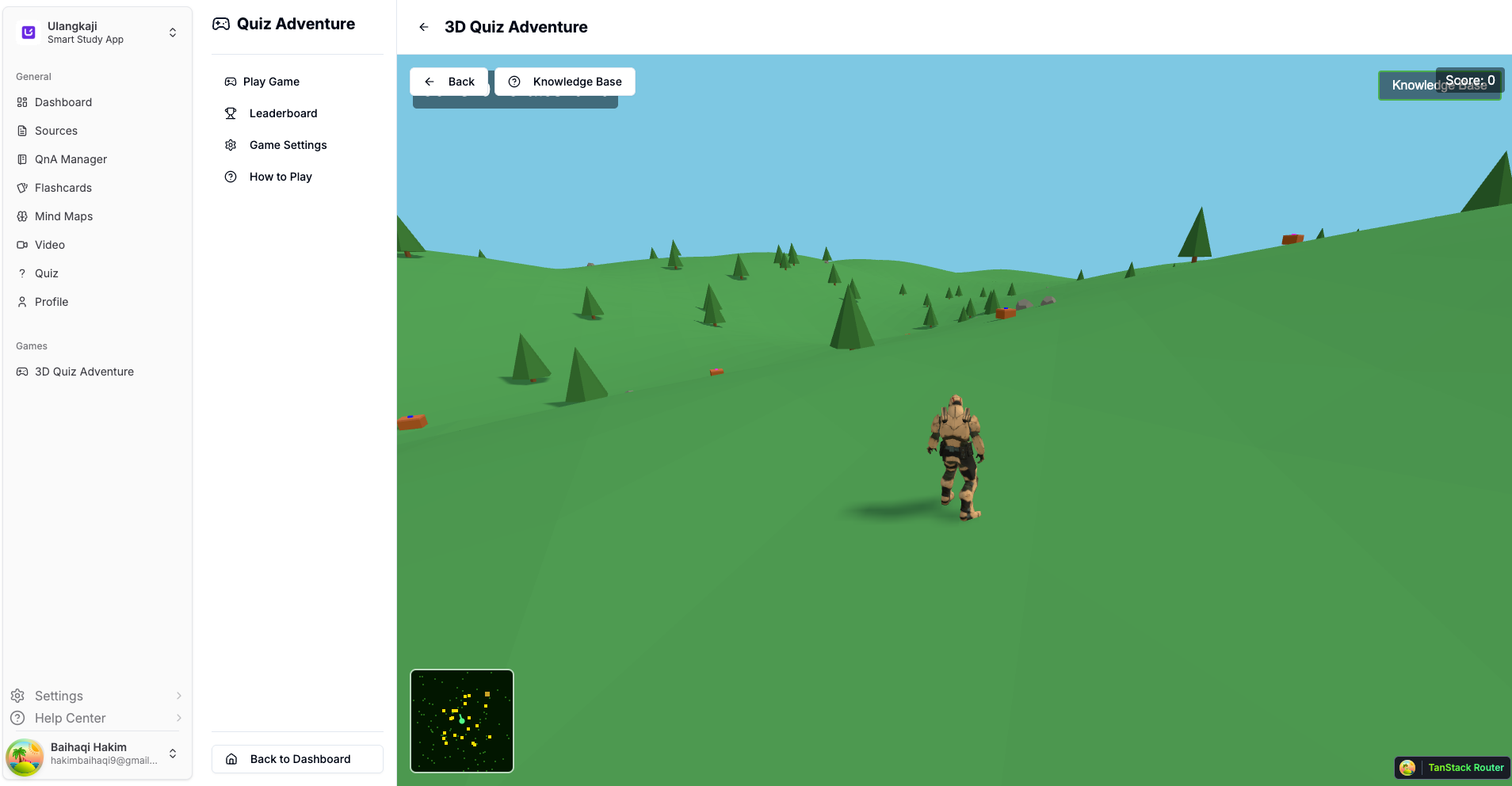
For students who enjoy interactive learning, the new 3D Quiz Adventure adds a completely different study experience.
Instead of answering questions in a plain interface, students can now enter a 3D world and turn revision into something more immersive and game-like. It adds a stronger sense of exploration, challenge, and curiosity, which can be very helpful for motivation during study sessions.
One exciting improvement is that the 3D Quiz Adventure is now expanding into bigger maps. This makes the experience feel less limited and more like a real space for exploration, where studying is not just about answering one question after another, but about moving through a larger environment while learning.
Not every student studies best in the same way. Some prefer reading, some like asking questions, some learn better through visuals, and some stay engaged longer when the experience feels interactive and game-based. This feature is built with that in mind.
Learning should not always feel repetitive. Sometimes, making it more immersive can help students stay focused longer and enjoy the revision process more.
What’s Next
We are continuing to improve Ulangkaji.net so that studying feels less messy and more guided.
The vision is to help students transform static documents into active learning experiences. A PDF should not just sit there. It should become something you can ask, explore, watch, revise, and test yourself on.
If you have already been using Ulangkaji.net, these new features are designed to make your workflow smoother and more effective.
If you are new, now is a great time to try turning your study materials into something much more interactive.