
Why I Built PowerTTS
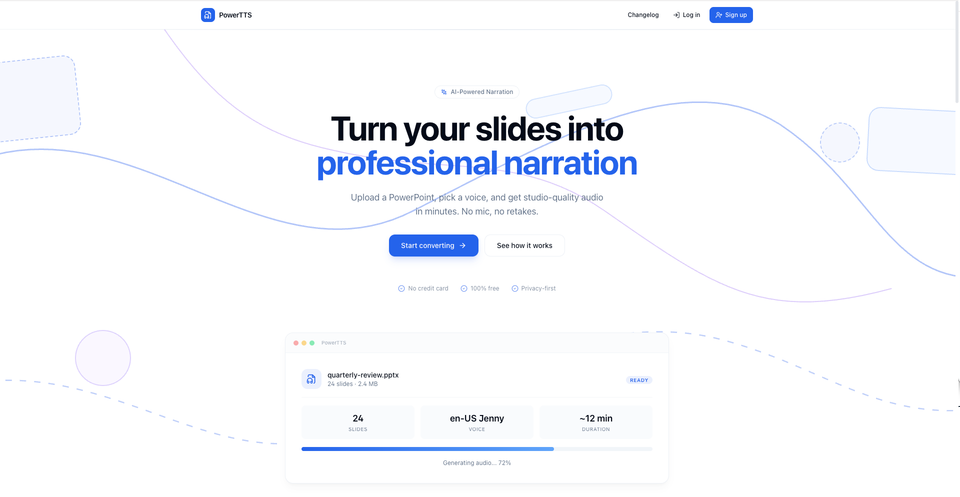
PowerTTS did not start as just another side project.
I built it because I kept running into the same real-world problem in my day-to-day work: creating training and onboarding content from PowerPoint was too slow, too repetitive, and too manual.
In my previous role as a software engineer, I worked on digitizing critical quality processes for manufacturing, especially around eQMS, CAPA, validation workflows, and related documentation. That work is not only about building forms, dashboards, and backend logic. A big part of successful system rollout is helping people actually understand and use what has been built.
That meant preparing user guides, training materials, tutorial content, and onboarding resources for different users.
And that is where the friction became obvious.
A lot of useful training content already existed in PowerPoint. The structure was there. The explanations were there. But turning those slides into something more usable, like narrated videos, still took too much effort. The common workflow was fragmented:
- prepare slides
- record narration manually
- sync audio slide by slide
- export everything into a shareable format
- redo parts when wording changed
It sounds simple until you need to do it repeatedly.
For internal training and user onboarding, that process becomes a bottleneck. Even a small update to a presentation can create extra work. If you are building systems that evolve quickly, your training material also needs to move quickly.
That was the real reason behind PowerTTS.
I wanted a faster way to take an existing PowerPoint, extract the text, generate voice-over automatically, and turn it into a usable video without needing to jump between too many tools. The goal was not just automation for the sake of automation. The goal was to reduce the effort required to transform presentation content into something people could actually consume.
So I built PowerTTS as a full-stack SaaS project that converts PowerPoint presentations into AI-narrated videos.
On the backend, I used FastAPI and built a processing pipeline that handles PowerPoint conversion, text-to-speech generation, slide rendering, audio synchronization, and video assembly. I integrated TTS generation with retry logic and error recovery, because media pipelines fail in messy ways and reliability matters. For video generation, I used tools like FFmpeg, MoviePy, and LibreOffice to handle slide conversion and final output generation.
On the frontend, I used React and TypeScript to make the workflow simpler and more accessible. I wanted the experience to feel practical: upload the file, choose a voice, process the slides, and get a finished narrated output.
I also containerized the system with Docker and deployed it with Nginx and SSL so it could run as a real usable product, not just a local experiment.
What makes PowerTTS meaningful to me is that it came from actual operational pain.
It was shaped by work that involved system rollout, training, documentation, and onboarding. It came from seeing how much effort is wasted when useful presentation content exists but still cannot be turned into a clean learning asset quickly enough. In that sense, PowerTTS sits at the intersection of software engineering, process improvement, and communication.
I built it using my own resources, outside company time and infrastructure, because I wanted to explore a better way to solve that problem.
For me, PowerTTS is more than a PPT-to-video converter.
It is a project that reflects how I like to build software: start from a real workflow problem, remove friction, and create something that saves time for people who need to learn, onboard, or communicate more effectively.
That is why I built PowerTTS.
Here is the sample walkthrough of the system